

Purpose:
This tutorial walks through a custom block used to determine the wall thicknesses of any implicit body. This custom block creates rays orthogonal to the build direction of the implicit body and parallel to a user-defined build plane (based on manufacturing orientation) and determines the lengths of the rays constrained to the walls of the implicit body.Applies to:
- nTop 2.23.7+
- Repeatable Workflows
- Wall Thicknesses
- Branched Lattices
Input:

- The Implicit body
- The build plane
- The number of rays you wish to sample around the normal central axis of the build plane
- The number of rays you wish to sample contained within the implicit body and parallel to the build direction
Step 1:
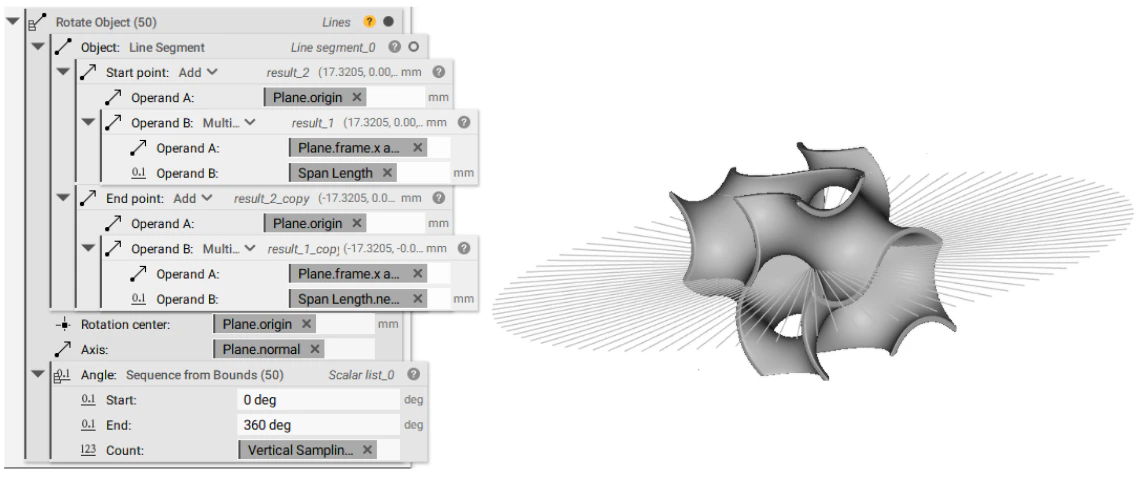
Step 2:
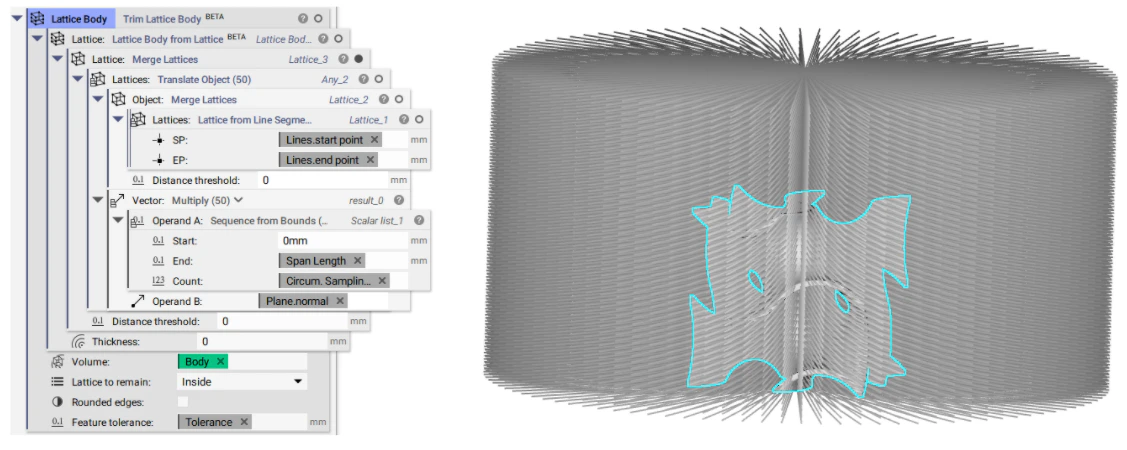
Step 3:
The third and final step creates a point map from the trimmed lattice body in Step 2, by extracting the start and endpoints of the lattice beams and the lengths of these beams. The points are concatenated into one list, as are the lengths, such that the points can be mapped to the lengths extracted from the lattice body line segments. This point map then allows the user to determine the wall thickness of their implicit body at various locations of the design space.
Attachment:
- Orthogonal Thickness Point Map - User-defined Build Plane - CB.ntop
- Orthogonal Thickness Point Map_Example-Application.ntop
- Can I split an implicit body along a plane or CAD Face?
- How to mirror an implicit body
- What is the difference between offset body and thicken body?