

Objective:
Learn how to mirror an Implicit BodyProcedure:
This article uses a Custom Block to create our desired outcome. If you are new to using Custom Blocks, learn how to import, modify, and update them with the following resources:
- Learning Center course:
- Intro to Automation
- Articles:
- How to update a Custom Block in an active notebook
- How to open up a Custom Block
- Insert Mirror Body block
- Drag and drop the Implicit body you wish to mirror
- Update the mirror Plane
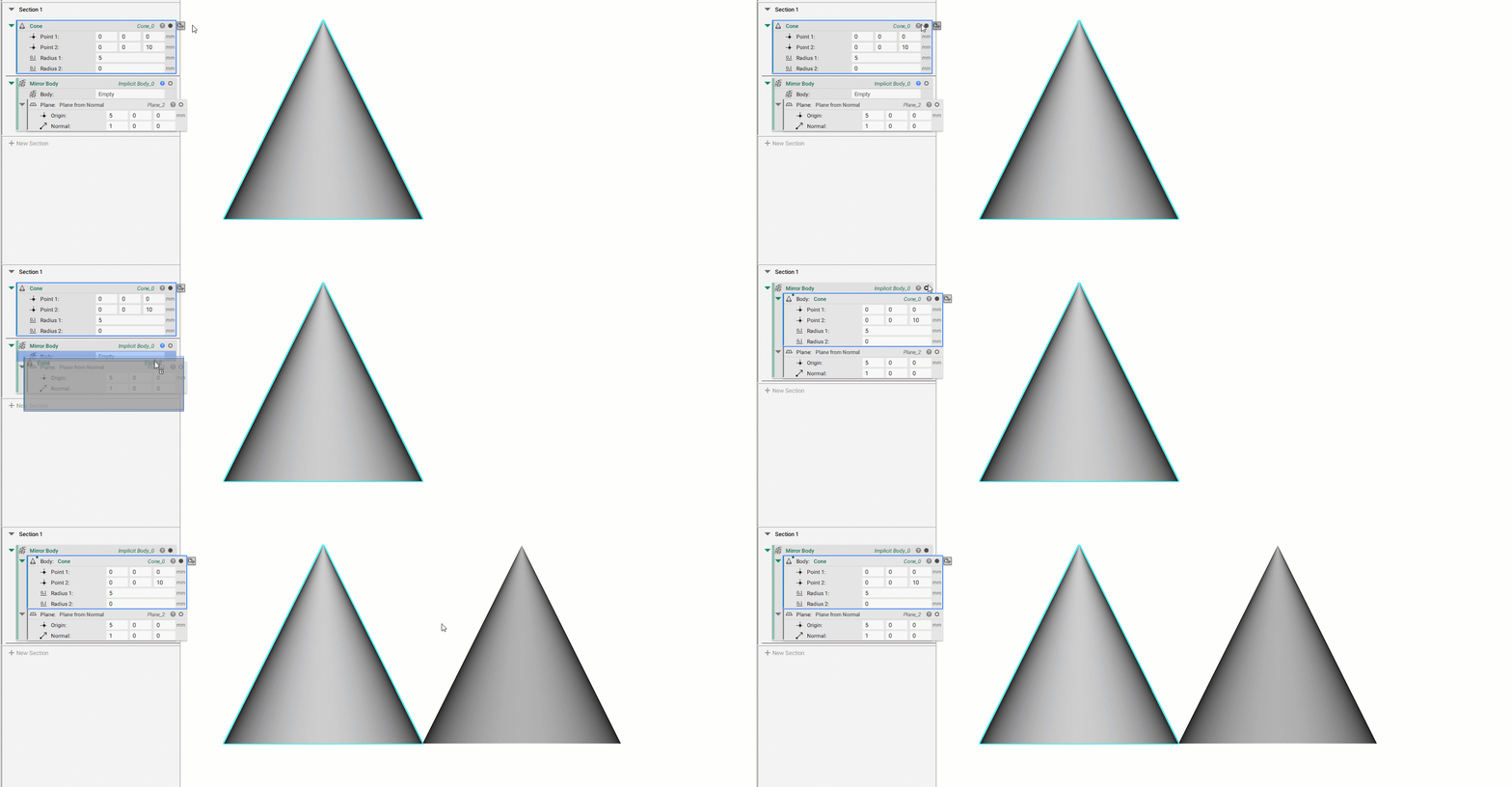 And that’s it! You’ve successfully mirrored your object.
Mirror Body is a compound block that you can export to see what it is made up of. Are you still having issues? Contact the support team, and we’ll be happy to help!
And that’s it! You’ve successfully mirrored your object.
Mirror Body is a compound block that you can export to see what it is made up of. Are you still having issues? Contact the support team, and we’ll be happy to help!