

Question:
How can I export the displacement results from a Simulation?Applies to:
- Simulation
- Design Analysis
Answer:
You can do this by using the Displacement Point Map block and then using the Export Point Map block. With the Export Point Map block, you need to change the Overload to allow for Vector Point Maps. You can do this by selecting the drop-down arrow on the Export Point Map block.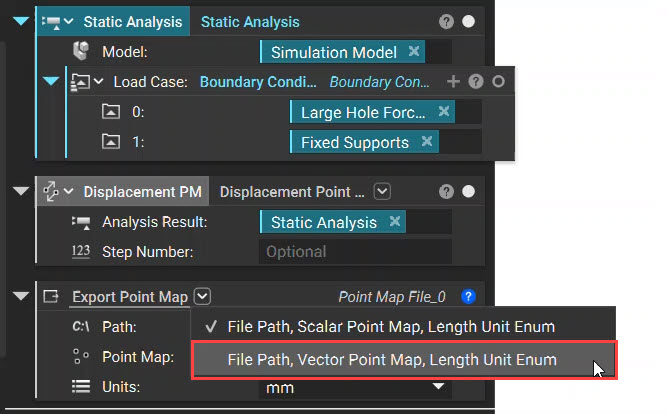 Once the Overload is changed, insert the Displacement Point Map and choose the Units. Then save the file in .CSV format.