

Objective:
Learn how to import and use a tableApplies to:
- Tables
- Lists
Procedure:
1. Set up your CSV file- The CSV must be a rectangular MxN table.
- The file type must be a CSV using UTF-8 or UTF-16 encoding with a list separator of a comma.
- Add an Import Table block
- Set the file path
- You can use the Include headers: input to choose whether to include headers. If checked, this input then makes the first row of the Table as column headers.
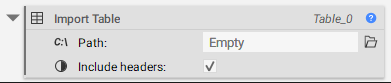
- To embed your Table, Right click and select Embed.
Note: You can access the header names in the properties of the Table as a Text list. The block will ignore duplicate and invalid (or empty) headers.
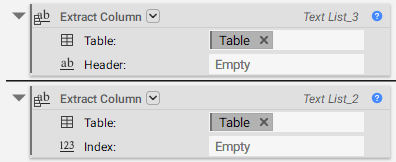 4. Convert the Text into Scalar
Add a Scalar from Text block. This block converts the text list output from the Extract Column block to a scalar list. Use the Multiply block to set the appropriate units before using it downstream.
4. Convert the Text into Scalar
Add a Scalar from Text block. This block converts the text list output from the Extract Column block to a scalar list. Use the Multiply block to set the appropriate units before using it downstream.
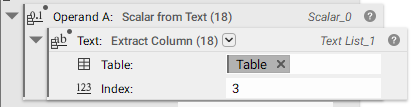
Note: Units will not be recognized and will cause conversion issues. No punctuation other than periods or letters is allowed. If using exponential notation, ensure no spaces exist before or after the letter
e. Positive and negative exponents are allowed.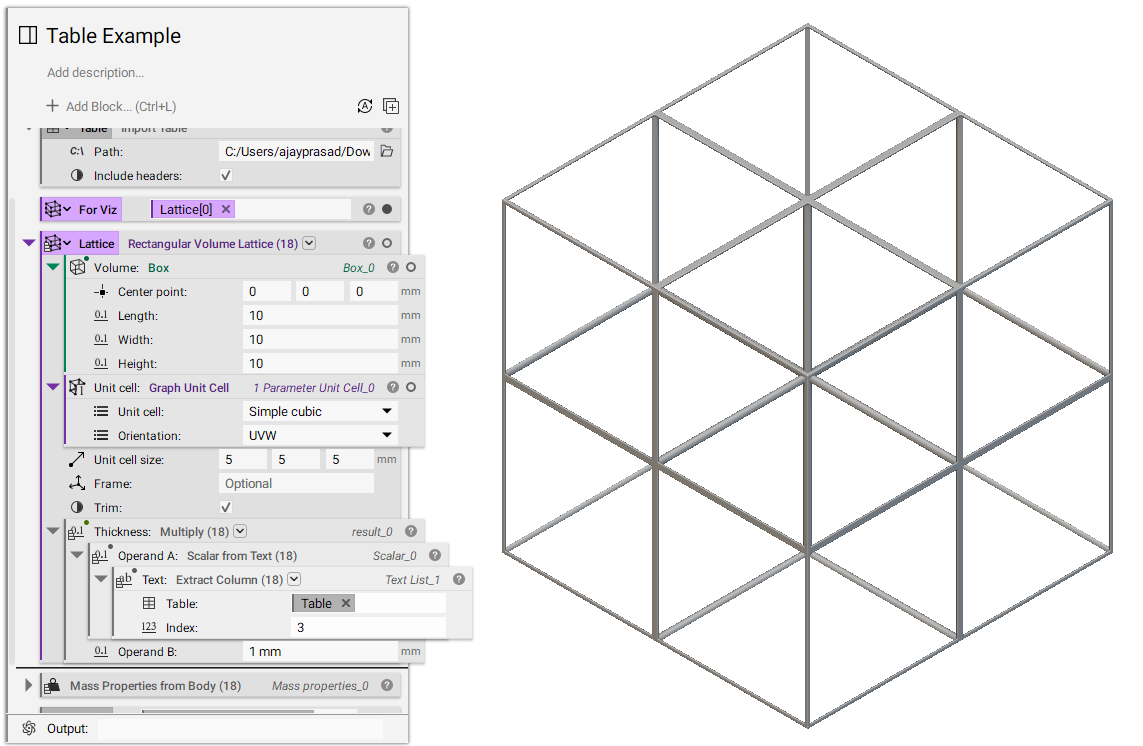 And that’s it! You’ve successfully imported and used a table.
Are you still having issues? Contact the support team, and we’ll be happy to help!
And that’s it! You’ve successfully imported and used a table.
Are you still having issues? Contact the support team, and we’ll be happy to help!