

Objective:
Learn how to generate and export a variable from Ansys CFD Post in CSV format to import into nTop.Applies to:
- ANSYS CFD Post
- Importing
Procedure:
With Ansys CFD Post Open:- File > Export > Export…
- Options: Define desired inputs, the primary three are:
- Set file path and name
- Location (i.e. Named Selection(s))
- Variable(s)
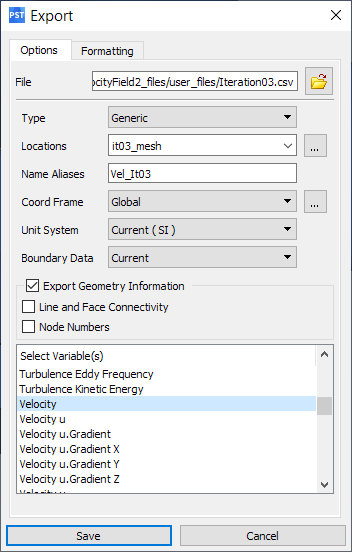 Image #1: Export Window, Options Tab
- Formatting
- Vector Variables
- Components (i.e. vector) or Scalar
- Separator
- Ensure that Include Header is turned off, this will allow nTop’s Import Scalar Point Map or Import Vector Point Map blocks to read in the CSV file
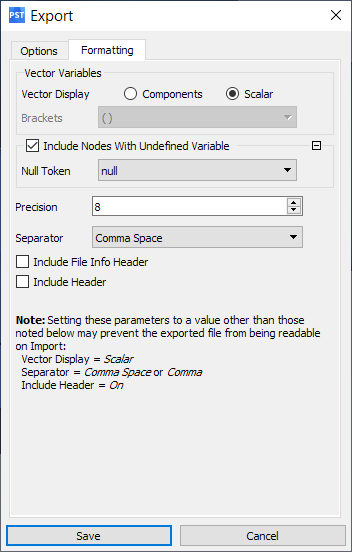 Image #2: Export Window, Formatting Tab
- Click Save