

Question:
How do I embed my imported part? How do I embed my imported mesh?Applies to:
- Importing
- Part
- Mesh
- Embedding
Answer:
Embedding your imported file makes sure you don’t run into any issues with links to files or folders that may not be on your computer. To embed an imported file, follow these steps:- Right-click on the Import block (Import Part/Import Mesh)
- Select the “Embed” option
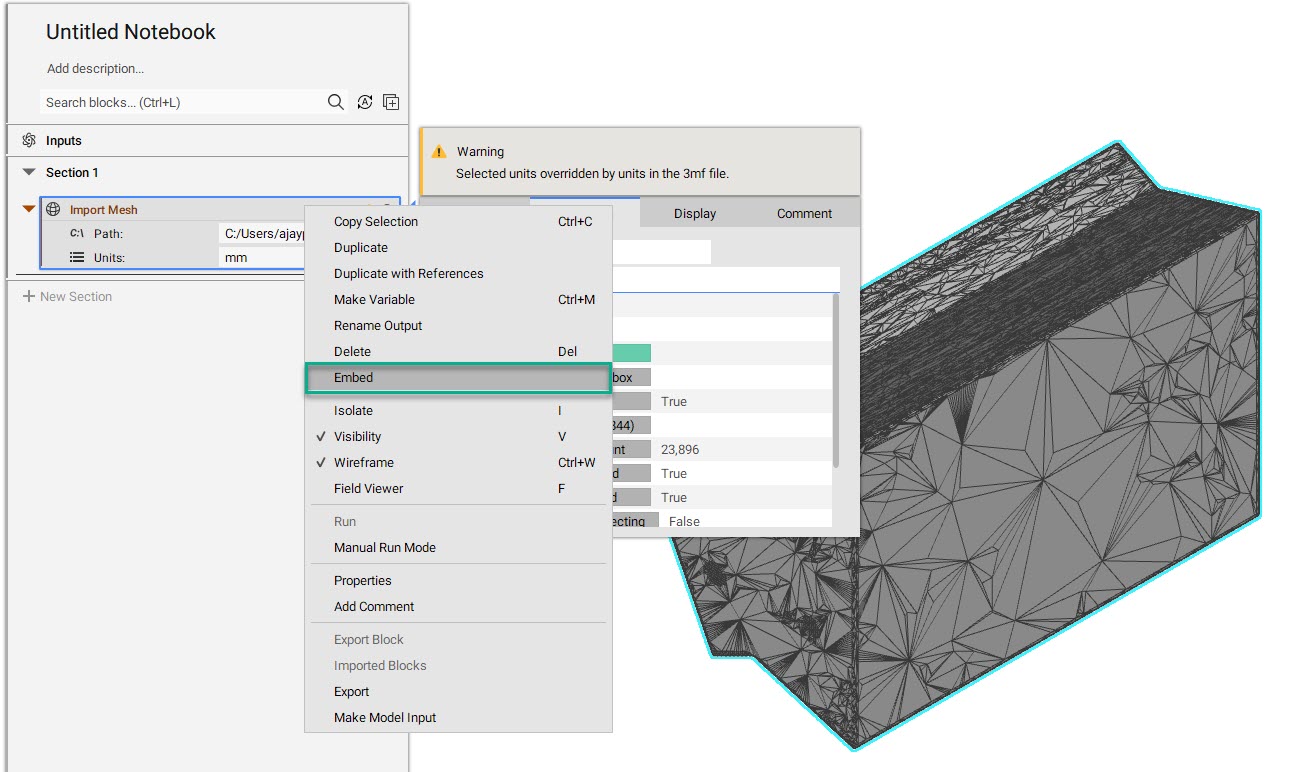 If you wish to embed a mesh that is created in the file, you need to export it out and then import it back to embed.
Embedding removes all import options that are normally available from the Import block, saving (embedding) the part into your nTop file.
To un-embed, your file, delete the embedded block.
If you wish to embed a mesh that is created in the file, you need to export it out and then import it back to embed.
Embedding removes all import options that are normally available from the Import block, saving (embedding) the part into your nTop file.
To un-embed, your file, delete the embedded block.