

Objective:
Export a high complexity implicit design as a simple CAD envelope with the mass properties of implicit designs.Note: Lattice or texture designs with millions of faces are too complex to be consumed by traditional CAx systems. In case of any downstream CAD functions requiring the mass properties of implicit designs, nTop has a function for exporting the simplified body of implicit design. This simplification includes an envelope shape that can be used in clearance analyses. We also export a collection of smaller bodies whose densities are chosen to produce correct weight, center of gravity, and moment of inertia results in CAD system calculations.
Applies to:
- Export to PTC Creo
- Export to Siemens NX
- Export to Solidworks
Procedure:
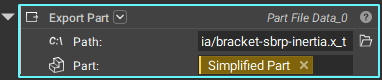
1. Simplified Body Representation: Provide a CAD envelope and the implicit body that you would like to simplify as well as the density of the material.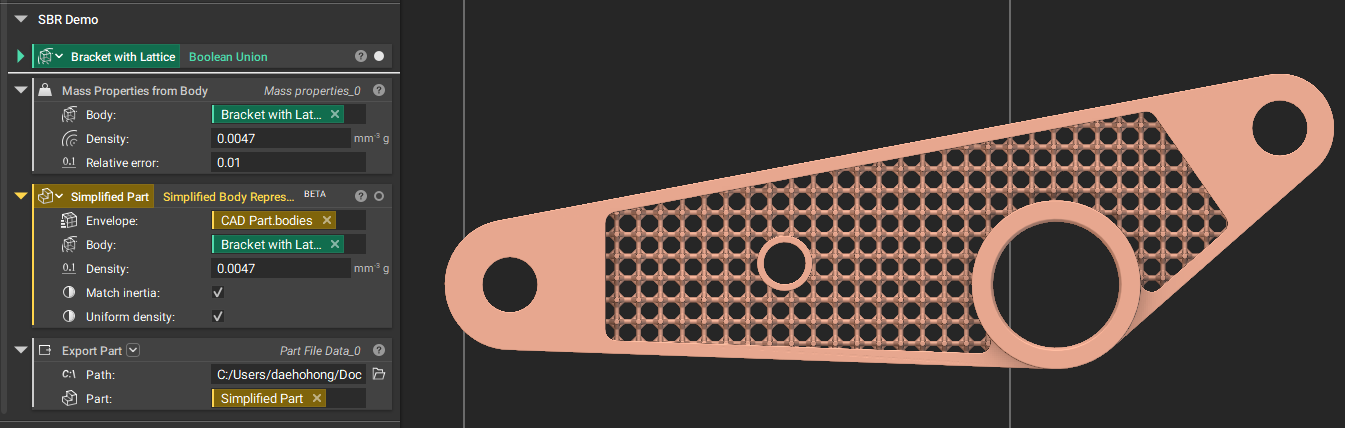 2. Optional: Use a Refine Mesh block to refine the Quad Mesh and capture further details and reduce the amount of rounding near sharp edges.
| Options | Detail |
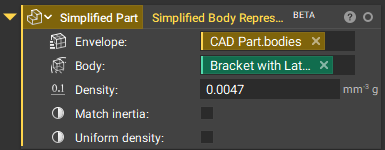 | CAD Envelope will be assigned with a modified density value to match the mass of the implicit part. |
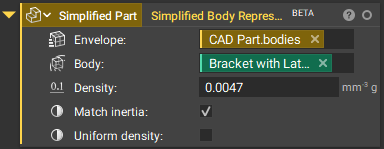 | CAD Envelope will be converted to surface bodies and small solid spheres with uniform radius and modified density values will be generated inside of the envelope to match the mass, center of mass, and principal moment of inertial of the implicit part. |
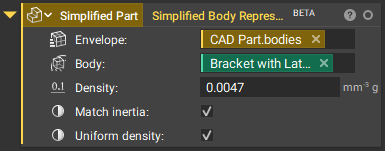 | CAD Envelope will be converted to surface bodies and small solid spheres with varying radii and uniform modified density values will be generated inside of the envelope to match the mass, center of mass, and principal moment of inertial of the implicit part. This option is required for Solidworks only. |
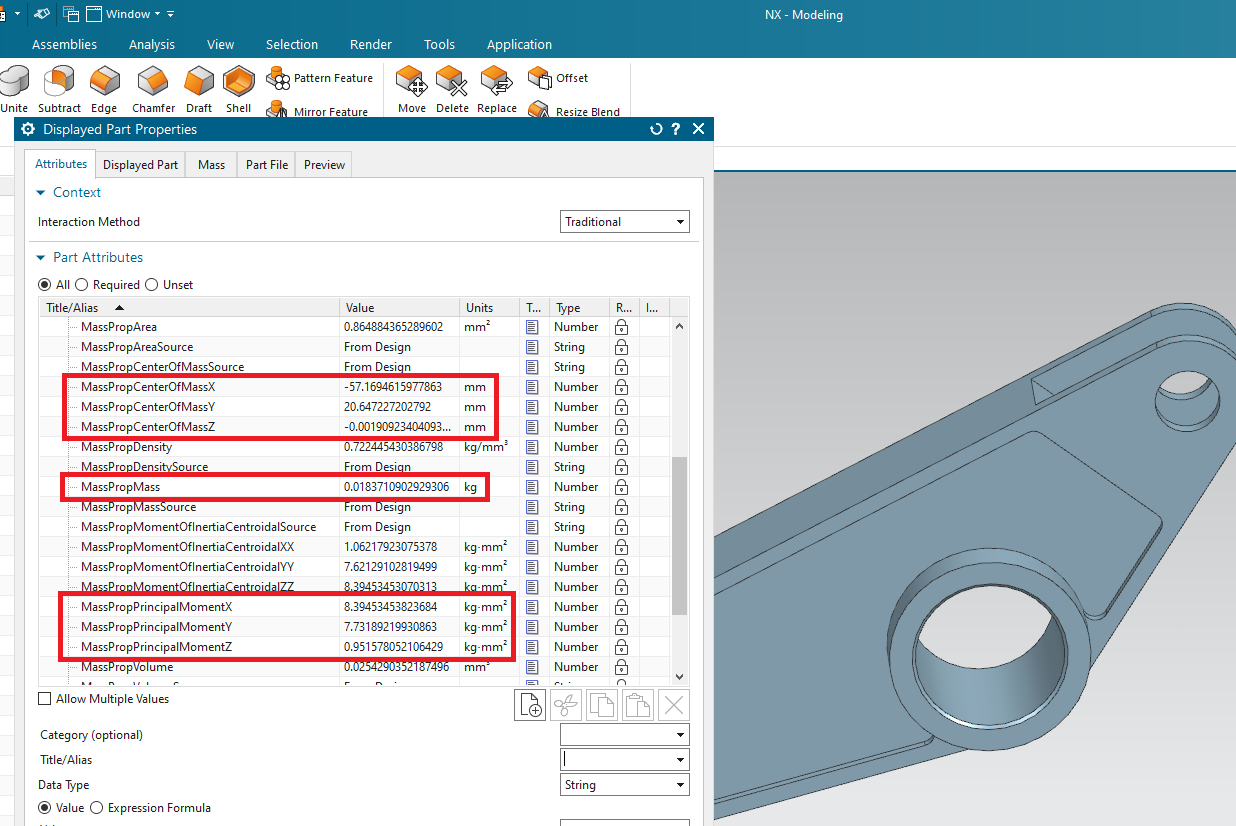
 4. Mass Properties: Use Mass Properties from Body block to compute the mass properties that you would expect in CAD. Import the simplified part in CAD to confirm if the mass properties match between nTop and CAD.
 And that’s it! You’ve successfully exported your part as a simplified CAD design.
Are you still having issues? Contact the support team, and we’ll be happy to help!
And that’s it! You’ve successfully exported your part as a simplified CAD design.
Are you still having issues? Contact the support team, and we’ll be happy to help!