

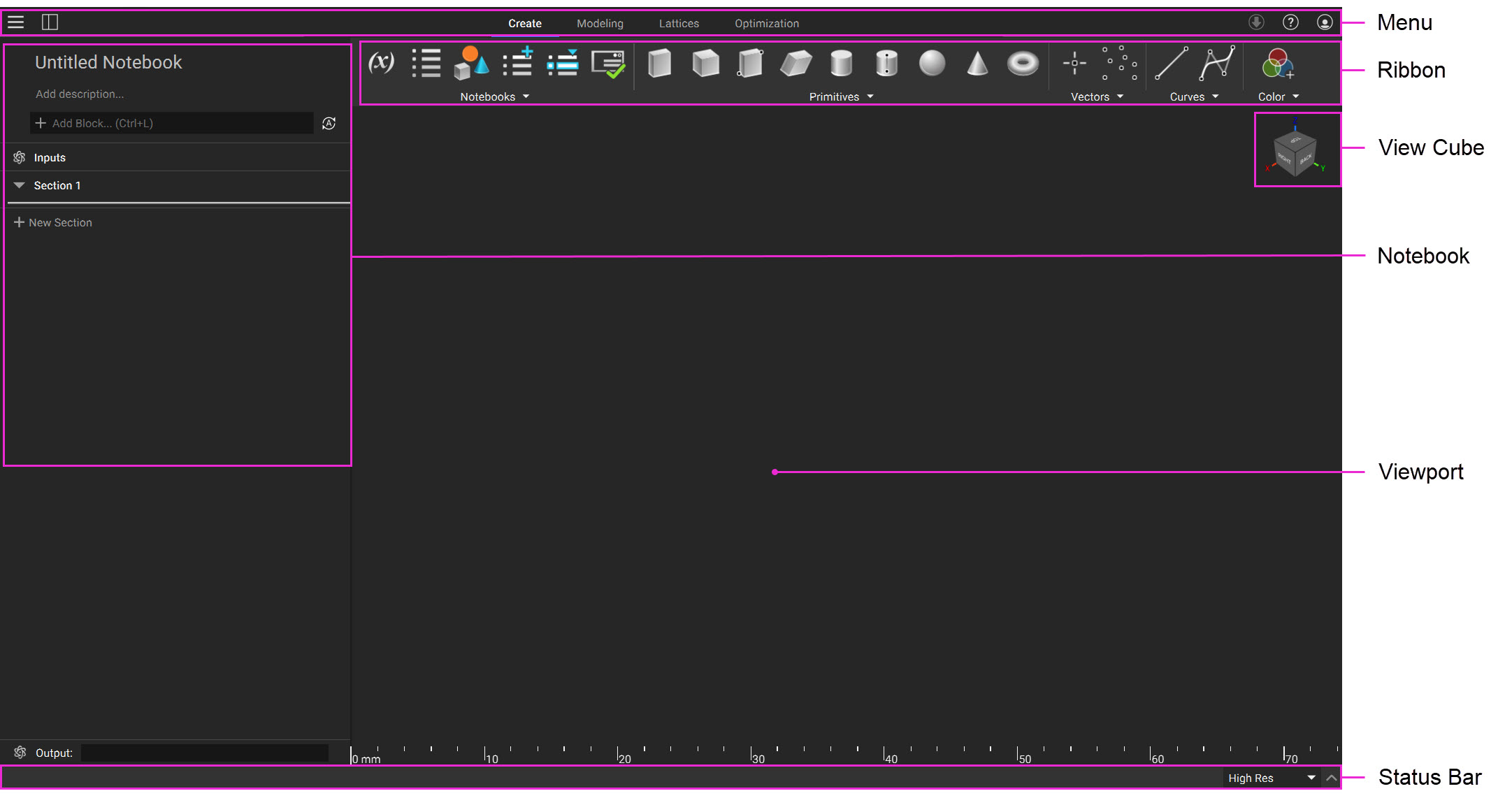
 The overhead Menu Bar contains the core program, view, and window controls, along with updates, help, and account settings.
The Ribbon contains all blocks organized into workflow themes accessed through dropdown menus.
The View Cube is located at the top right of the screen and is used to change the orientation of the Viewport.
The Notebook is the designated workspace for adding, linking, and organizing blocks to form larger workflows.
The Viewport is your workspace to interact with and visualize bodies and other geometry types, simulation results, field data, and slice data.
The Status Bar, located at the bottom of the window, houses controls for the 3D resolution, block progress, and the log panel.
The main window is available in the standard Dark Theme or the Light Theme (Beta).
The overhead Menu Bar contains the core program, view, and window controls, along with updates, help, and account settings.
The Ribbon contains all blocks organized into workflow themes accessed through dropdown menus.
The View Cube is located at the top right of the screen and is used to change the orientation of the Viewport.
The Notebook is the designated workspace for adding, linking, and organizing blocks to form larger workflows.
The Viewport is your workspace to interact with and visualize bodies and other geometry types, simulation results, field data, and slice data.
The Status Bar, located at the bottom of the window, houses controls for the 3D resolution, block progress, and the log panel.
The main window is available in the standard Dark Theme or the Light Theme (Beta).
- Edit the theme settings in the View dropdown in the Menu Bar or go to File > Settings > Display.