

Question:
Can I use more than one objective in a Topology Optimization?Answer:
While only one optimization objective can be used in a Topology Optimization, the objective can comprise multiple design responses. The same results can be achieved as a multi-objective optimization by properly weighting the design responses in a topology optimization.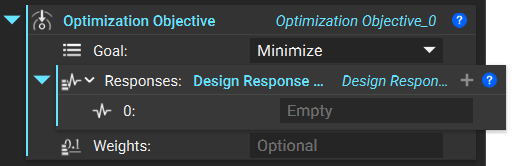 The importance of each objective can be given a weighting factor using the Weights input based on the following equation:
 The weighting factors w1 through wn are not normalized. If no weights are provided, the optimization objective function includes the design responses with unitless scalar values.
Properly Weighting Design Responses
Responses need to be appropriately weighted for an optimization to run correctly. The two factors to consider when properly weighting multiple design objectives are the sign of the weight and the magnitude. A negative weight will create the inverse effect of a design response. For example, maximizing structural compliance with a negative weight (-1) is equivalent to minimizing structural compliance with a positive weight (1).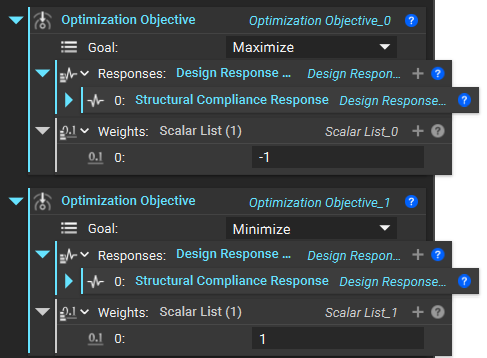 The second factor is the magnitude of the weight. This is only important when multiple objectives are being used. The magnitude of the results varies significantly with the type of response. To have each design response equally considered during the optimization, the order of magnitude of the response in the optimization objective should be equal.
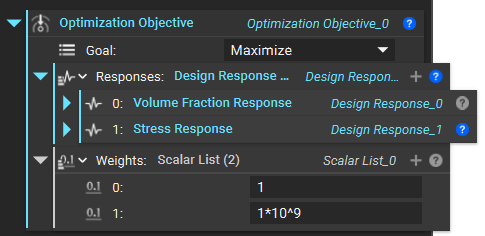
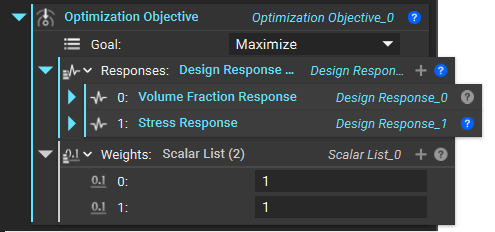
For example, the magnitude of a Volume Fraction Response will vary between 0 and 1; if this design response is combined with a Stress Response where the order of magnitude can be 1x10^9, the volume fraction will have a negligible impact on the optimization function. To equalize the importance of each design response, equal weights must be applied to equalize the order of magnitude of the responses.
The second factor is the magnitude of the weight. This is only important when multiple objectives are being used. The magnitude of the results varies significantly with the type of response. To have each design response equally considered during the optimization, the order of magnitude of the response in the optimization objective should be equal.
For example, the magnitude of a Volume Fraction Response will vary between 0 and 1; if this design response is combined with a Stress Response where the order of magnitude can be 1x10^9, the volume fraction will have a negligible impact on the optimization function. To equalize the importance of each design response, equal weights must be applied to equalize the order of magnitude of the responses.
 If the magnitude of the design responses is unknown, it can be difficult to determine the proper weights.
One workflow for estimating the appropriate weights to equalize the magnitude of each response can be found below:
If the magnitude of the design responses is unknown, it can be difficult to determine the proper weights.
One workflow for estimating the appropriate weights to equalize the magnitude of each response can be found below:
Estimating Proper Weighting Example
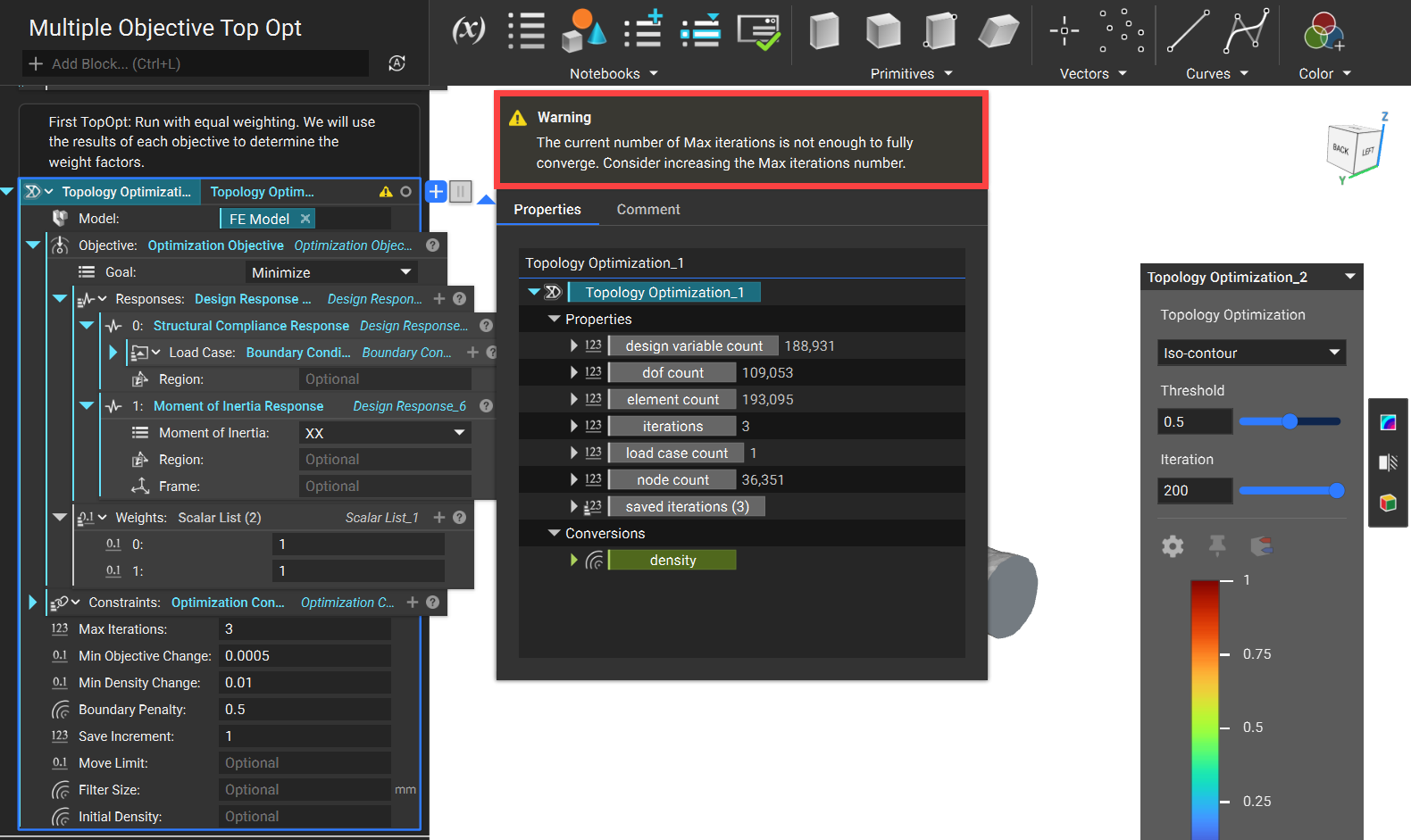
- Start by running a Topology Optimization with equal weighting applied to each objective. For this example, we have two objectives that are being minimized. You only need a few iterations to determine the weight magnitude, so you may encounter this warning when running the block.
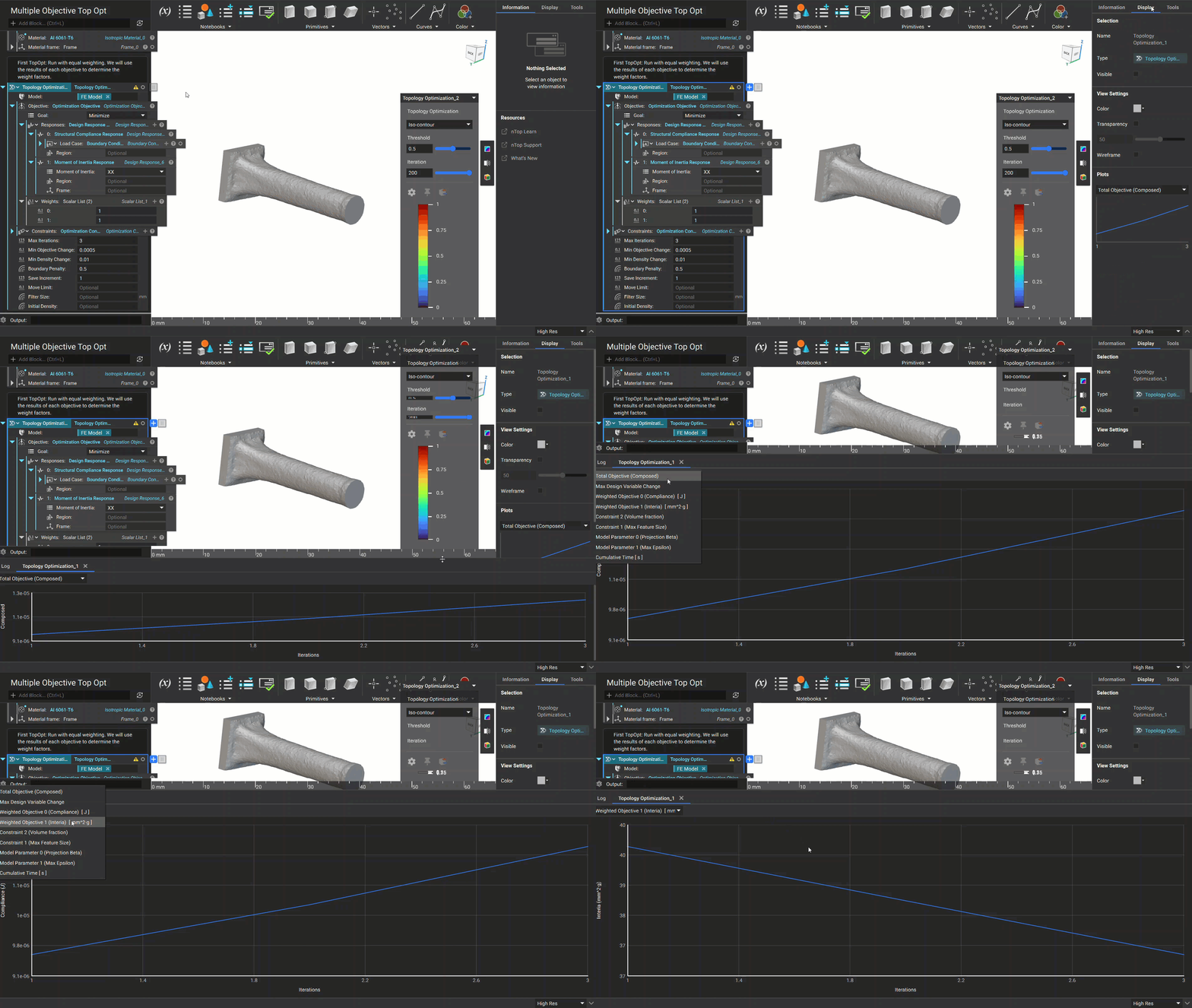
- Review the results of each objective plot in the Display tab of the Right Side Panel. You can click on the plot to expand it into the Bottom Panel for a larger viewing window.
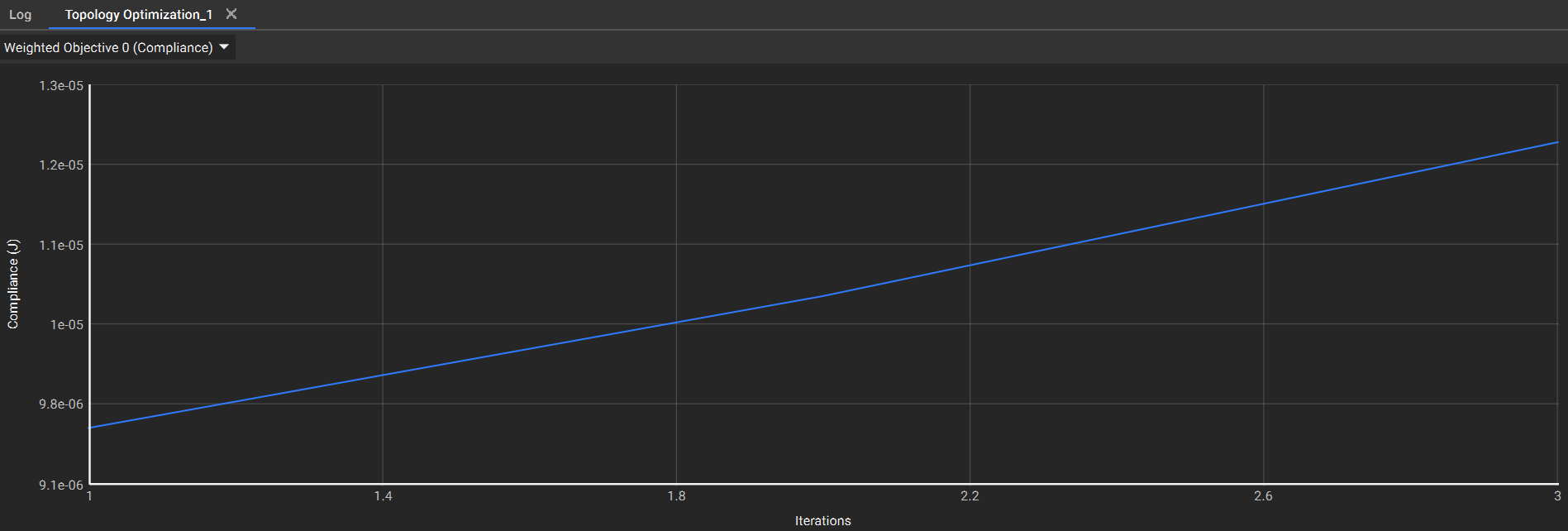 Plot 1: The first objective for Structural Compliance converges around 1.23e-05 J
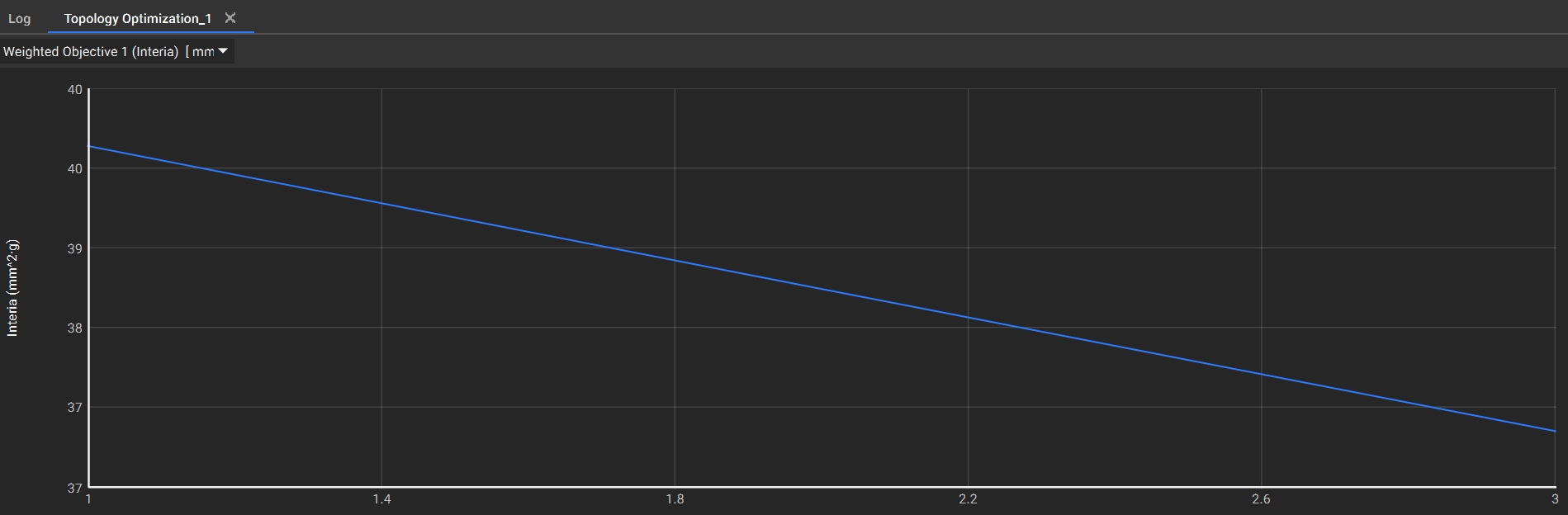 Plot 2: The second objective for Moment of Inertia converges around 37 mm^2*g
- We can now use the magnitude of the design responses to equalize them in a new optimization objective. The magnitude can be equalized for the two response objectives above by simply weighting the first response with the value of the second response and vice versa. Keep in mind that if one response is to be minimized while the other is maximized, a minus sign needs to be applied to one of the weights.
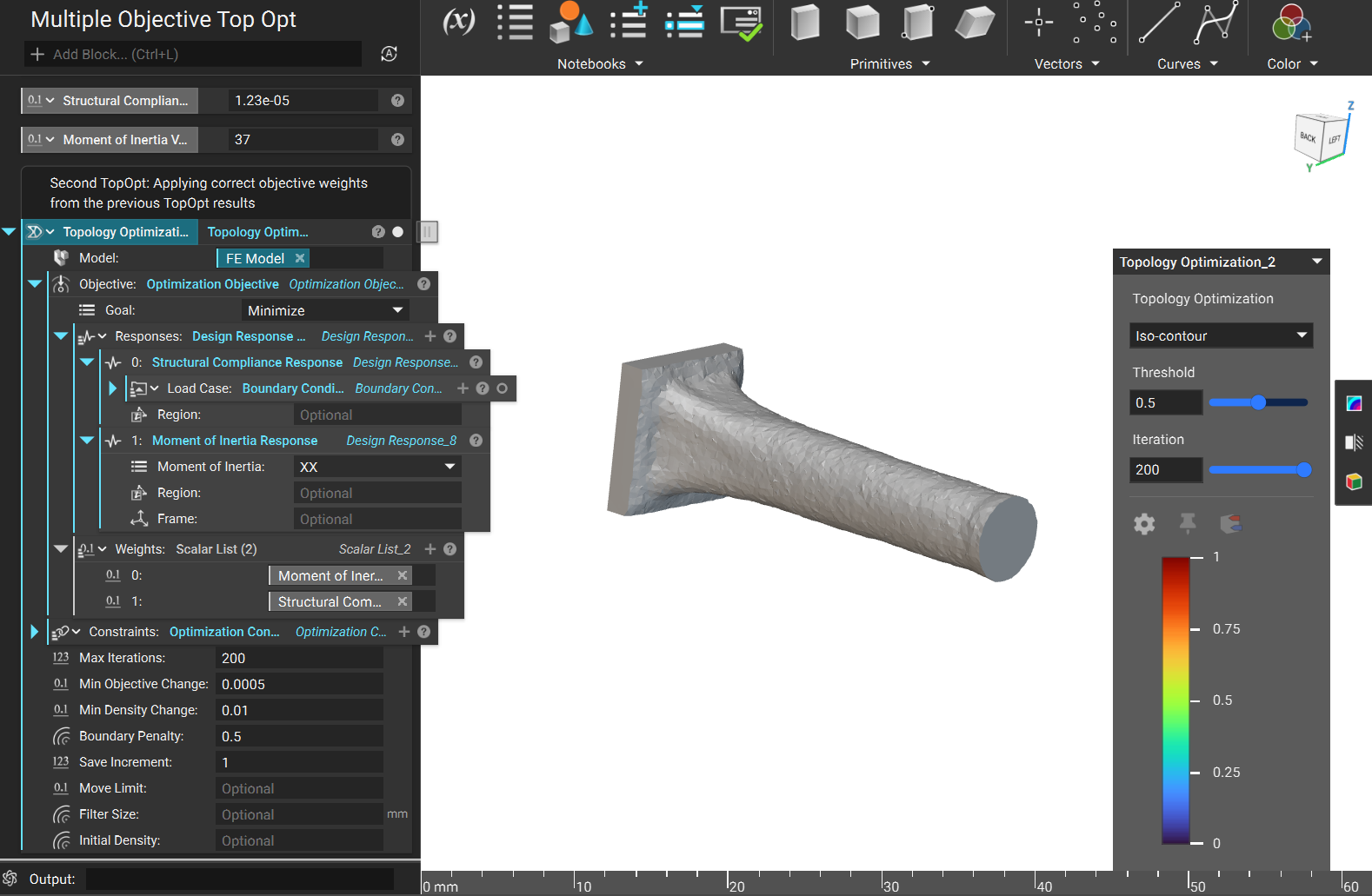
- Now that the weights have been applied, the results are very balanced compared to the initial TopOpt.
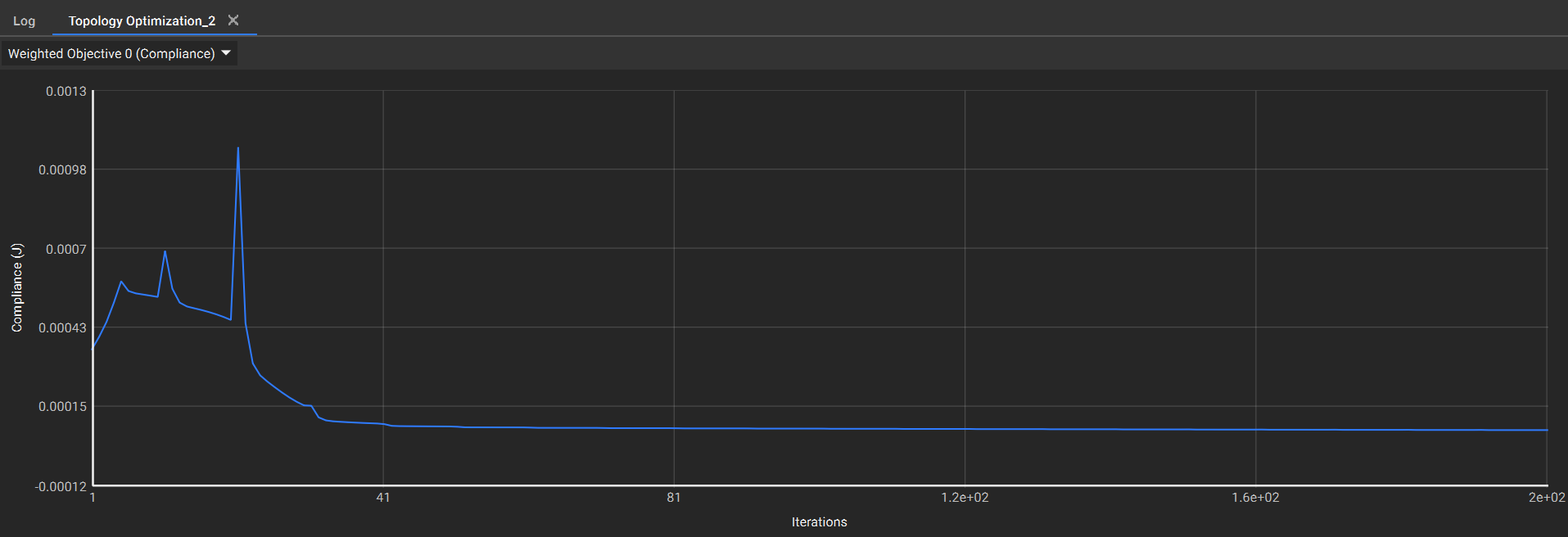 Plot 1: The first objective for Structural Compliance converges around 8e-05 J
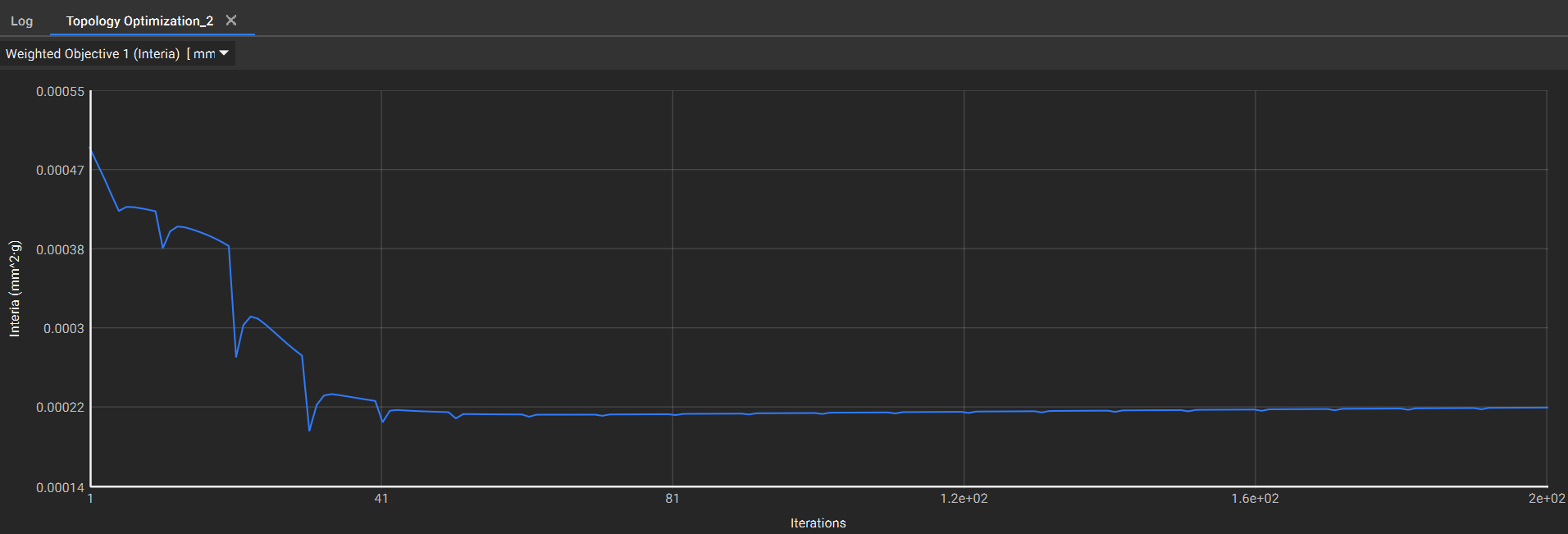 Plot 2: The second objective for Moment of Inertia converges around 2.2e-04 mm^2*g