

- Parameter Optimization
- Dependent Parameter
Procedure
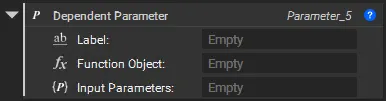 Unlike an Independent Parameter with a fixed value range, a Dependent Parameter’s value is calculated by a Function Object. To create this, you first need to build a relationship between variables that defines the logic of your function.
Follow these steps to set up a dependent parameter:
Unlike an Independent Parameter with a fixed value range, a Dependent Parameter’s value is calculated by a Function Object. To create this, you first need to build a relationship between variables that defines the logic of your function.
Follow these steps to set up a dependent parameter:
Step 1: Create the Logical Relationship you wish to calculate
For example, you can use the Surface Area block as a Dependent Parameter for your input Implicit Body.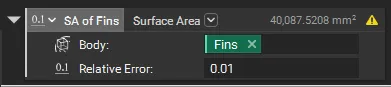 You can also set up a Custom block (see ‘How to create a Custom block’) that takes in different input parameters to calculate the output and convert it into a Dependent Parameter.
Step 2: Create a Dependent Parameter
Once you have your block set up. Right-click on the block and select the Optimize option and then Dependent Parameter.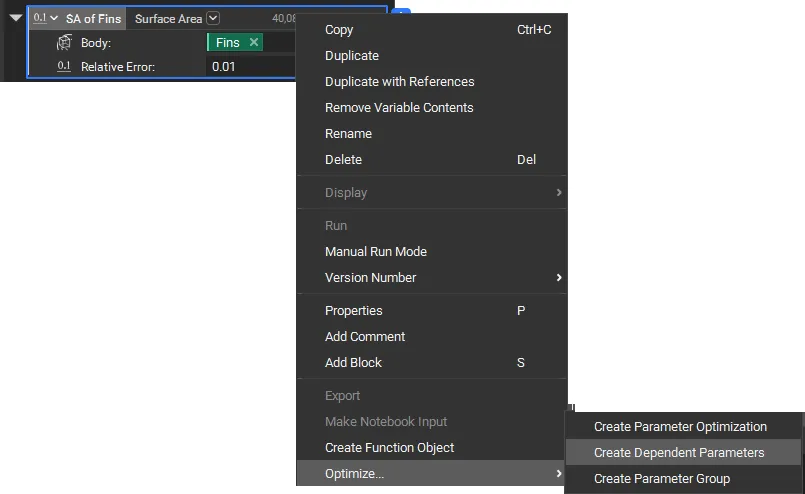
Step 3: Configure the Dependent Parameter Block
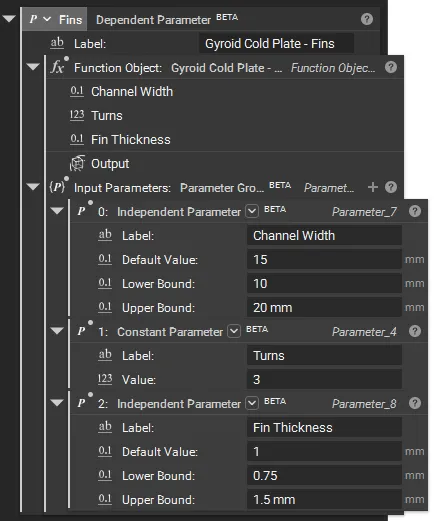
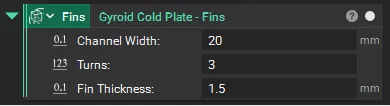
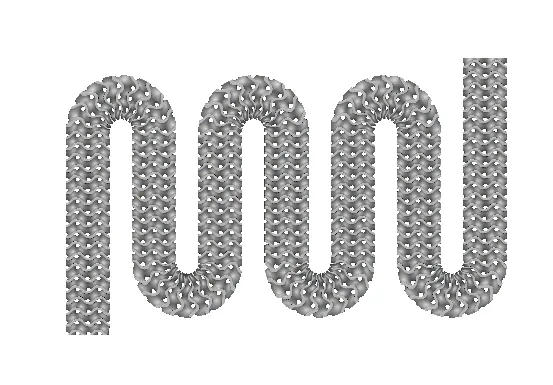
Now you can use your new Function Object added to your Dependent Parameter.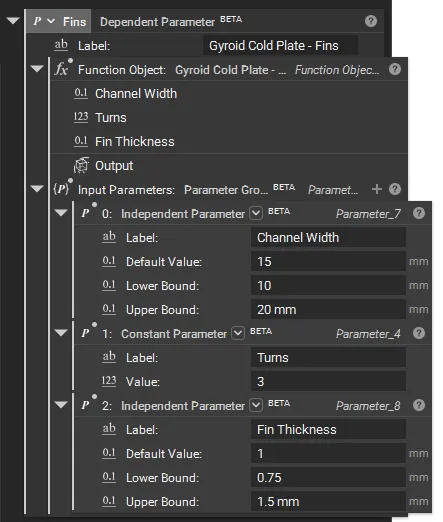 You can now modify the Input Parameters based on your setup. In this example, the output is an Implicit Body from a Custom Block, which is controlled by a combination of Independent and Constant Parameters.
Step 4 [OPTIONAL]: Create the Dependent Parameter Chain
- Add your First Dependent Parameter.
- Input: Independent/Constant parameters
- Output: Dependant Parameter (Scalar, Implicit, etc.)
|
|  |
- Add the Second Dependent Parameter.
- Input: the first dependent parameter and/or other independent/constant parameters
- Output: a secondary metric or property to be optimized
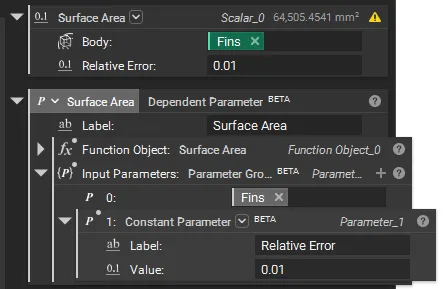 The key is that each dependent parameter references upstream parameters. The optimizer will automatically adjust the independent/constant parameters controlling the chain.
Now, the Dependent Parameter will automatically update its value based on the input parameters. You can use this in your Parameter Optimization as an Objective or Constraint.
The key is that each dependent parameter references upstream parameters. The optimizer will automatically adjust the independent/constant parameters controlling the chain.
Now, the Dependent Parameter will automatically update its value based on the input parameters. You can use this in your Parameter Optimization as an Objective or Constraint.