Question:
What does each setting mean in the Topology Optimization block?Answer:
Topology Optimization and Field Optimization blocks have similar inputs that drive the optimization.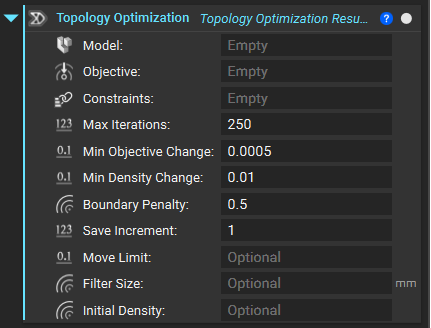 | 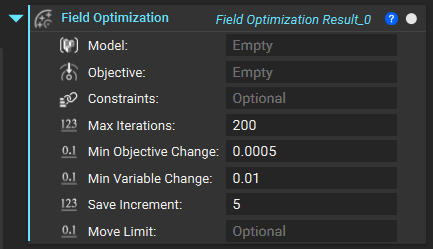 |
Max Iteration
Optimization is an iterative process that updates the topology until the objective is reached and the constraints are satisfied. If the process takes a long time, you can set a maximum limit to the number of iterations attempted. This input allows you to limit the maximum computation time expended on the optimization process.Min Objective Change
The objective function is a quantified measure of how well the topology achieves its objective(s). When the relative change between iterations of the objective function falls below this number, the TopOpt will be considered complete (as long as the constraints are satisfied). Decreasing this number will result in a more accurate optimization but longer computation time.Min Density Change and Min Variable Change
This input is a convergence threshold, as described above, but for the relative change of Topology Optimization density elements from one iteration to the next and the relative change in the variable fields of Field Optimization. Decreasing this number will result in a more accurate optimization, but longer computation time.Boundary Penalty
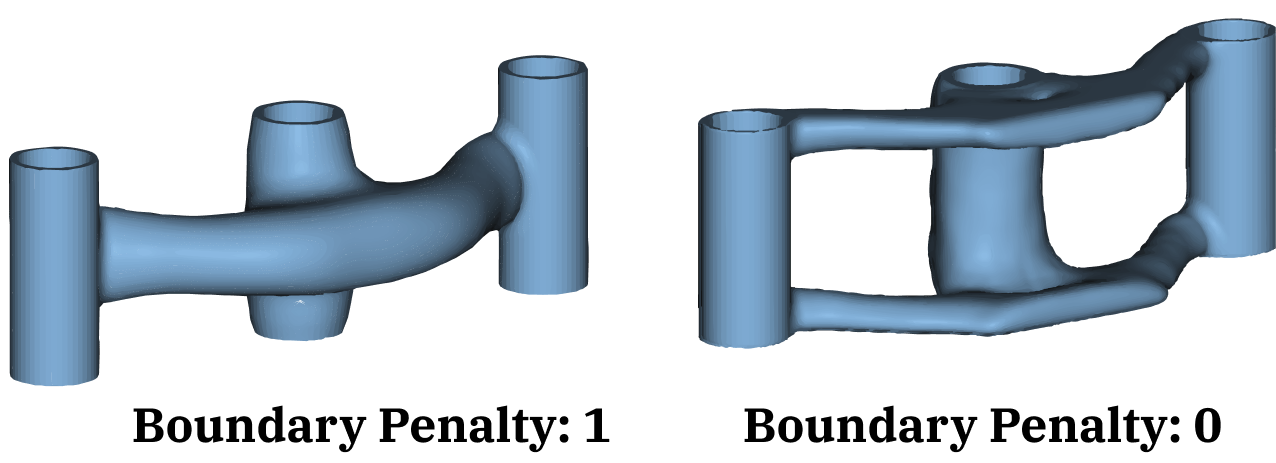
This input controls how the TopOpt sets density values at the edges of the design space. The 1 option sets the TopOpt density to 0 along the edges of the design space. The material will be completely restricted on the boundary where no loads or constraints have been applied. This option works well if you set up your design space to have a buffer zone of nodes outside the space where you know that no material will be filled in. In some cases, you may anticipate that your part will include elements on the design space’s outer edge. This is likely true if you are doing TopOpt on a coarse mesh. The 0 option defines TopOpt densities at the design space edges such that the gradient (the spatial derivatives in x,y,z) will be zero. This allows you to have non-zero TopOpt densities at edges. No penalization is enforced on the boundary in this case. The overall recommendation is to use a mesh size that is small enough so that the 1 option can be used and density can be 0 at the edges, but if needed, option 0 provides an alternative. The image below shows how results can change between different Filter Boundary options.