

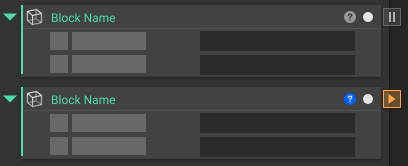
- Right-click and select Manual Run Mode. This activates the feature and a flag displaying a pause icon appears on the exterior of the block. If you hover over the pause icon, a tooltip will appear reading “Manual Run Mode”.
- Make a change to a block upstream that is connected to the block you applied the Manual Run Mode to downstream. Once the upstream block has been changed, the block with the Manual Run Mode applied to it will change its icon to a play button.