

Overview:
Preview mode is a mode of nTop that allow users to experience the power and capabilities of nTop without a full license. Every account created with nTop has a free nTop Preview license. You can check all your available licenses from User Dashboard (app.ntop.com) > Account Settings. If you have purchased an nTop license and are still logged into Preview mode, click here to read about why you entered Preview mode.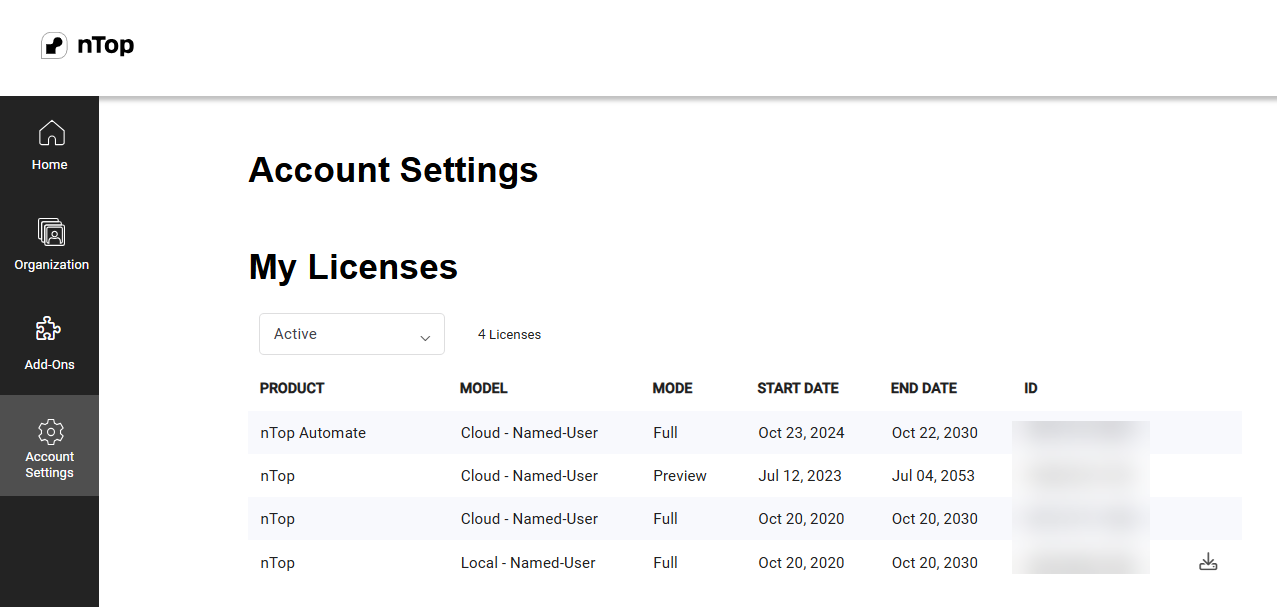 The image above shows the Licenses table, where you can see all the different Named User licenses (What licensing types does nTop offer?) assigned to you.
Table of Content
-
What can you do in Preview Mode?
-
Frequently Asked Questions
- I purchased and have an active license. Why am I in preview mode?
- I entered preview mode as my Educational License expired. How do I renew it?
What can you do in Preview Mode?
Once you log into nTop, you’ll be greeted by our Home screen, which provides exciting example files and learning resources. You can also open existing files from this Home screen. Open an example file by clicking the thumbnail you’d like to view. A series of hints will appear and guide you through your first journey. Hints will automatically appear on the first launch in Preview mode and the first launch in Trial. Hints can always be reopened. With this preview version of nTop, you can:- Preview nTop Notebooks and experience the power of reusable workflows.
- Change the value of inputs of a workflow to see models update in real-time.
- Expand blocks to view their content and toggle the visibility to render their outputs.
- Take section cuts of a model by selecting View > Section Cut or pressing the hotkey “X.”
- View the field of a model by selecting the View > Field Viewer or pressing the hotkey “F.”
- Add blocks
- Delete blocks
- Modify the body of a notebook
- Import data (unless a variable file path is in the input section of a notebook)
- Export data