

Objective:
Learn how to configure proxy settings for nTop.Applies to:
- Proxy Settings
- Enterprise environments
Procedure:
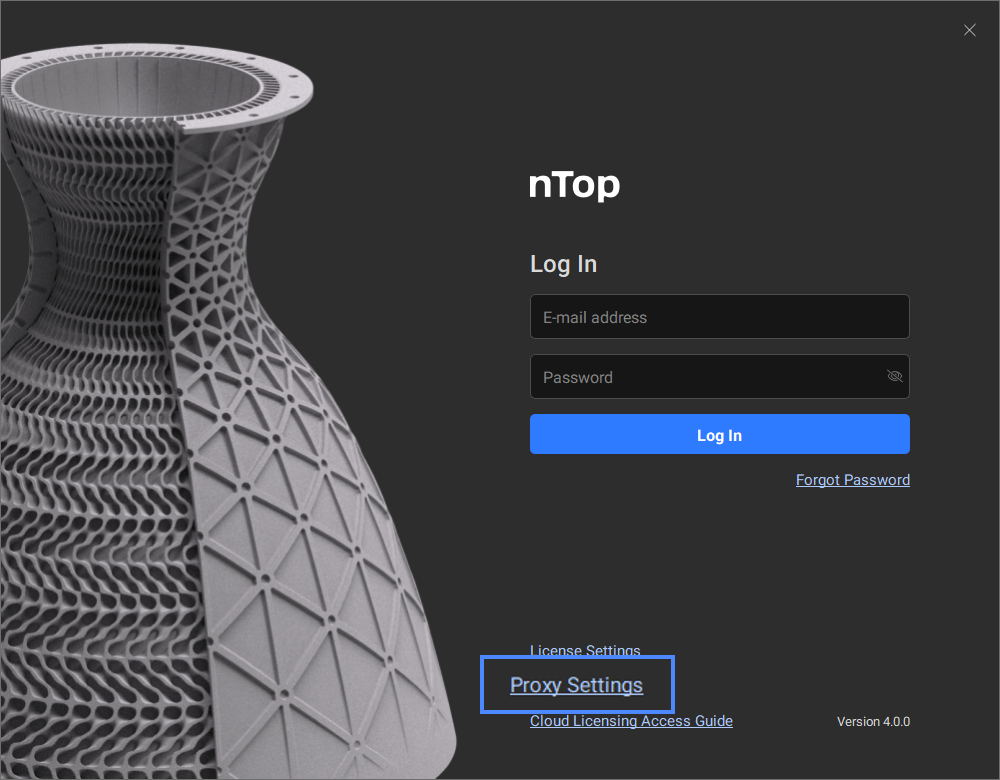
nTop is a standalone application that operates locally on your desktop. However, we connect to cloud services for license authentication and account management. Some users may need to allowlist nTop URLs. Proxy settings are configured through the nTop login window. This feature enables cloud licensing deployment in enterprise environments. If configuring proxy settings applies to you, please contact your IT administrator for assistance. If you are already logged in, select Logout from your user account menu (see image below).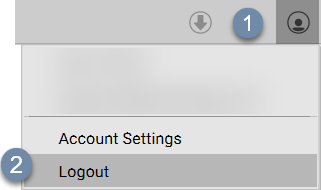 To configure proxy settings, select “Proxy Settings” from the login window.
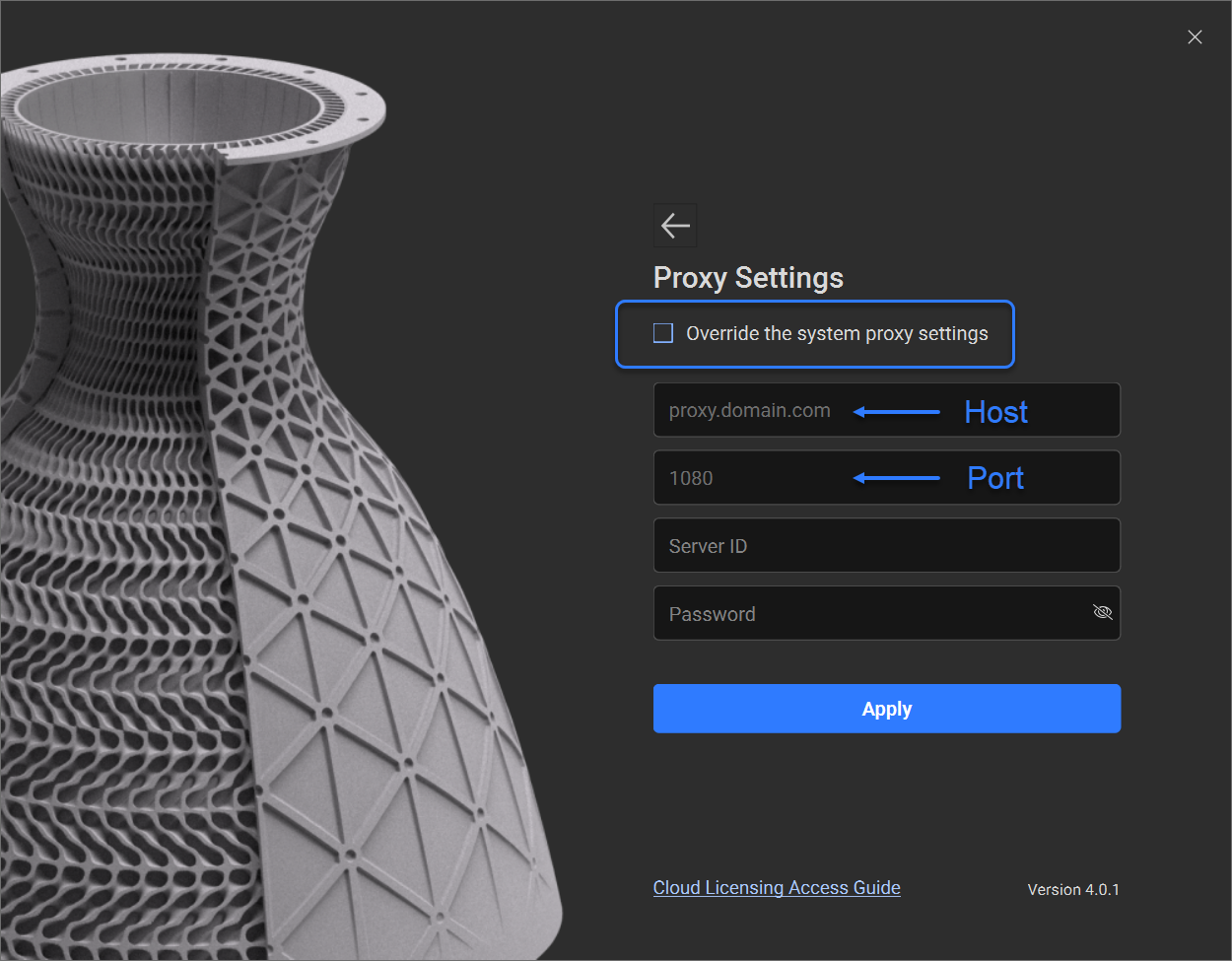
 The proxy settings screen allows you to override the system proxy settings, which gives you the ability to specify the host and port of the proxy server.
Note: You don’t need to enter https:// in front of the URL.
 And that’s it! You’ve successfully connected to your proxy server.
Are you still having issues? Contact the support team, and we’ll be happy to help!
And that’s it! You’ve successfully connected to your proxy server.
Are you still having issues? Contact the support team, and we’ll be happy to help!