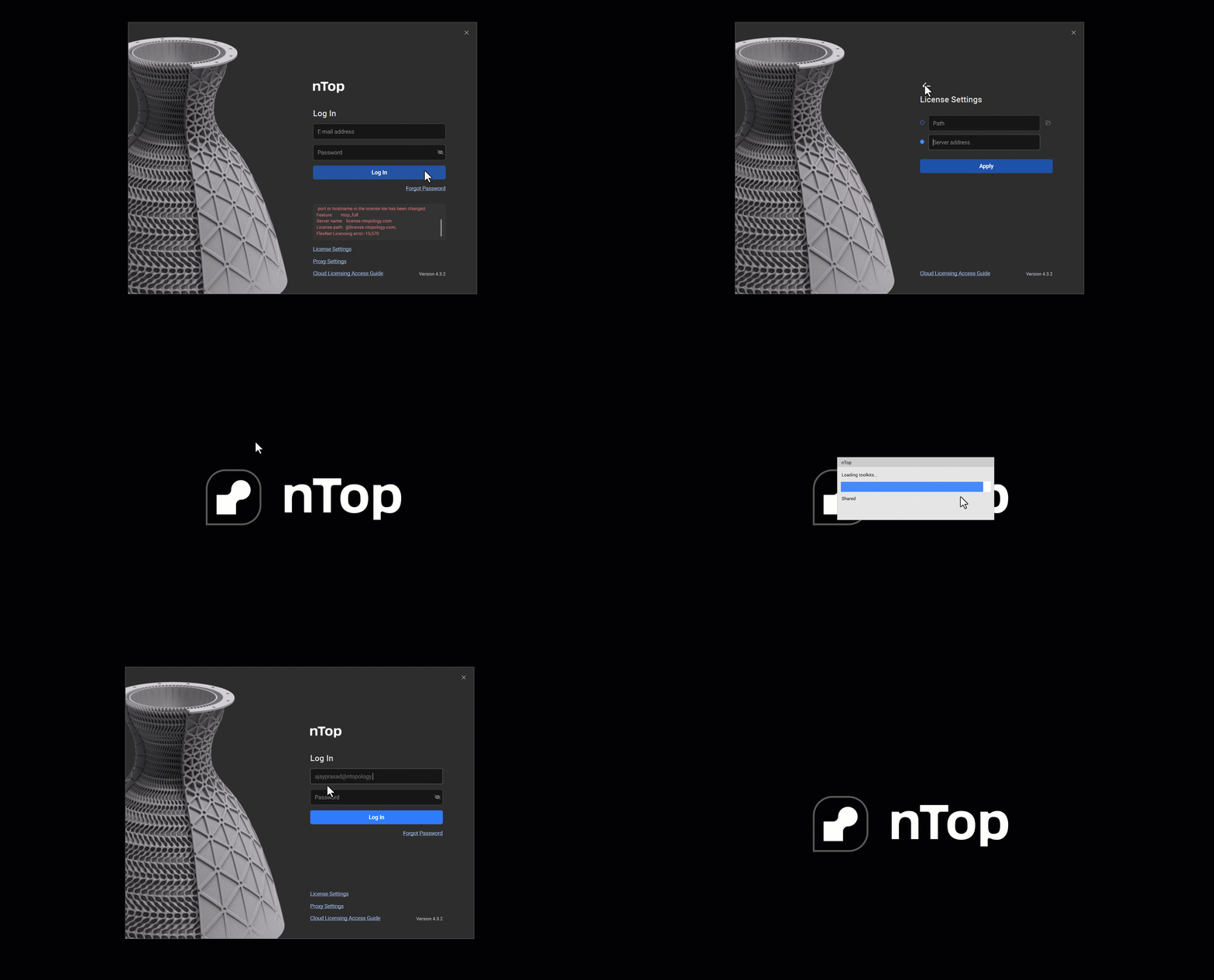
Issue:
License server machine is down or not responding. See the system administrator about starting the license server system, or make sure you’re referring to the right host (see LM_LICENSE_FILE). Feature: ntop_full Hostname:https://app.ntop.com/ License path: @https://app.ntop.com/; FlexNet Licensing error:-96,7. System Error: 11001 “WinSock: Host not found (HOST_NOT_FOUND)“Applies to:
- Cloud Floating
- FNP Floating
Cause:
Entering server address while on Cloud Floating license. The Server address input is to be used only for the FlexNet FNP Floating license (Getting Started with FlexNet Floating)Solution:
- Click the License Settings tab in the Sign-In window.
- Clear the Server Address input.
- Restart nTop
- Check to see that you have cleared the input.
- Login with your credentials.