

About this Block
What it does: The Pull Points to Plane block finds the orthogonal projection of a point onto a plane, given a point list to pull, and a plane to pull onto. The input point(s) makes a perpendicular line to the input plane (which is a line parallel to the plane normal). Mathematically, the output point(s) are the closest points on the input plane to the input point(s). Common uses:- Patterning
- When dragging a point list into the Points field, the auto-populated point list must be deleted first.
Example File
Download Example: Pull Points to Plane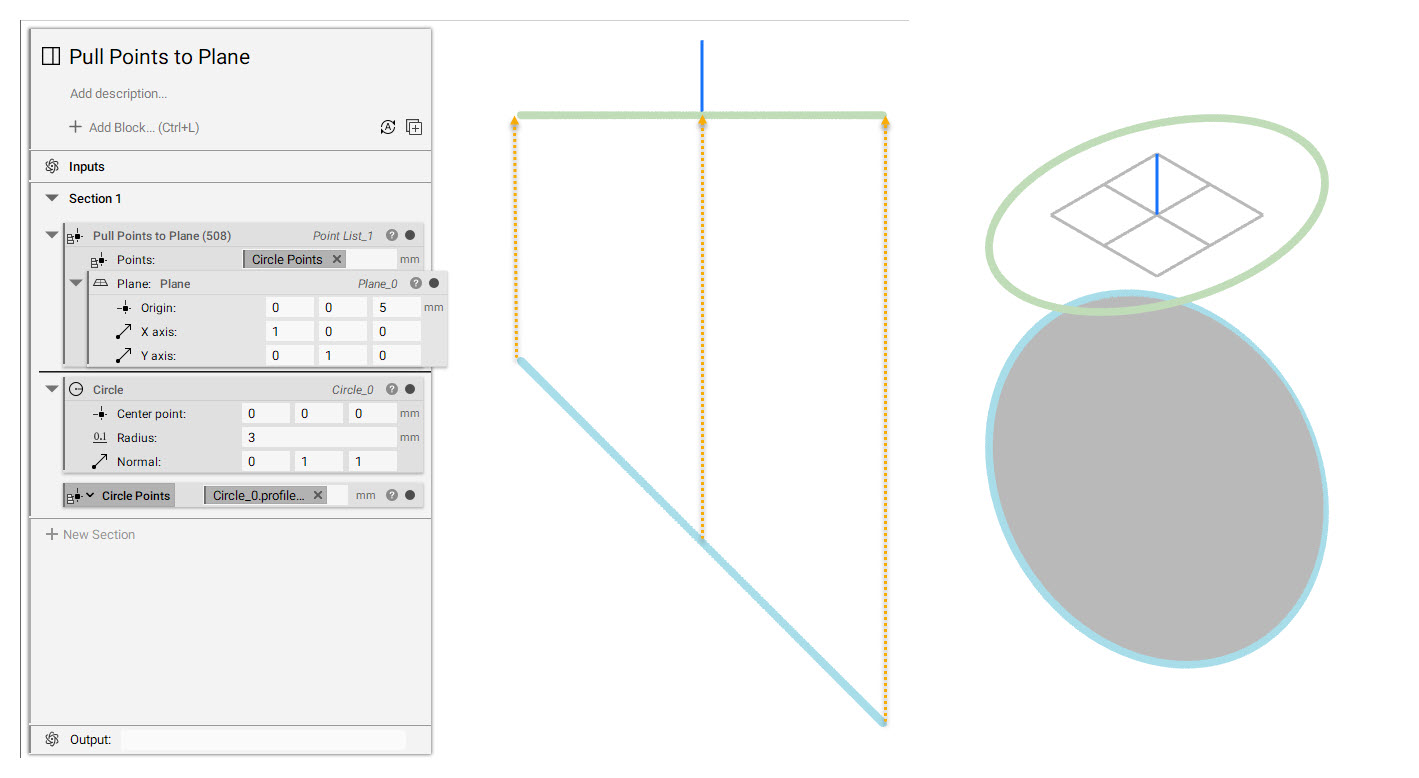
Project multiple points to a plane.