Mesh, Integer, Scalar, Bool, Scalar, Frame
Mesh, Integer, Scalar, Bool, Scalar, Frame, 1.1.0
About this Block
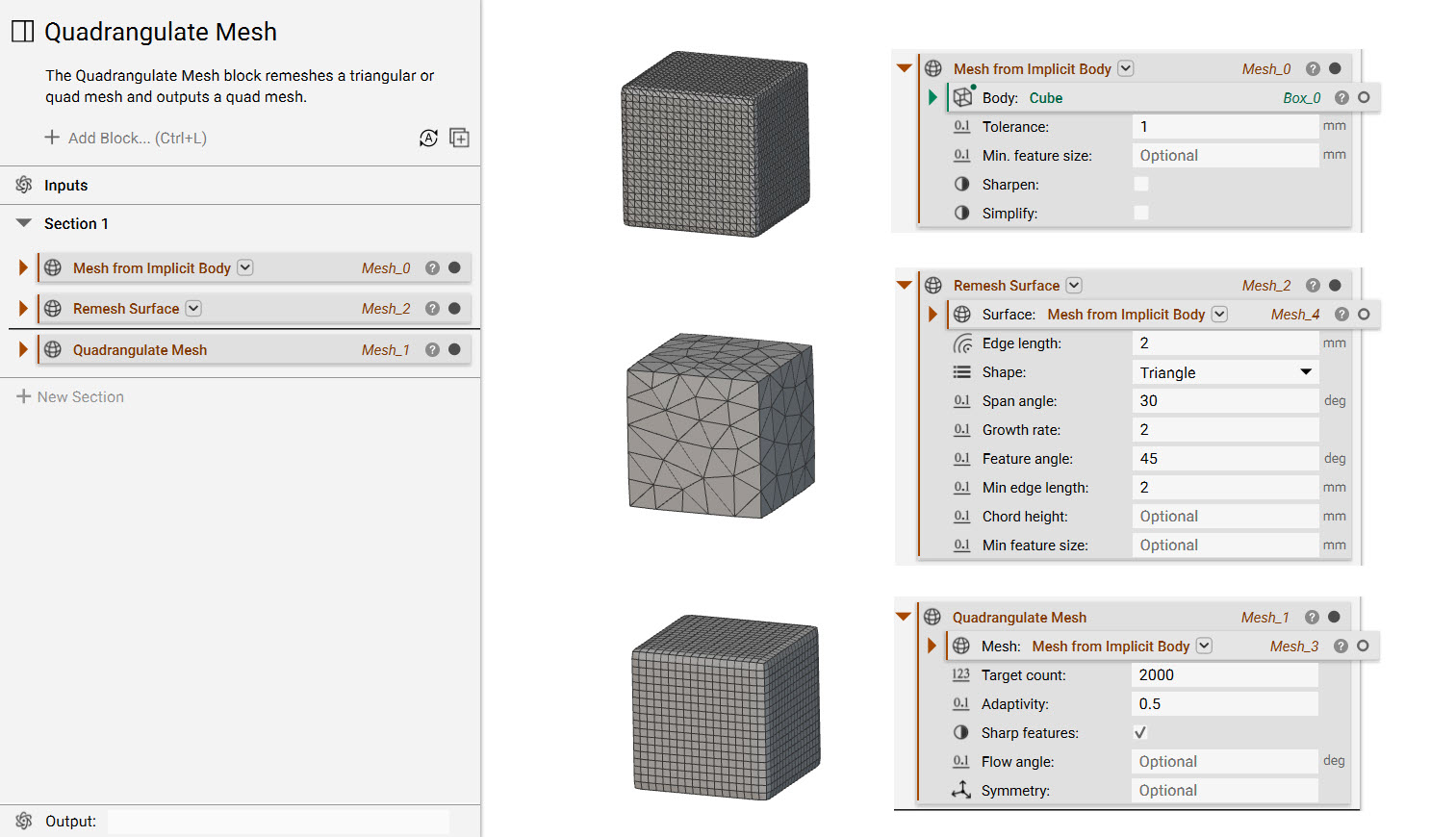
What it does: The Quadrangulate Mesh block remeshes a triangular or quad mesh and outputs a quad mesh. Common uses:- Used as the input to the CAD Body from Quad Mesh block when converting a low-complexity model to a CAD part.
- Used to generate the input quad mesh for the Cell Map from Quad Mesh block.
- Used to create a quad mesh for export.
- Used to remesh an existing quad mesh.
Example File

Mesh, Integer, Scalar, Bool, Scalar, Frame
Quadrangulate a triangular or quad mesh by remeshing.Inputs
| Name | Type | Description |
|---|---|---|
| Mesh | Mesh | Mesh to quadrangulate. |
| Target count | Integer | Target number of quads. |
| Adaptivity | Scalar | Adapts the target quads count in favor of better capturing the curvature of the input mesh, range [0, 1]. |
| Sharp features | Bool | Auto-detect and preserve sharp features in the input mesh. |
| Feature angle | Scalar | The angle used to detect and preserve sharp feature edges in the input mesh. when the input value is provided, and the angle between two faces of the mesh is greater than the provided angle, the edge between those faces will be tagged as a sharp feature edge. if the input value is not provided, an internal algorithm will be used to detect sharp edges. this input will be used only if the sharp features input is checked, and ignored otherwise. |
| Symmetry | Frame | Frame defining a symmetry plane of the model |
Outputs
| Type |
|---|
| Mesh |
Mesh, Integer, Scalar, Bool, Scalar, Frame, 1.1.0
Quadrangulate a triangular or quad mesh by remeshing.Inputs
| Name | Type | Description |
|---|---|---|
| Mesh | Mesh | Mesh to quadrangulate. |
| Target count | Integer | Target number of quads. |
| Adaptivity | Scalar | Adapts the target quads count in favor of better capturing the curvature of the input mesh, range [0, 1]. |
| Sharp features | Bool | Auto-detect and preserve sharp features in the input mesh. |
| Feature angle | Scalar | The angle used to detect and preserve sharp feature edges in the input mesh. when the input value is provided, and the angle between two faces of the mesh is greater than the provided angle, the edge between those faces will be tagged as a sharp feature edge. if the input value is not provided, an internal algorithm will be used to detect sharp edges. this input will be used only if the sharp features input is checked, and ignored otherwise. |
| Symmetry | Frame | Frame defining a symmetry plane of the model |
Outputs
| Type |
|---|
| Mesh |