Question:
The symbols for denoting number values differ from what I would like. How do I change them?Answer:
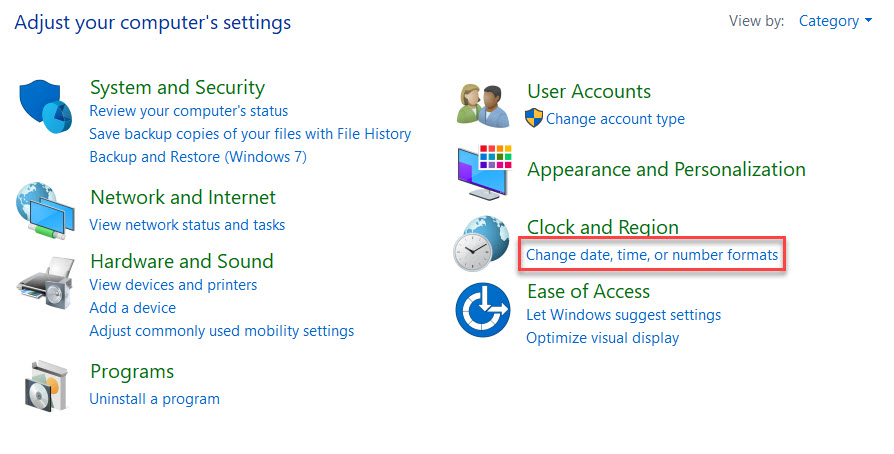
nTop uses your machine’s region settings to display values. To change the symbols being used, please follow the steps below.- Open your machine’s Control Panel and select “change date, time, or number formats” under the Clock and Region heading.
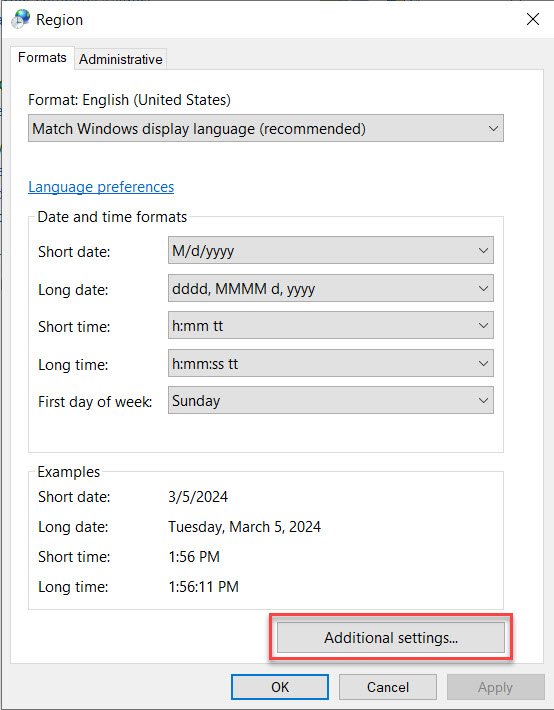
- On the smaller pop-up screen, select “Additional settings…”.
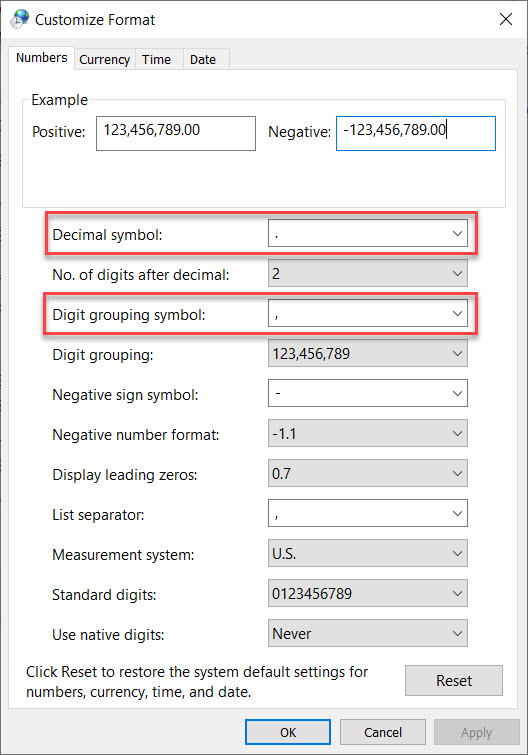
- Using the highlighted boxes, you can change the desired Decimal symbol or Digit grouping symbol.