

Summary:
The measure tool lets you measure the distance between two points in your 3D scene for quick inspection. It provides the total distance and the breakdown along the global X, Y, and Z axes. This article explains how to use the measure tool.How to use:
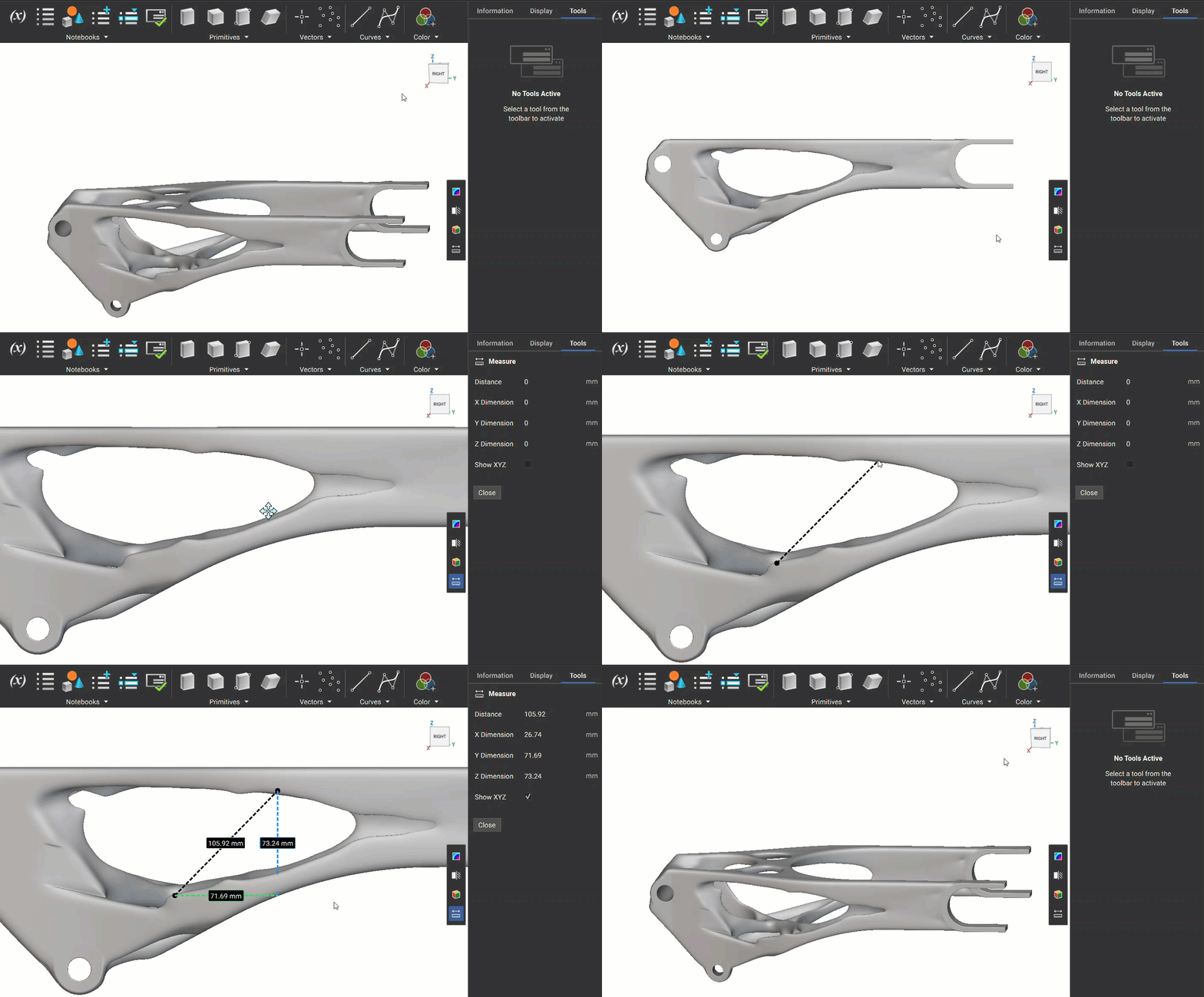
To activate the measure tool, you can either select the measure icon from the View Tools toolbar, or you can use the “M” hotkey on your keyboard.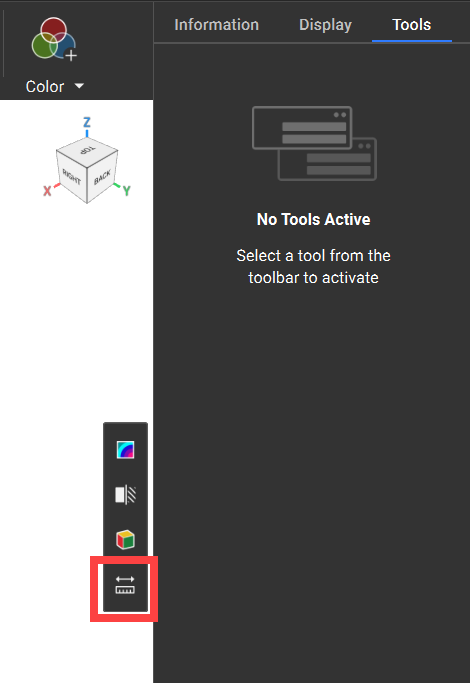 Click on any geometry to set the first point, then click again for the second. The distance will appear in the viewport and the right-side panel in the Tools tab.
Enable the “Show XYZ” checkbox in the right-side panel to display dimension lines for X, Y, and Z in the 3D view.
Click on any geometry to set the first point, then click again for the second. The distance will appear in the viewport and the right-side panel in the Tools tab.
Enable the “Show XYZ” checkbox in the right-side panel to display dimension lines for X, Y, and Z in the 3D view.
Known Limitations:
- No Snapping: Measurements approximate distances based on the position of the point clicked in the view. For precise results, always use blocks and their properties.
- No Section Cut Compatibility: Workaround: Use boolean subtraction for interior measurements.
- Non-Automatable: Measures are for quick inspections and can’t be saved or added to notebooks. We recommend using a block to create a repeatable measurement in the notebook.