

Overview:
The purpose of this article is to explain the new Adaptive resolution feature in nTop.Table of Contents
1. What does this feature do?
2. Why did we make this feature?
3. Where is this feature in nTop?
4. Current Beta Limitations
5. FAQ
1. What does this feature do?
Adaptive Resolution increases rendering quality for complex implicit models by dynamically adjusting the local implicit resolution based on your view. The maximum resolution reachable is about 20x higher in each spatial dimension compared to “Highest Res.”2. Why did we make this feature?
With the current Resolution settings (Low, Medium, High, and Highest), fine details, thin surfaces, and sharp edges are often lost. Even though the geometry is precise, the display only sometimes appears to be so. When modeling, you must be acutely aware of the ideal geometry vs. the actual display, or it becomes easy to mistake a low resolution display for the exact geometry. Previously, users had to use the Precise Render mode to generate a ground-truth image of the actual geometry. This tool only works on one implicit at a time, requiring users to activate the mode and wait for an image to view the geometry. Precise Render both takes time to compute and freezes the user interface, which is inconvenient when you’re in the flow of modeling in nTop.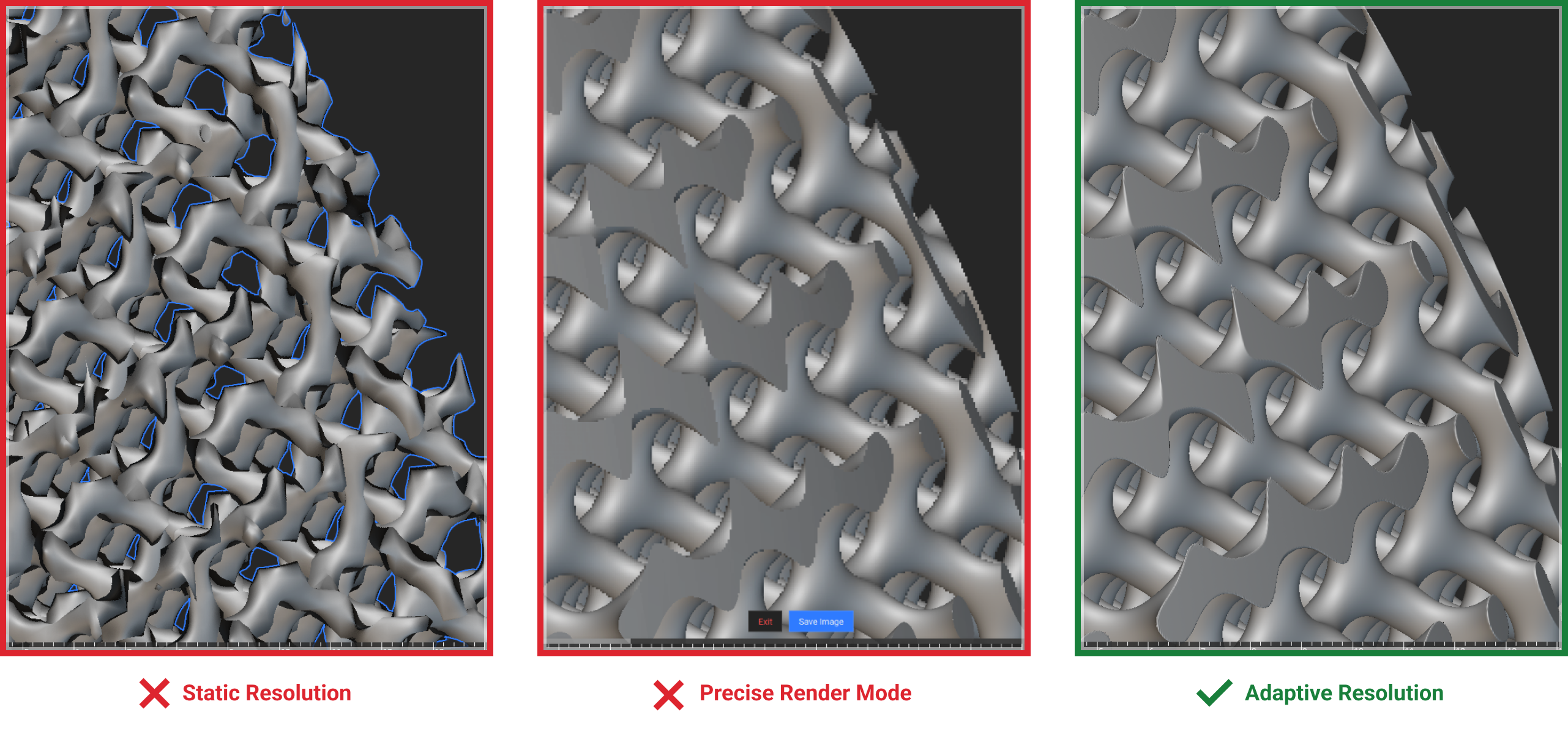 A comparison of Medium Resolution, Precise Render, and Adaptive Resolution
Adaptive Resolution intends to alleviate the limitations of the static resolution options by creating an image on the fly based on the geometry you are looking at. nTop can dynamically and efficiently create the best image possible for the current view context without additional inspection tools. When this setting is on, you will be less likely to need the Precise Render feature to view the detail in your implicit model, and you should not have to worry about manually changing your resolution to arrive at the right level of detail. Try this feature with details like logo embossing or debossing, high-density lattice infill, surface texture, and other multi-scale 3D geometry to see its full effect.
A comparison of Medium Resolution, Precise Render, and Adaptive Resolution
Adaptive Resolution intends to alleviate the limitations of the static resolution options by creating an image on the fly based on the geometry you are looking at. nTop can dynamically and efficiently create the best image possible for the current view context without additional inspection tools. When this setting is on, you will be less likely to need the Precise Render feature to view the detail in your implicit model, and you should not have to worry about manually changing your resolution to arrive at the right level of detail. Try this feature with details like logo embossing or debossing, high-density lattice infill, surface texture, and other multi-scale 3D geometry to see its full effect.
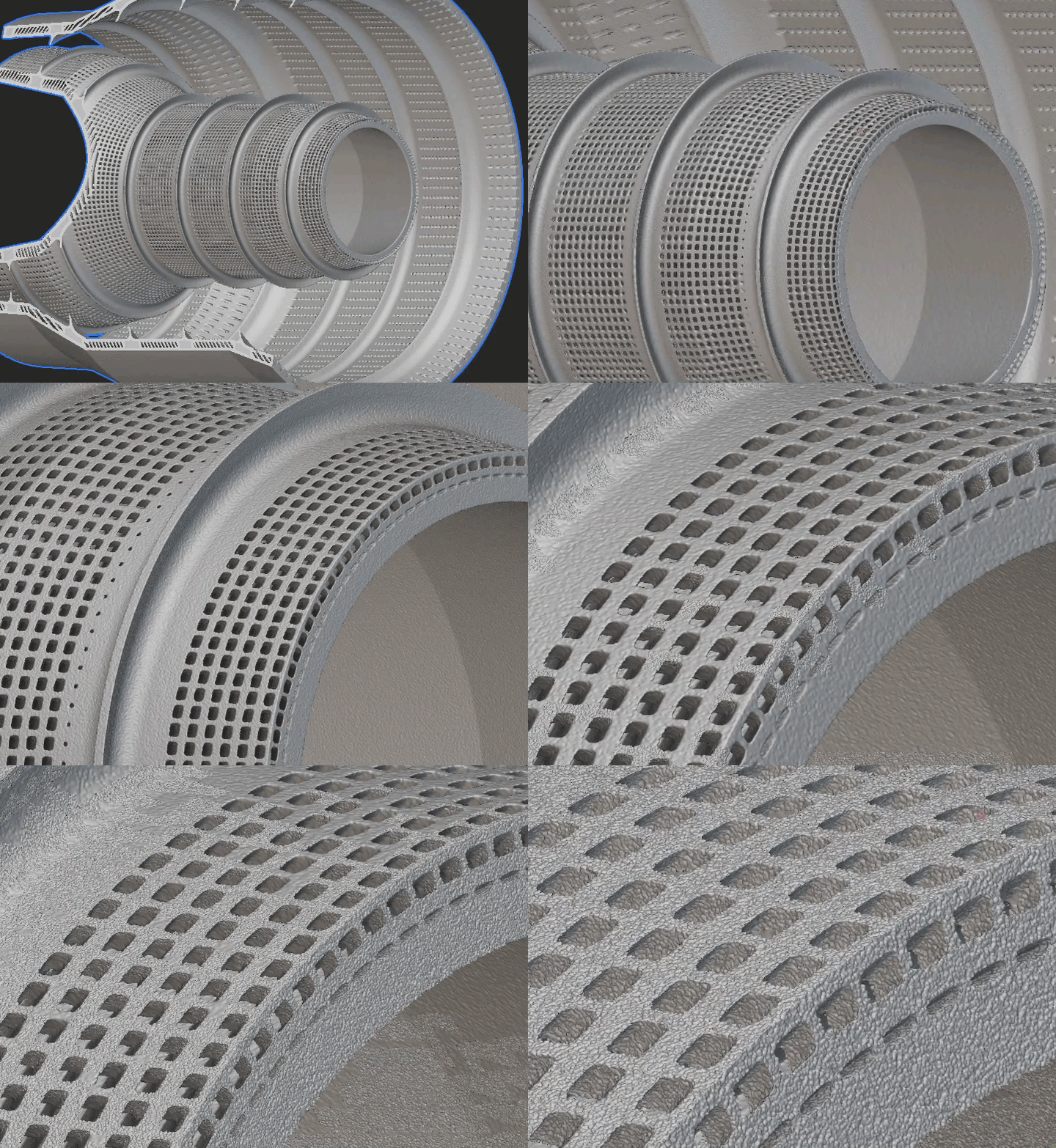 Zooming in on a textured part using Adaptive Resolution
This will improve the experience when modeling a wide range of parts. Intricate features like thin structural ribs, dense interior channels, grilles, screens, filters, personalized textures, and more will all be easier to see without Precise Render.
Zooming in on a textured part using Adaptive Resolution
This will improve the experience when modeling a wide range of parts. Intricate features like thin structural ribs, dense interior channels, grilles, screens, filters, personalized textures, and more will all be easier to see without Precise Render.
3. Where is this feature in nTop?
The new Adaptive Resolution will be available alongside the current Implicit Resolution settings (Low, Medium, High, Highest, Adaptive).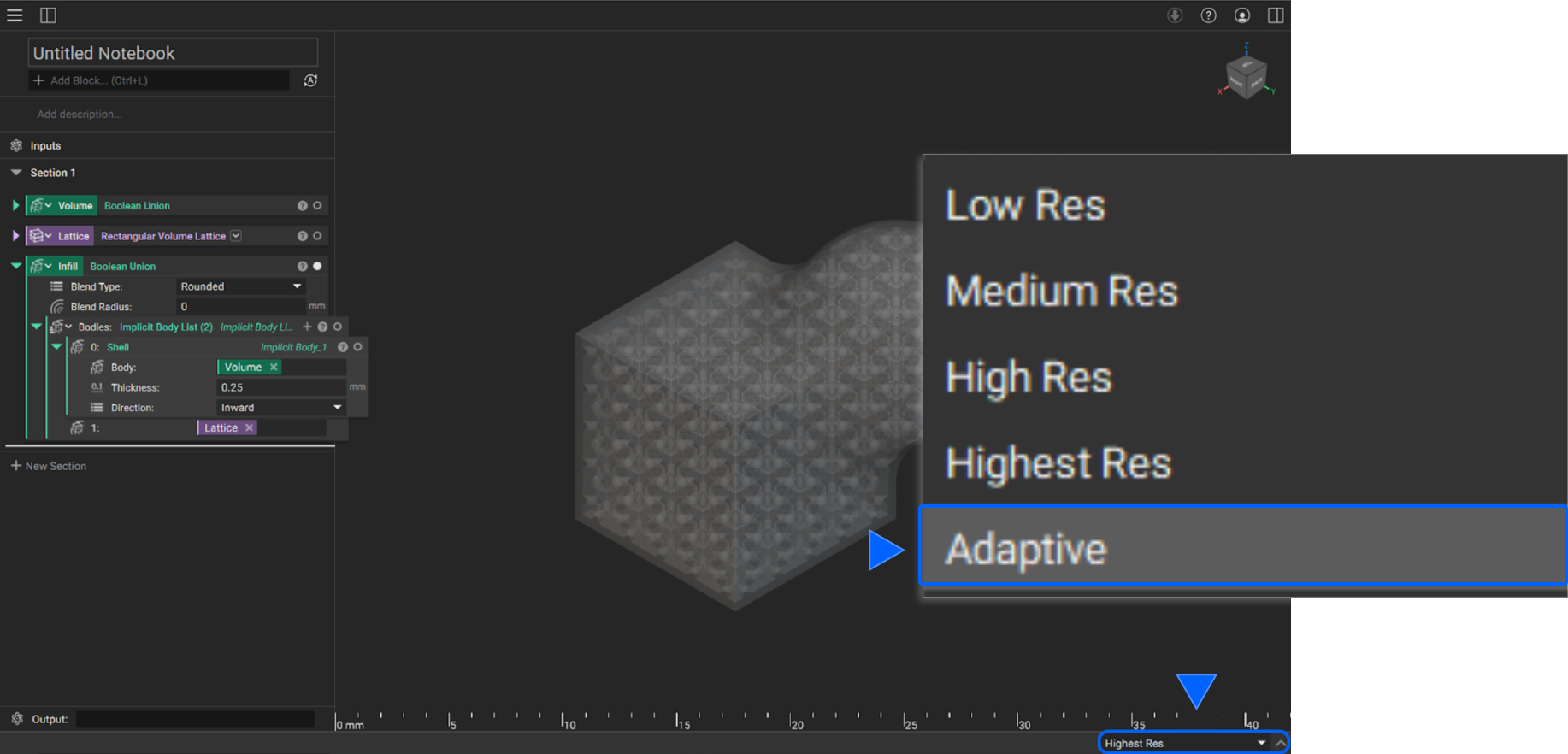
4. Current Beta Limitations
Adaptive resolution is currently a beta feature in nTop. Below is a list of current limitations that our team is aware of when using the Adaptive resolution feature. The plan is to resolve as many of these as possible before elevating this feature to production:- First rendering time: Users should expect a longer wait time when viewing an implicit for the first time. This time will most likely increase with the number of implicits on screen.
- GPU acceleration off: If GPU acceleration is turned off, there is a chance that having multiple implicits on the screen will cause the UI to freeze.
- Framerate: Depending on your machine’s specifications, the framerate may drop when rotating/moving in the viewport.
- Slower nTop: When using nTop concurrently with other GPU-intensive applications, users may experience slower UI and computation times.
- Interactive live rendering (see the gif in this article)
- Surface Plot
5. FAQ
1.0 What specifications do I need to run this feature?
For Adaptive Resolution to run correctly, a minimum of 4GB of VRAM is required. Back to top2.0 Do I need to have GPU Acceleration turned on?
No, you do not. While this feature utilizes the GPU, the GPU acceleration setting for implicit evaluation does not affect it.Note: Currently, a bug potentially causes the UI to freeze when GPU acceleration is turned off and Adaptive resolution is enabled. This bug will be fixed before adaptive resolution is moved out of beta.