Mesh Properties
This lesson will focus on four fundamental mesh properties: closed, manifold, oriented, and self-intersecting. These bool types show true or false in the properties section of the block details and are key to determining if you have a clean mesh. If the mesh is not closed, manifold, or oriented, or if the mesh is self-intersecting, you will receive a warning, which can result in issues when converting the mesh or exporting the part.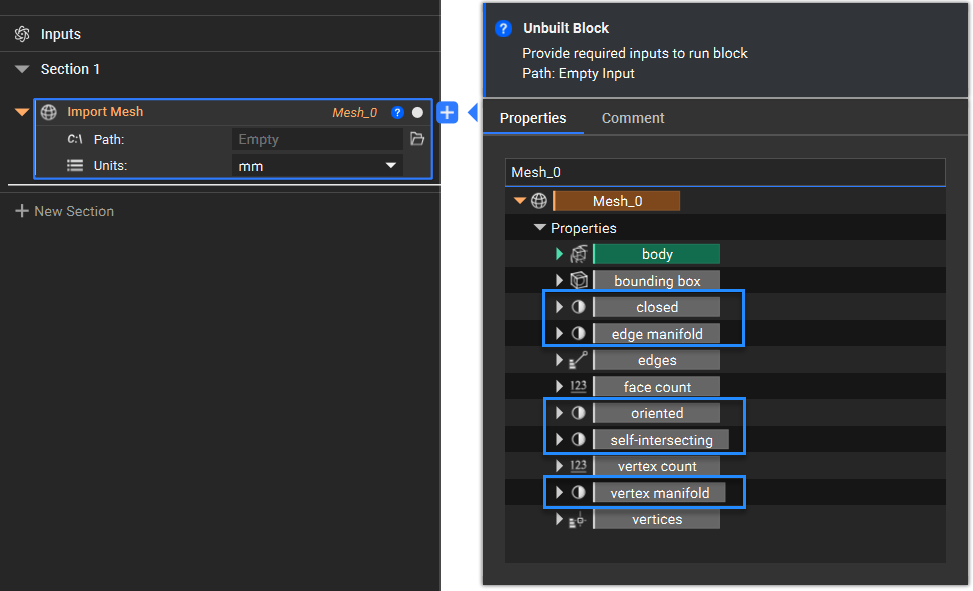
Terminology
Edges and Closed Meshes
There are different types of edges when referring to a mesh and checking if it is closed. A closed mesh refers to a mesh with no boundary edges, where all edges have more than one adjacent face. We can have Boundary Edges, which are adjacent to exactly one face, Regular Edges, that are adjacent to exactly two faces, and Singular Edges, which are adjacent to more than two faces.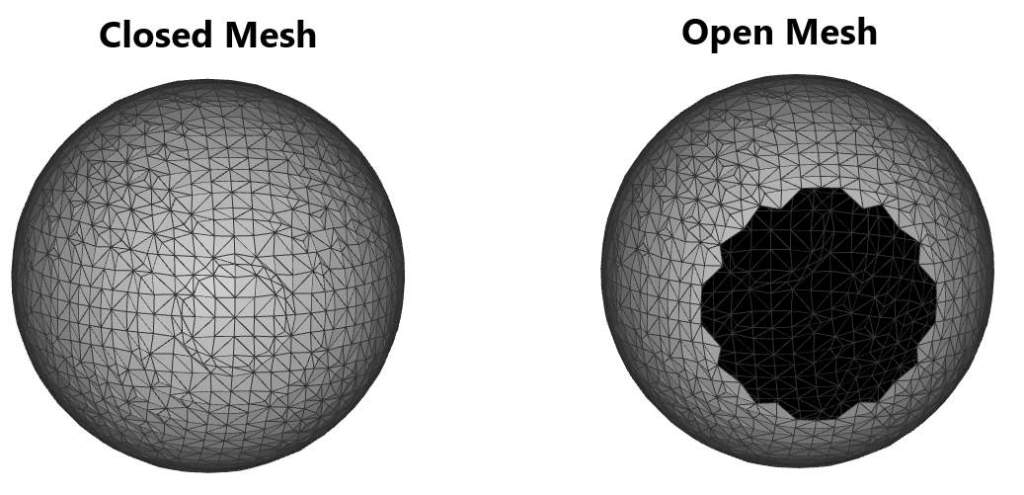
Manifold
For a mesh to be manifold, it must be a continuous surface resembling Euclidean space up close. A way to think about this is: “If I could shrink myself down, could I walk around the entire mesh?” The causes of non-manifold meshes are not always obvious, but below are some common scenarios: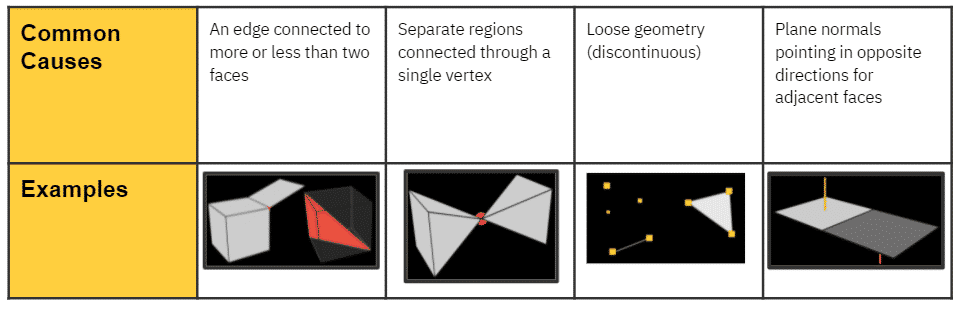
Oriented Mesh
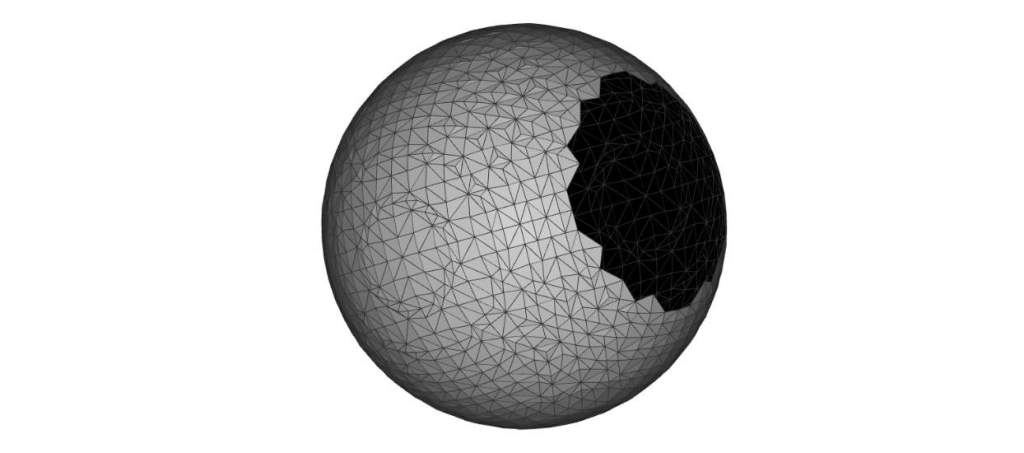
- Used to provide a consistent means of differentiation between the two sides of a mesh face
- ‘Oriented’ = normal vectors of all mesh faces are consistently facing outward or inward
- Which side of the face is the top (facing outward, indicated by the color gray), and which is the bottom (facing inward, indicated by the color black)?
Self-Intersection
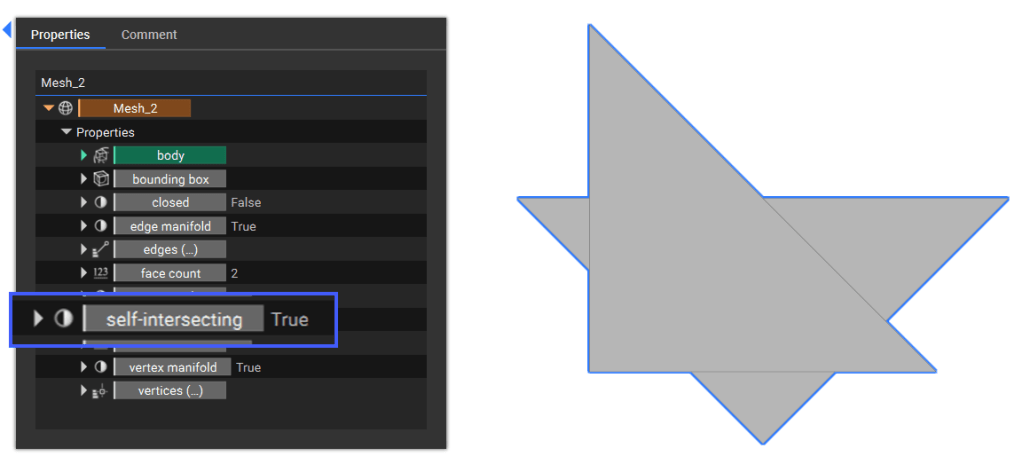
- A part of a surface mesh collides with another part of itself, i.e., at least two mesh elements intersect.
Clean Meshes
In this context, a clean mesh is a mesh free from any of the abovementioned issues.
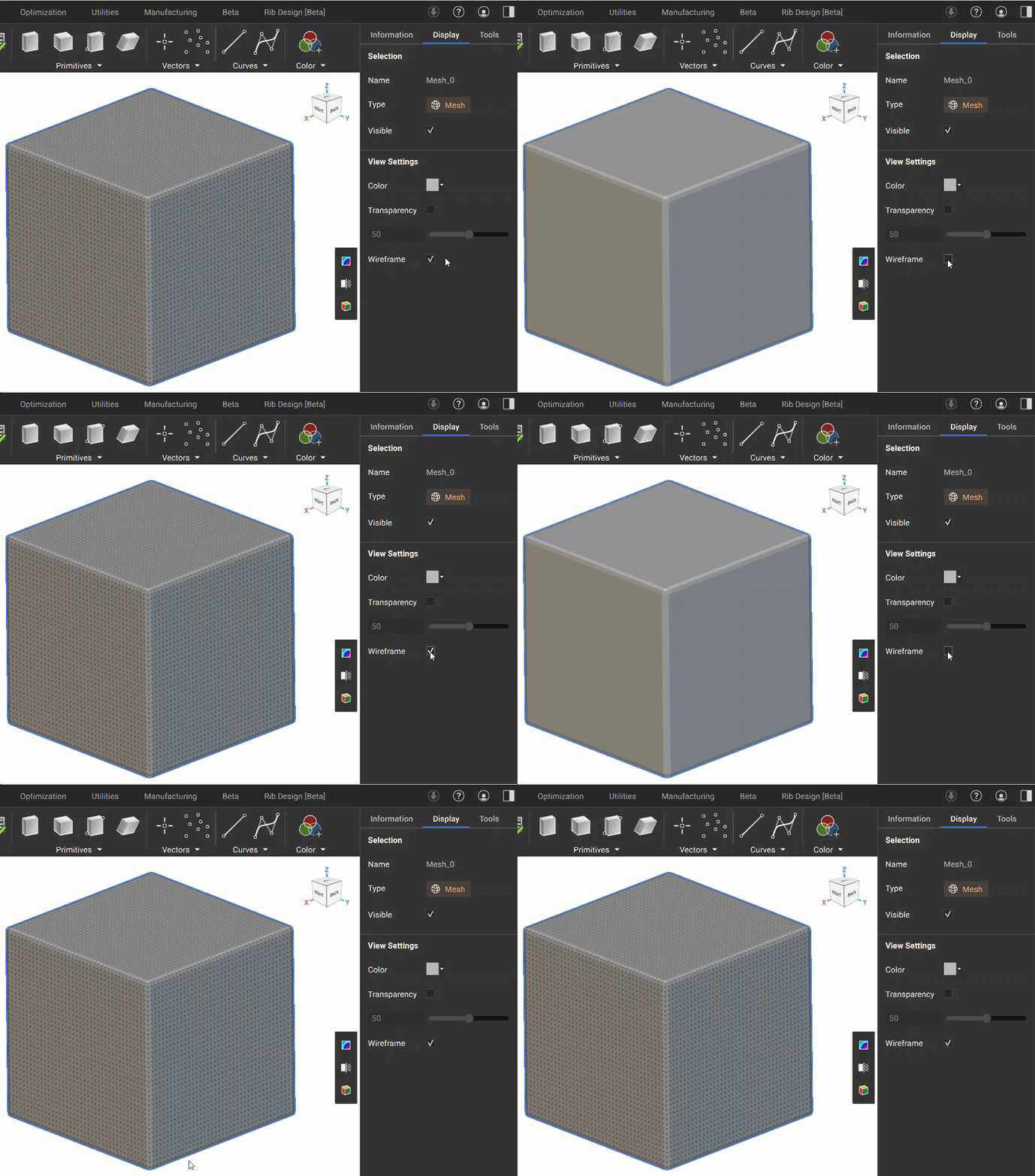
Wireframe
The wireframe for a mesh is automatically visible and shows its edges. You can turn off this wireframe view by going to the Display settings in the Right Panel.