

1. The Core Concept: Spatial Remapping
In a standard 3D environment, every point is represented by (x, y, z). The Remap Field block allows us to “re-target” these coordinates. Instead of the body looking for its shape at (x, y, z), it looks for its shape at a new set of coordinates defined by a Vector Field. Below is an example of Translating the Body by adding an X value to the equation. Translation offset (a) Drag to see how coordinate logic affects position. 0 mm fnew(x) = fold(x) No translation applied. If we define a Vector Field where the “X” axis follows the length of a curve and the “Y” axis follows the distance away from that curve, the body will naturally “wrap” itself around that geometry. Follow Along: Remap Field Example2. Building the Curved Coordinate System
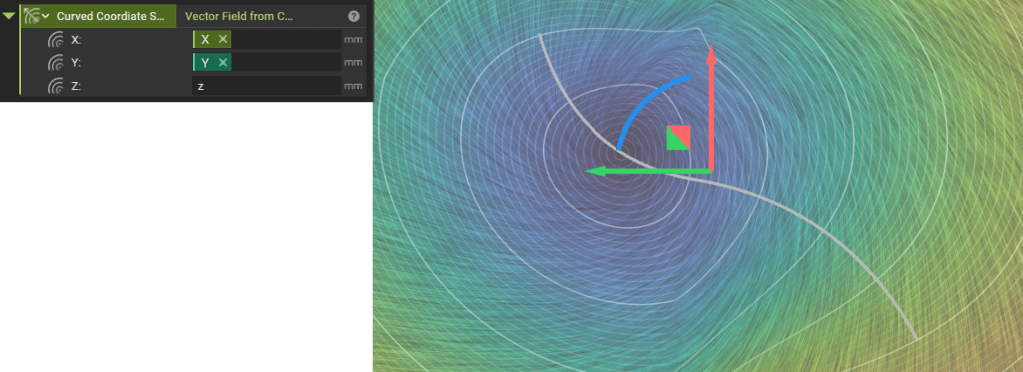
To bend the body, we must first build a new coordinate system using the Vector Field from Components block. This block requires three inputs representing the new X, Y, and Z axes.The X-Axis: Movement Along the Curve
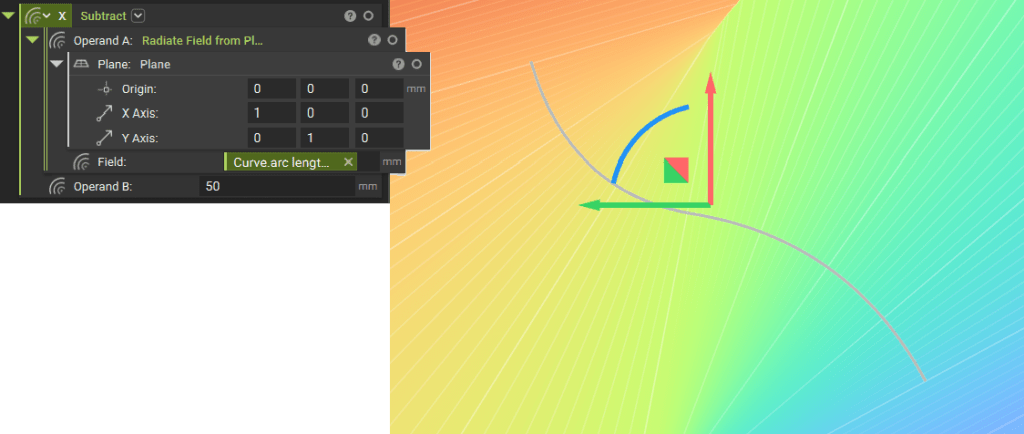
The X-component defines where the body sits along the length of the curve.- Radiate Field from Plane: This generates a gradient representing distance. When combined with the curve’s arc length, it creates a field that increases as you move along the path of the curve.
- The Subtract Block (Translation): This is your “Slider” for positioning. By subtracting a value (Operand B) from the Radiate Field, you shift the body’s starting point.
- Example: If you subtract 10mm, the body moves 10mm further along the curve.
The Y-Axis: Distance from the Curve
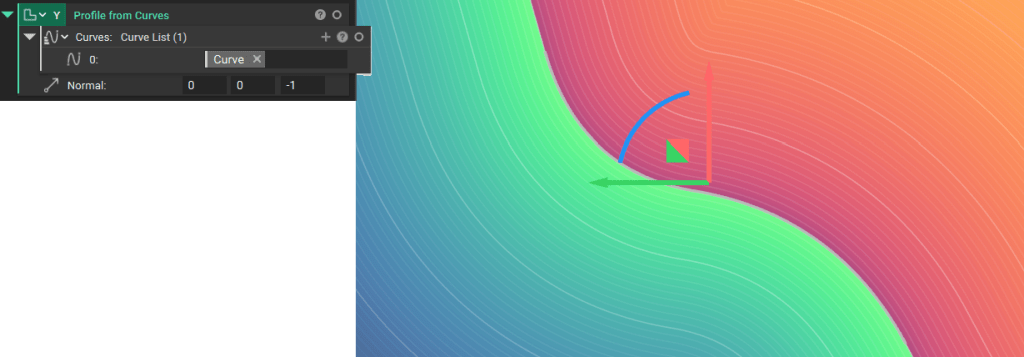
The Y-component defines the thickness and the body’s perpendicular orientation relative to the curve.- Profile from Curve: This block generates a field where the value is 0 on the curve itself. It determines the “inside” and “outside” of the curve. This ensures your body is oriented correctly (e.g., standing upright on the curve rather than lying flat).
The Z-Axis: Maintaining Height
- z: By simply inputting “z”, we ensure the body maintains its original height and does not compress or stretch vertically.
3. Executing the Remap
Once the Vector Field is constructed, we apply it using the Remap Field block:
Fnew(x,y,z)=Fold(Vx,Vy,Vz)F_{new}(x, y, z) = F_{old}(V_x, V_y, V_z)
Where V is the new coordinate logic derived from your curve. The result is a body that respects the curvature of the path while allowing for precise longitudinal translation via the subtraction operand.