1. Generate the Parametric Blisk
Generate the parametric blisk using the updated custom block. This custom block now outputs a list of implicit bodies – the first element is the blisk, the second element is a polar array of cylindrical bodies at the mounting holes.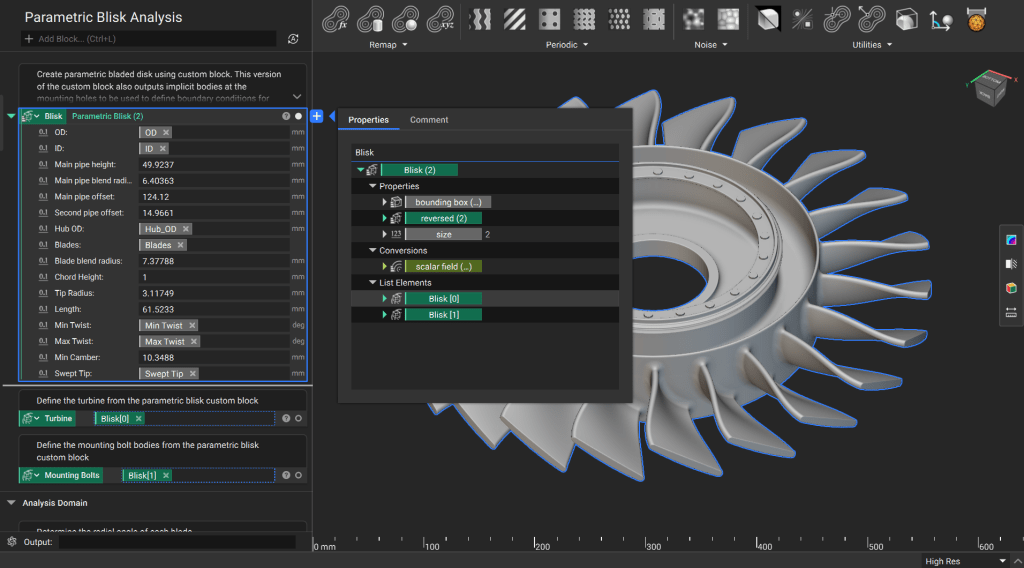
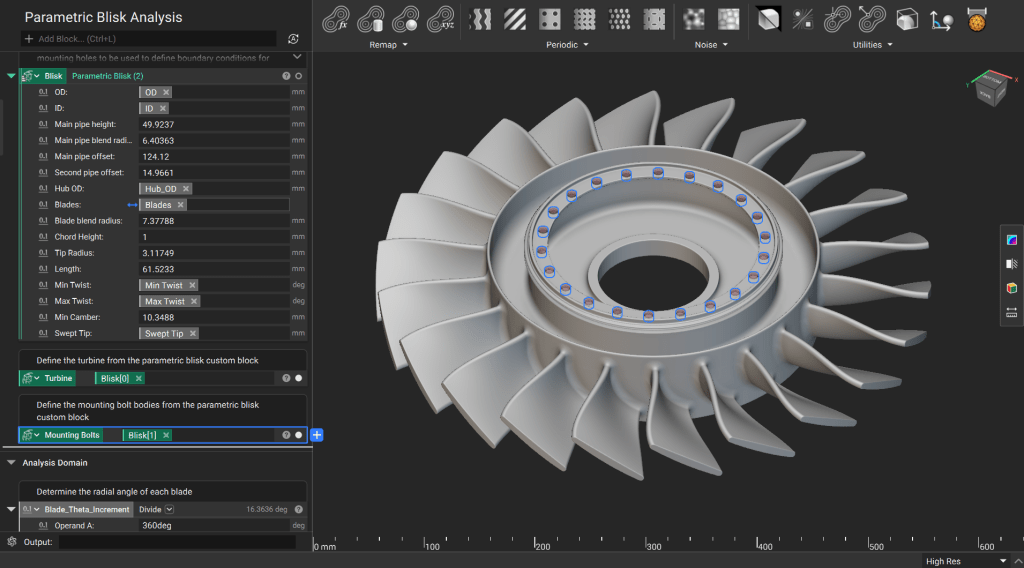
2. Create a Wedge for Analysis
Calculate the angle for each cyclically symmetric wedge for analysis, then rotate a plane from the center coordinate system and perform boolean operations to get just a single wedge.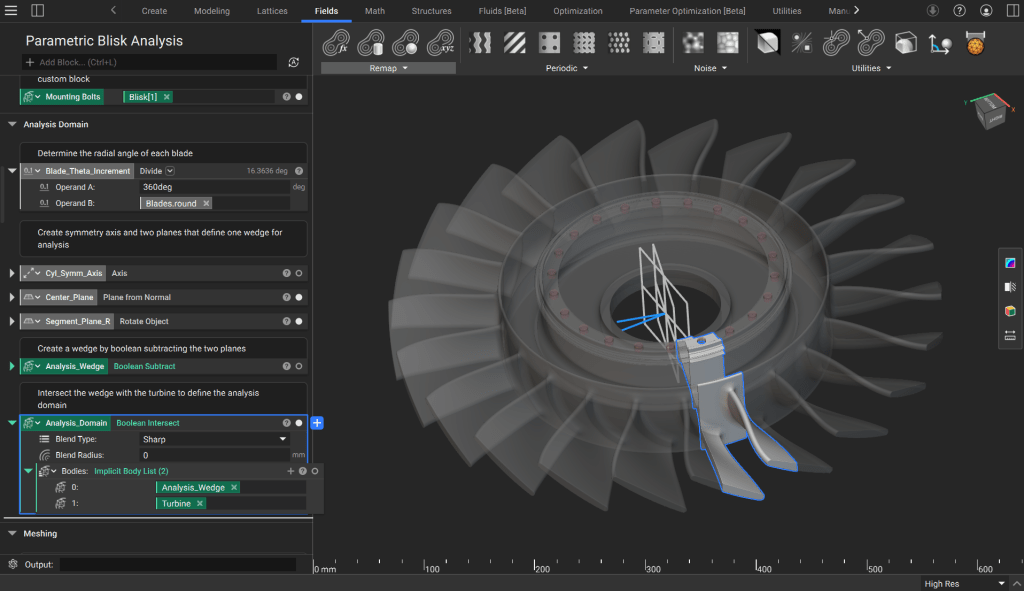
3. Generate a FE Mesh
Start by creating an implicit body that can be used to define the “Sharp Extents” of the mesh from implicit body. Do this by rotating the original slice planes slightly and doing a boolean intersect with the analysis wedge.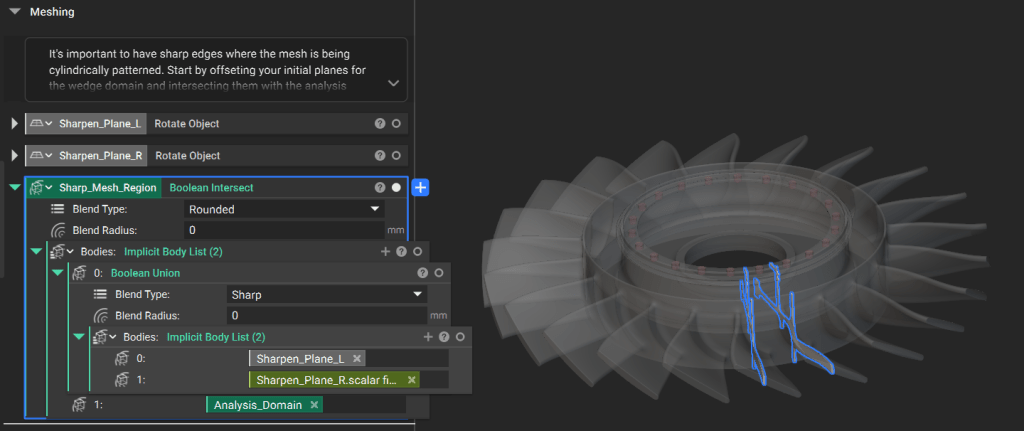
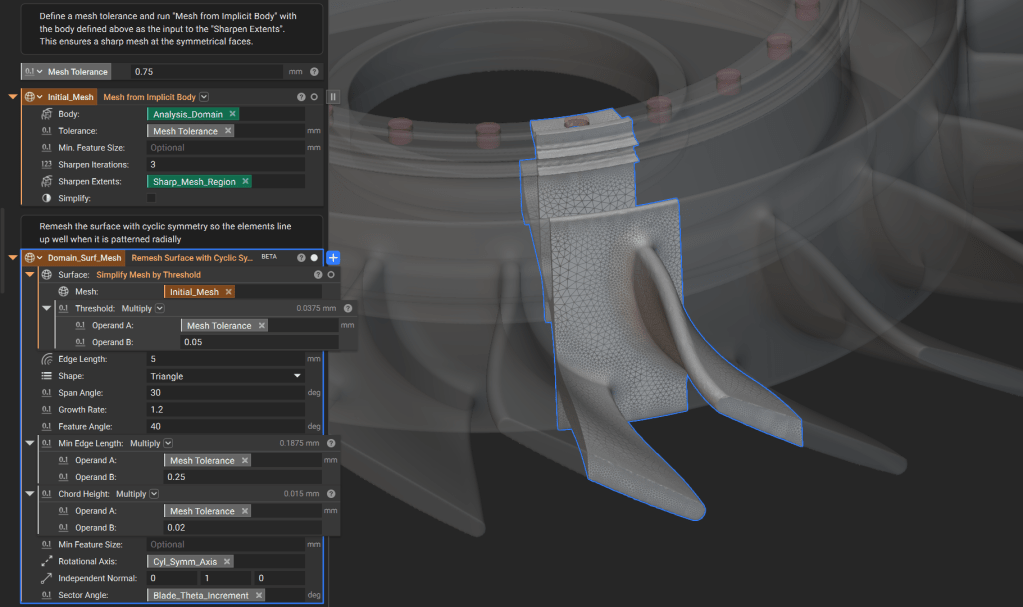
4. Define Boundary Conditions for Structural Analysis
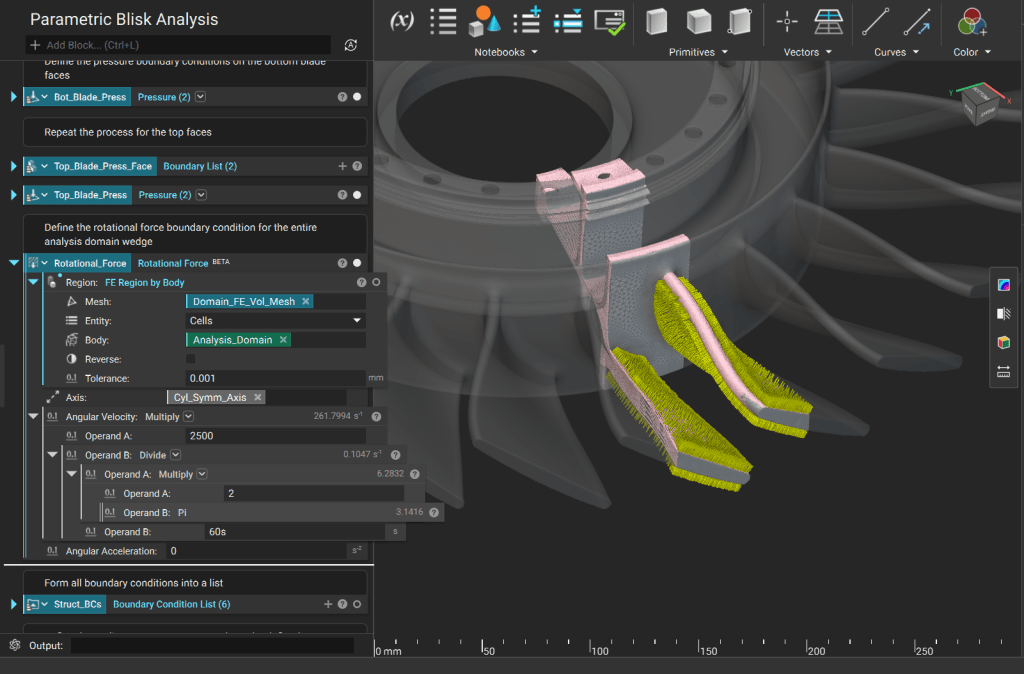
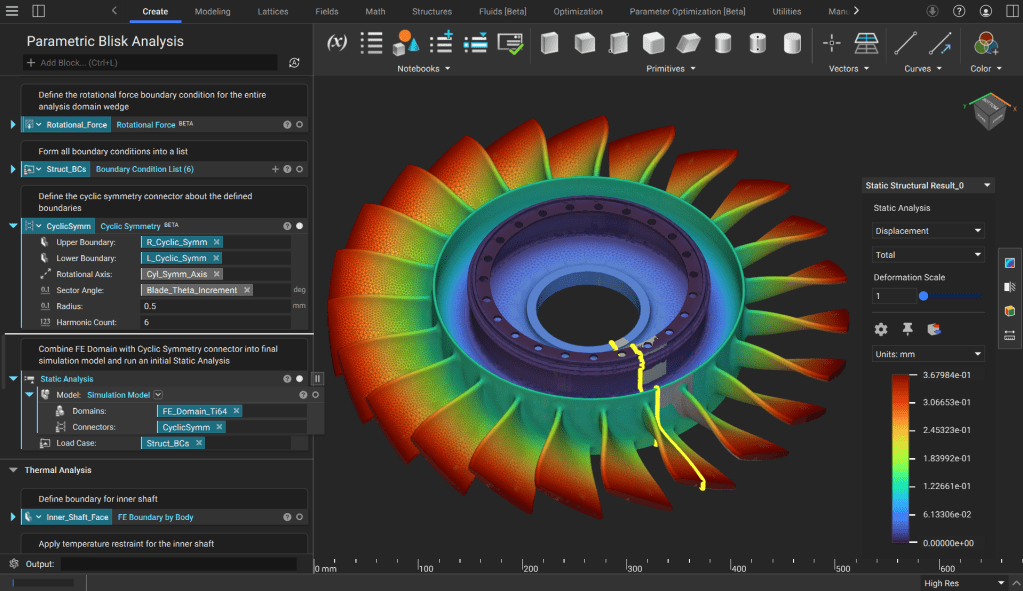
Specify material to create an FE Solid Domain and then define you cyclically symmetric faces on either side of the wedge and your displacement restraint on the bolt holes.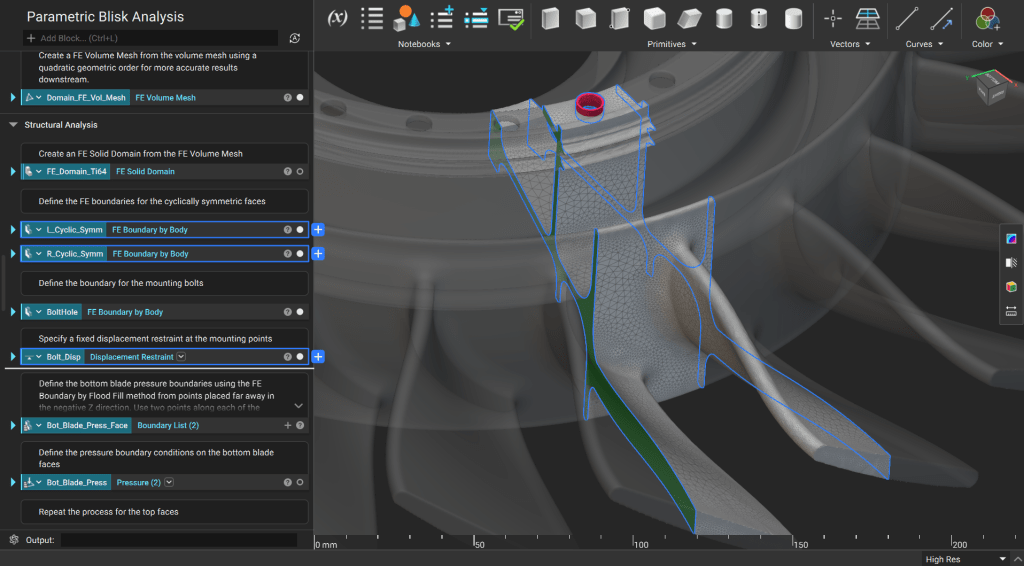
5. Define Boundary Conditions and Run Thermal Analysis
Use the Temperature Restraint block to define the temperature at the shaft and bolt hole, then use a Convection Boundary Load block to capture the heat transfer on the blades and outer shaft face from the hot flow.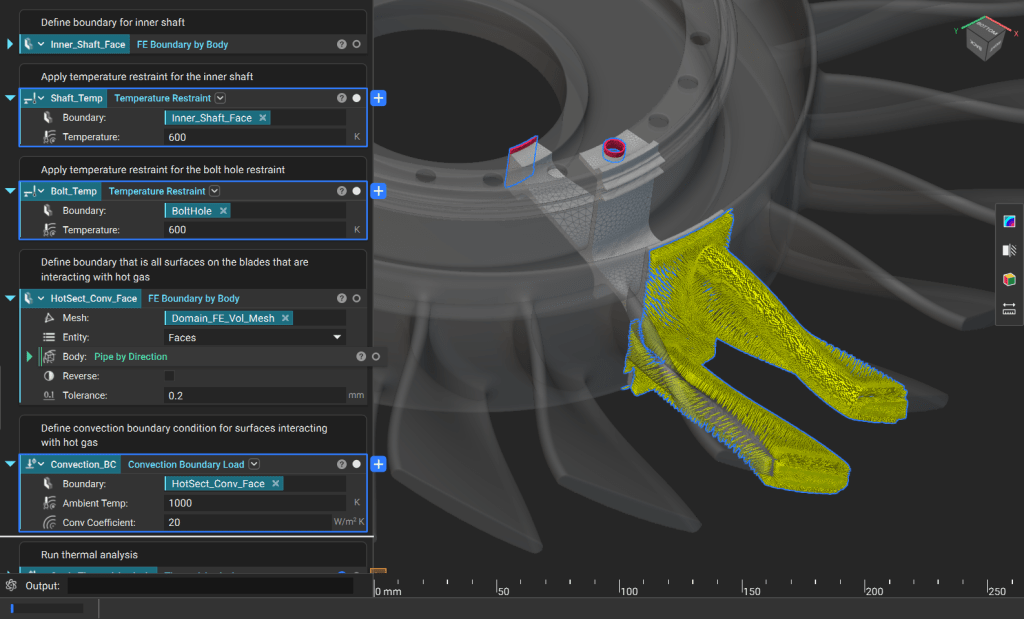
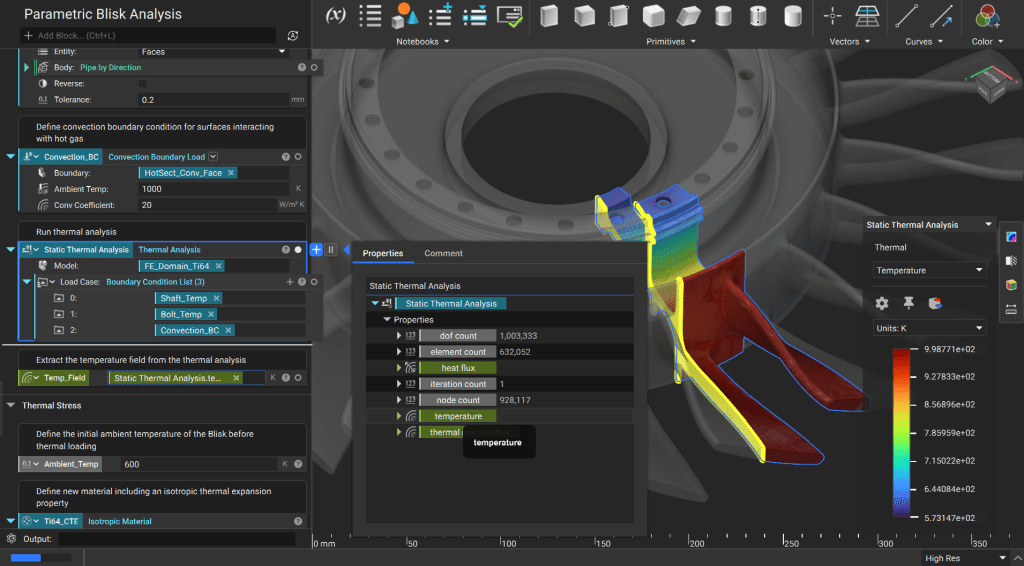
6. Set Up and Run Thermo Mechanical Analysis
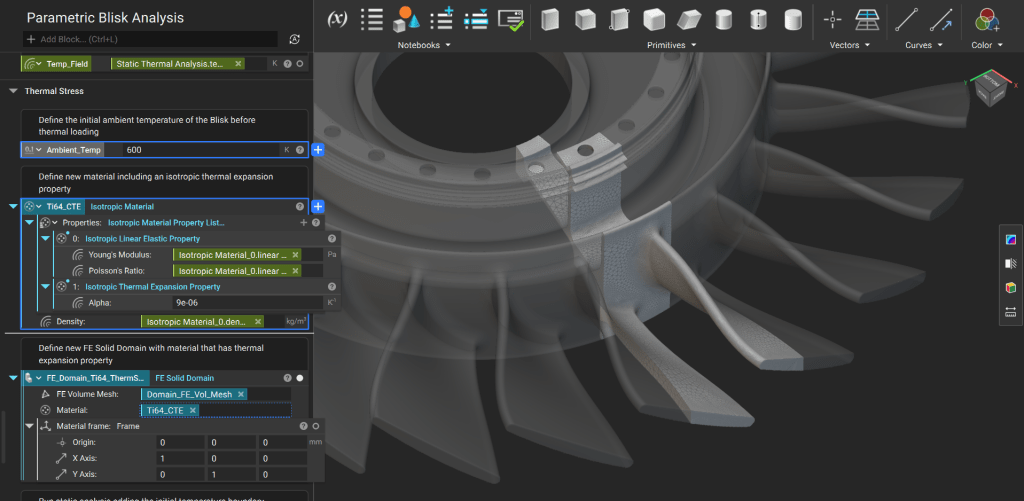
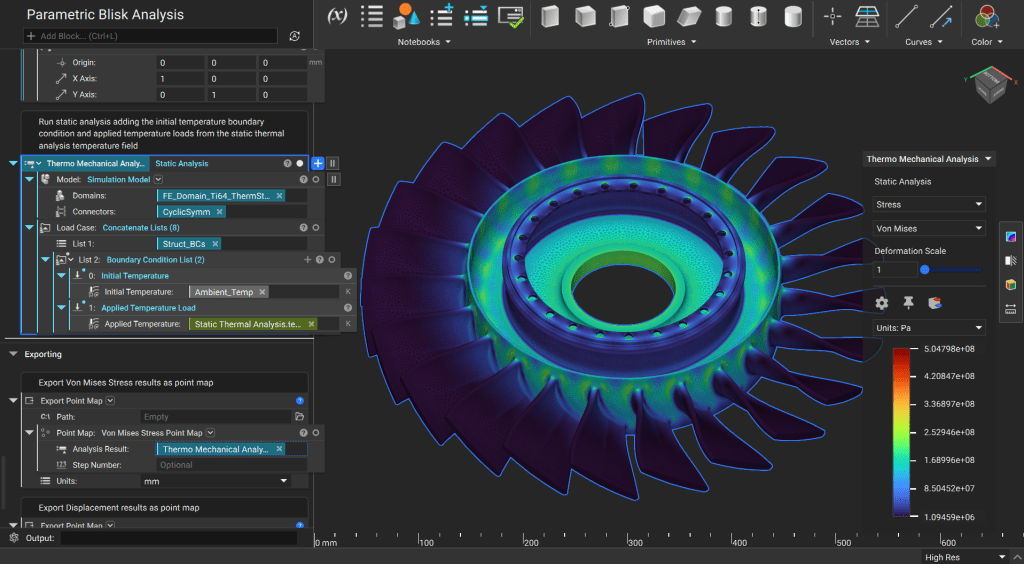
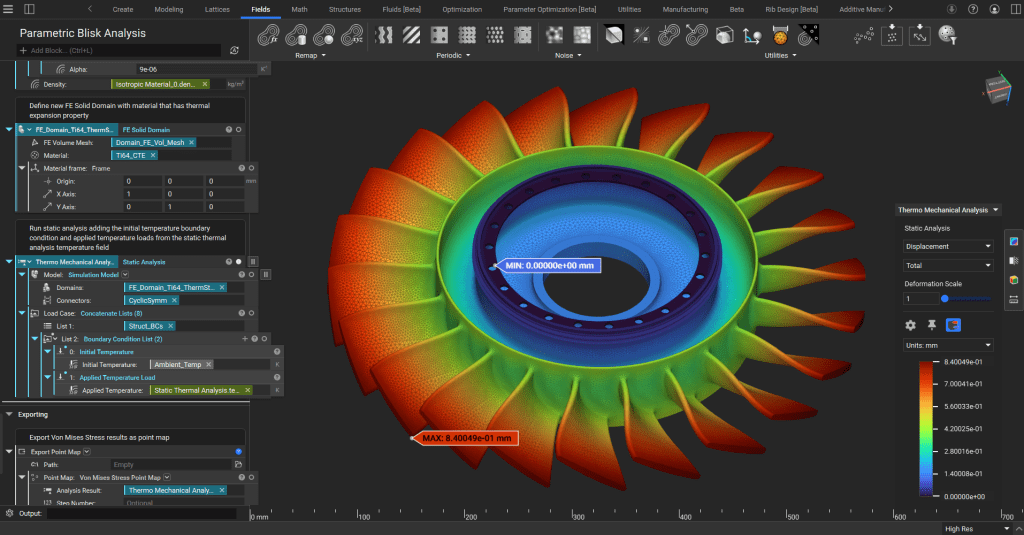
Start by defining an ambient temperature before the thermal load is applied, then define a new material that includes a Thermal Expansion Property (we use an isotropic material, but it can be orthotropic or anisotropic) and create a new FE Solid Domain.