What is Remap Field?
In general, Remap Field allows you to warp geometry by supplying functions or fields to specify a replacement position for every point in the model and gives you a way to rescale existing fields to create new ones. Some common uses of the Remap Field are for mirroring, translating, scaling, arraying and the cylindrical and spherical remap which we will discuss in further detail in the future lessons.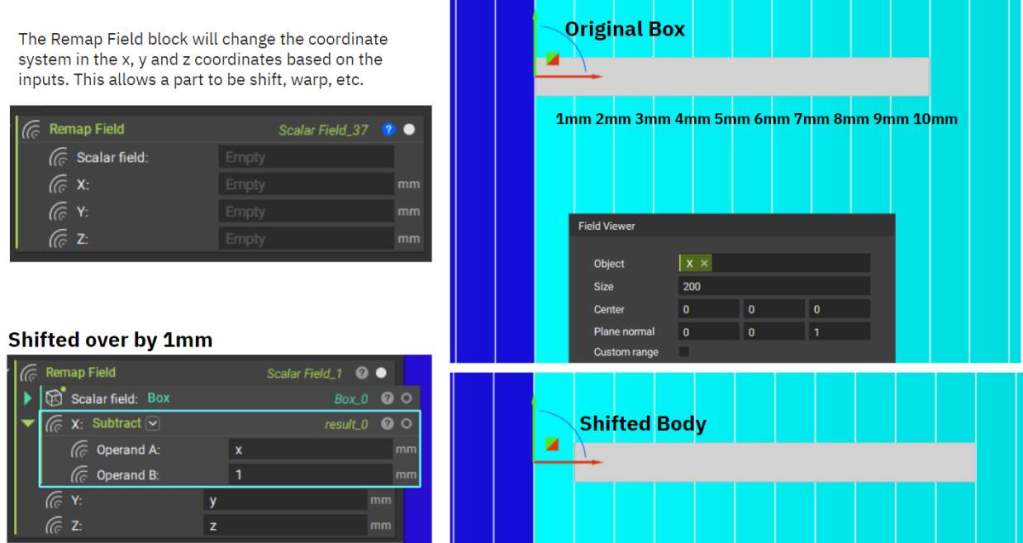
Examples
Let’s start with a simple 2D analogy: We have a number line [0, 1, 2, 3]. If you multiply these numbers by 10, you get [0, 10, 20, 30]. Basically, you are stretching out these values. This is what happens when we use Remap Field, but we do it in 3D space across XYZ.Example 1
Let’s use the Remap Field block to magnify a sphere.- Add a Sphere block
- Add a Remap Field block
- Input the Sphere into the Field input
- X: X*10 (can also use a Multiply block)
- Y: Y
- Z: Z
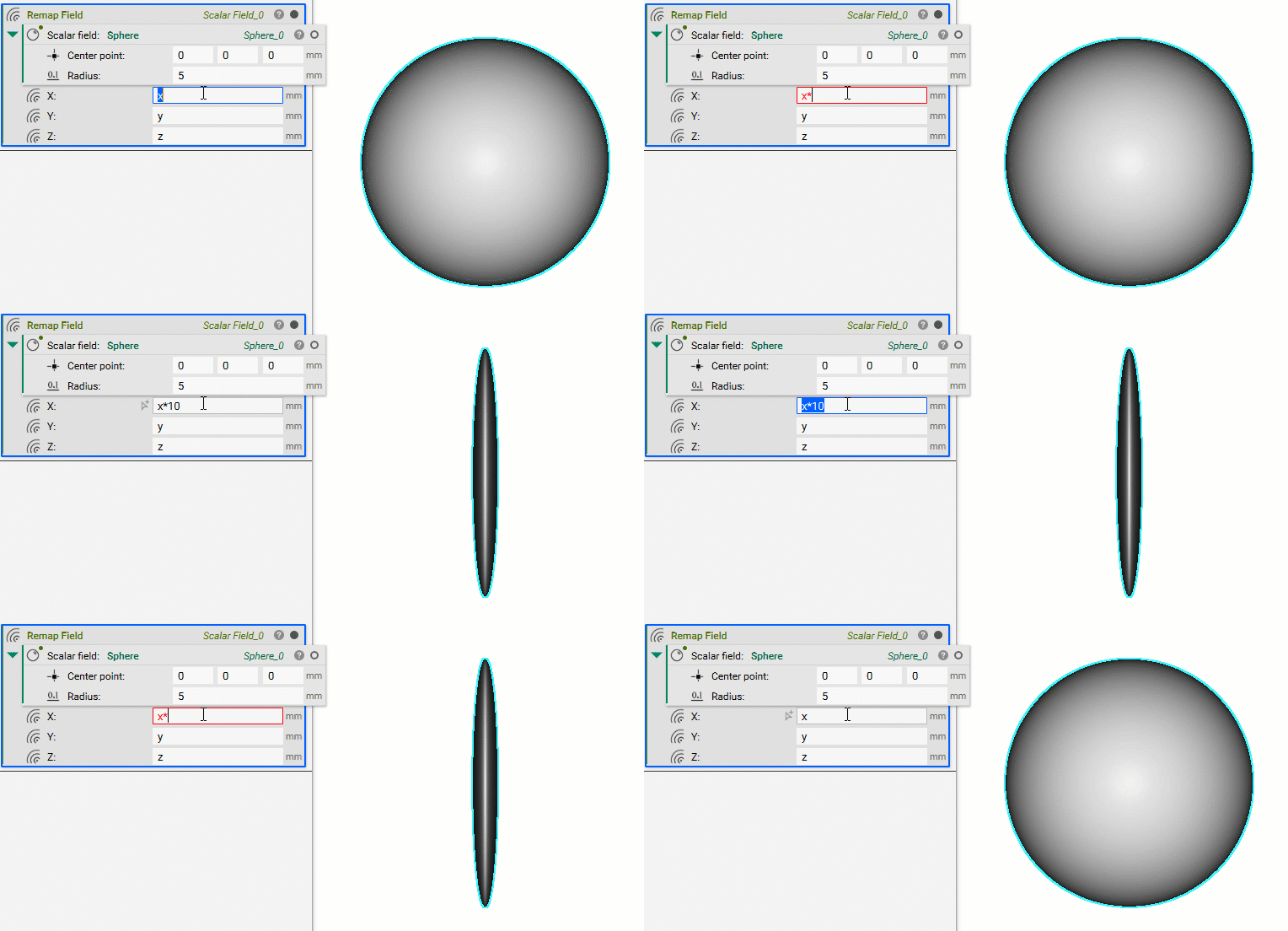
Note: Multiplication and division scale the model, while addition and subtraction translate the model.
Understanding Remapping through Equations
If you want to plot a function in the form z = f(x, y), you can implicitize it by moving all the terms to one side. e.g. 0 = z – f(x, y) You want the expression opposite the zero to be negative where the part is solid.Example 2
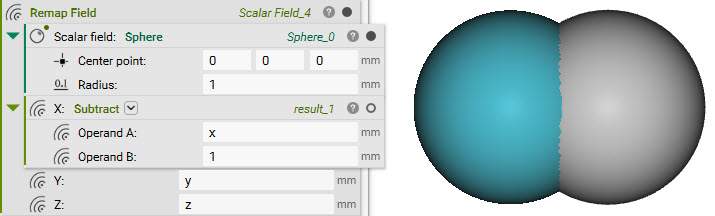
The unit circle centered at the origin has the equation sqrt(x2 + y2) – r = 0 . We want to shift this circle by +1mm along the x-axis, so the new equation is sqrt((x-1)2 + y2) – 1mm = 0mm .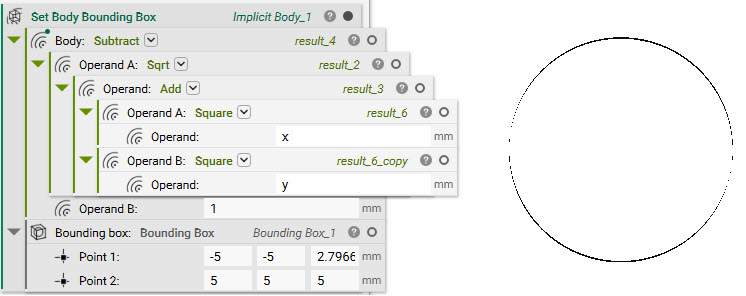
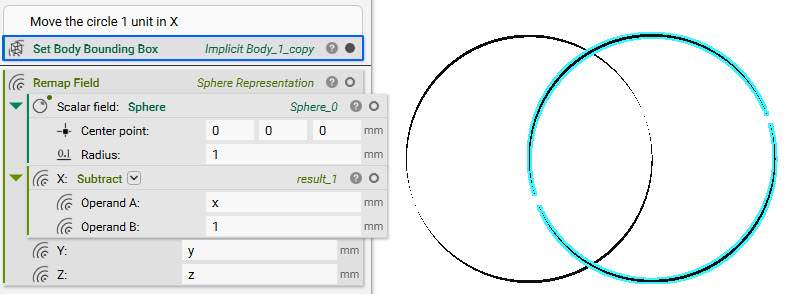
- Input a Subtract block into the X input
- Operand A: x
- Operand B: 1
Example 3
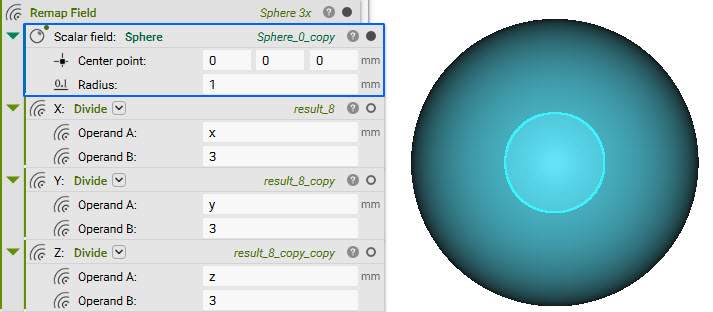
We want to scale our unit circle by a factor of 3. The scaled-up circle has the equation sqrt((x/3)2 + (y/3)2) – 1mm = 0mm .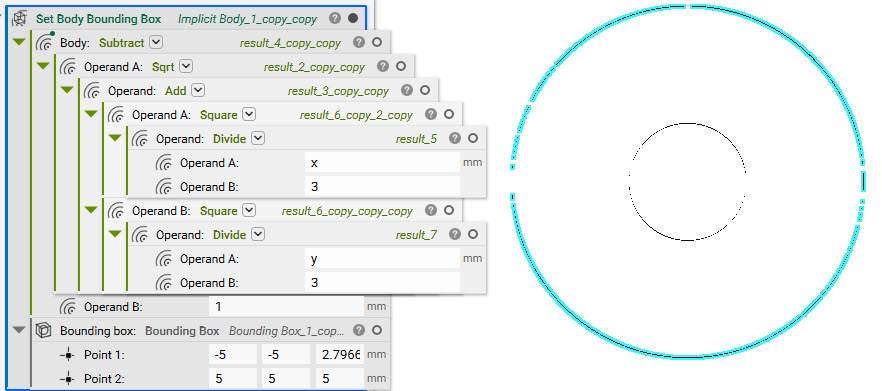
- Input a Divide block into the X input
- Operand A: X
- Operand B: 3
- Input a Divide block into the Y input
- Operand A: Y
- Operand B: 3
- Input a Divide block into the Z input
- Operand A: Z
- Operand B: 3