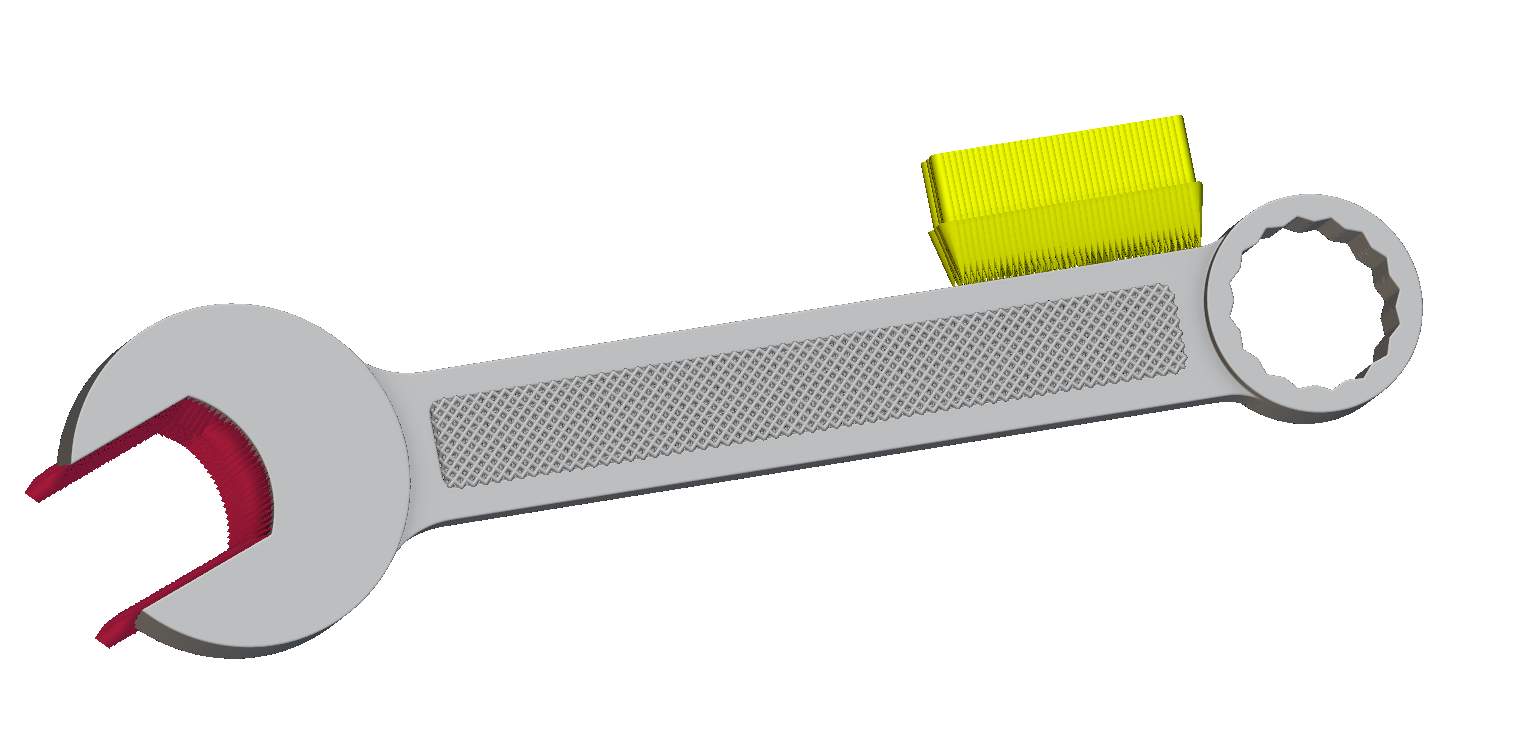
Now that you know how to run Field Optimization in nTop, try this optional problem and compare your workflow to our solution in the next lesson.
Problem Statement
Using the Inner FE Mesh and Outer FE Mesh variables in the starter file, set up and run a Field Optimization to generate a latticed wrench.
Minimize structural compliance of the part under the loading conditions below while constraining the inner body to a volume fraction of less than 0.3.
- Apply a Force(yellow arrows) of 10,000N in the negative x direction to the area selected in the provided Force Boundary
- Apply a Displacement Restraint (red cones) to the wrench jaw profile
While setting up your model, use a Tie Constraint to connect the inner Parametric Lattice Component and solid outer component. Use the following inputs to define the inner lattice component:
- Face-centered cubic unit cell
- Conformal Boundary behavior
- 2 mm Cell size
- 0.3 mm Min thickness
- 0.8 mm Max thickness
Pull the optimized implicit bodies from the Field Optimization block into your notebook and use Boolean operations to generate your final part.
Estimated Time to Complete: 20 minutes
Tip:
Use an FE Region by Body nested inside a Volume Fraction Response to isolate the inner body to constrain to a specific region.