

Objective:
Learn how to calculate the angles of lattice beams, based on a plane, and export them as a text file for further processing.Procedure:
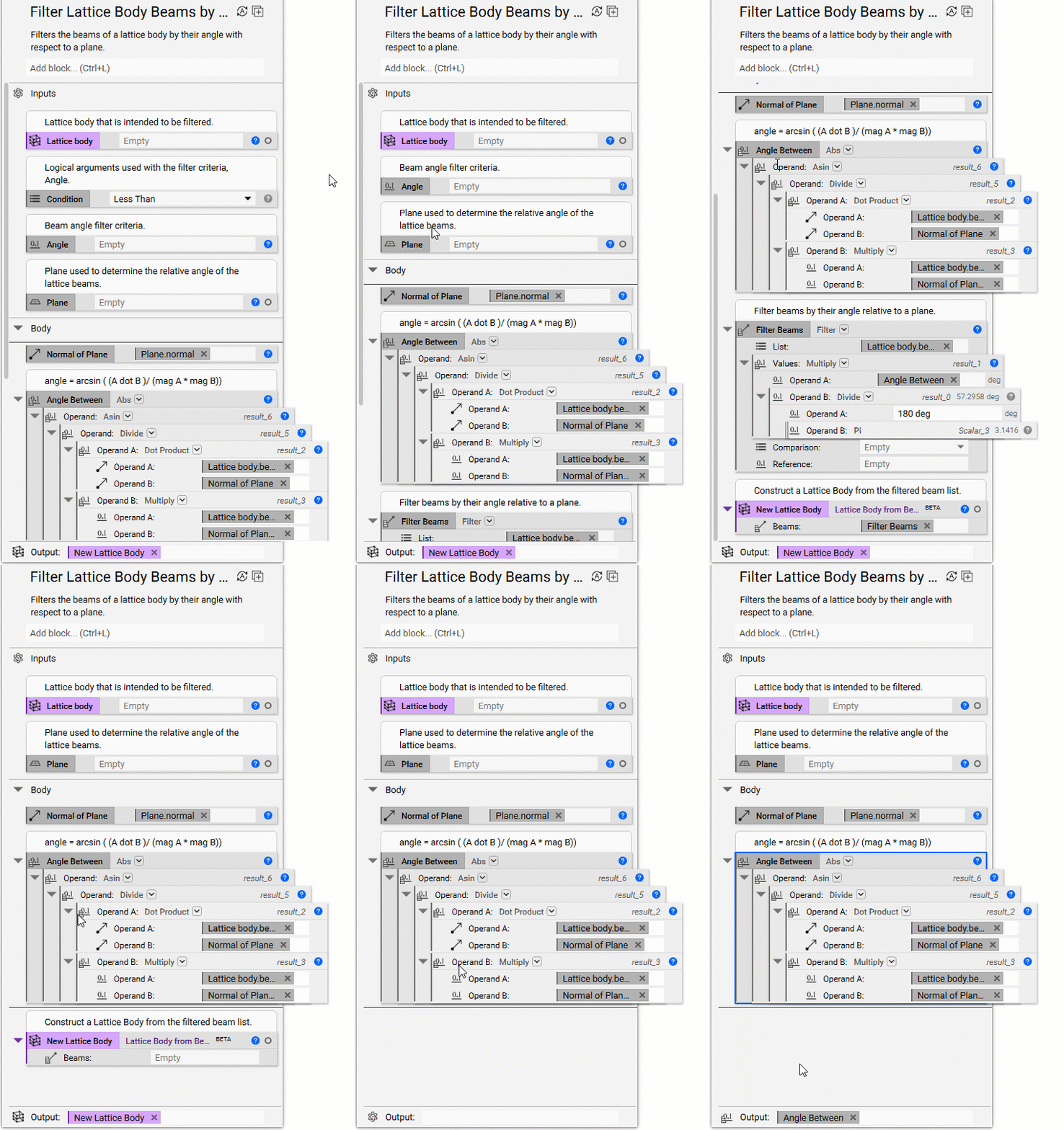
This workflow uses the Filter Beams by Angle block and edits the block to only calculate the lattice beams instead of filtering them. 1. Add a Filter Beams by Angle block 2. Right-click on the block and select ‘Export block’ and save the block to your computer. This saves the block as a nTop file that you can open up and see what blocks it is made of. 3. Open the Filter Beams by Angle nTop file that you just saved 4. Edit the Filter Beams by Angle file:- In the input section, delete the Condition and the Angle
- In the Body section, delete the Filter block and the New Lattice Body block
- Drag the Abs block into the Output section
- Rename the Notebook and give it an appropriate description (in this tutorial, it is named Analyze_angles)
- Save the nTop file
 5. Open a new nTop file
6. Import the new custom block you just created
7. Add a Cylinder block
5. Open a new nTop file
6. Import the new custom block you just created
7. Add a Cylinder block
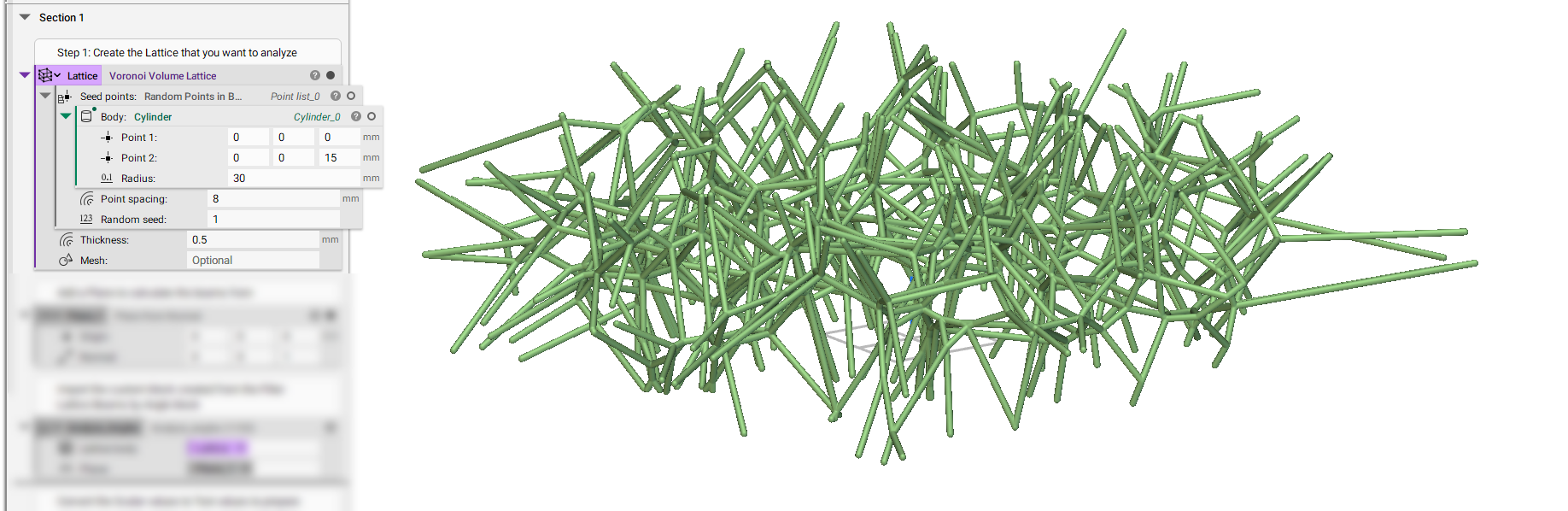
- Point 1: (0,0,0) mm
- Point 2: (0,0,15) mm
- Radius: 30 mm
- Insert the Cylinder
- Set the Point spacing to 8 mm
- Set the Random Seed to 1 mm
- Insert the Random Points in Body block
- Set the Thickness to 0.5 mm
 12. Add a Text from Scalar block (in order to convert the scalar angles into a format we can export)
- Insert the Analyze_angles block into the Value input
- Set the Reference to 1 deg
- Set the Precision to 2 (or whichever value works best for you)
- Add the Text from Scalar block into the Text input
- Choose a path to save the .txt file to