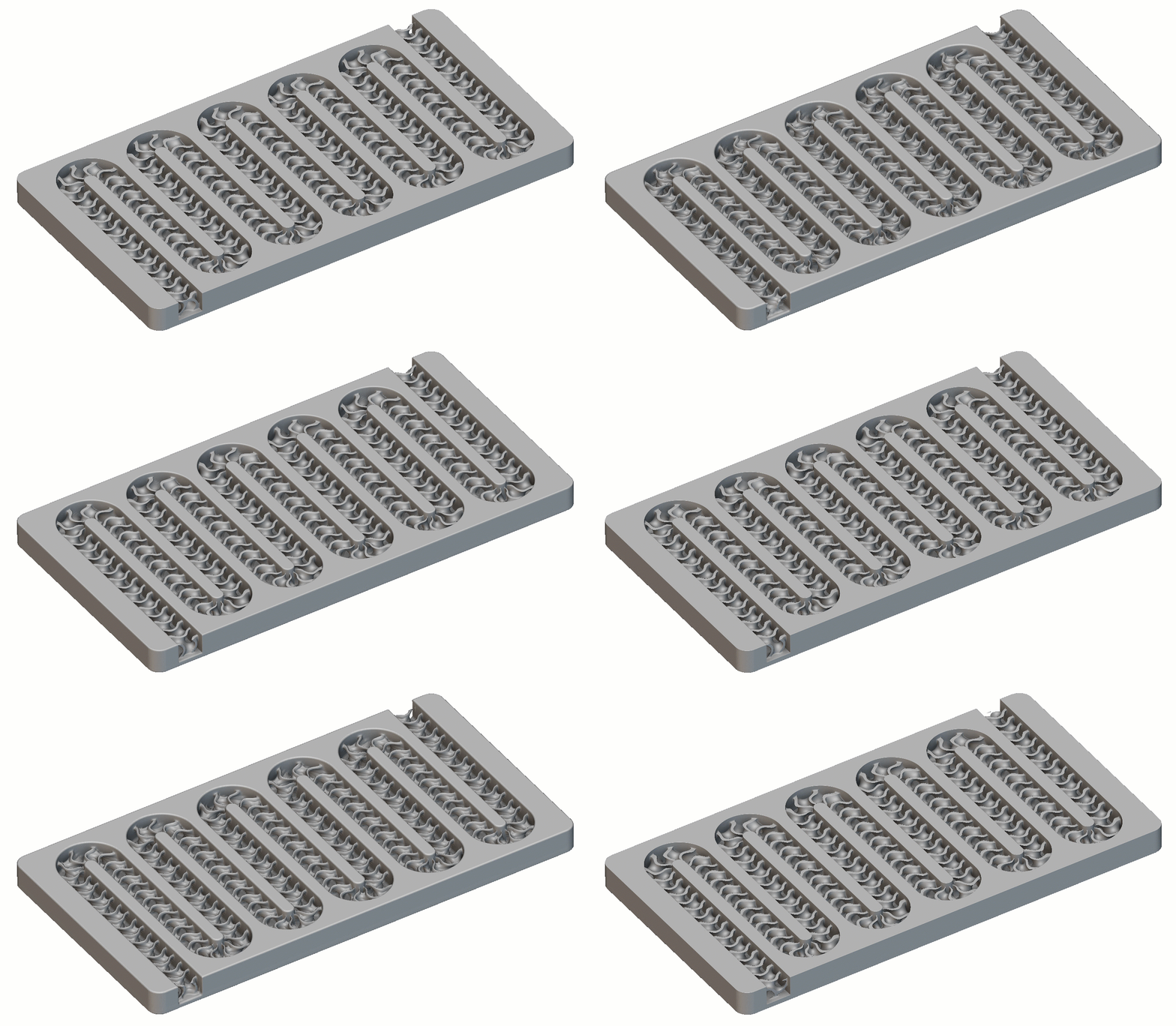
Question:
How to curve a gyroid?Applies to:
- Remap Field
- Gyroid
- Lattice
Answer:
This article uses a Remap Field to create our desired outcome. If you are new to using Remap, start with the following resources:- Learning Center course:
- Intermediate Field Driven Design
- Articles:
- Introduction to the Remap Field block
- How to use Remap Field to scale or translate an object
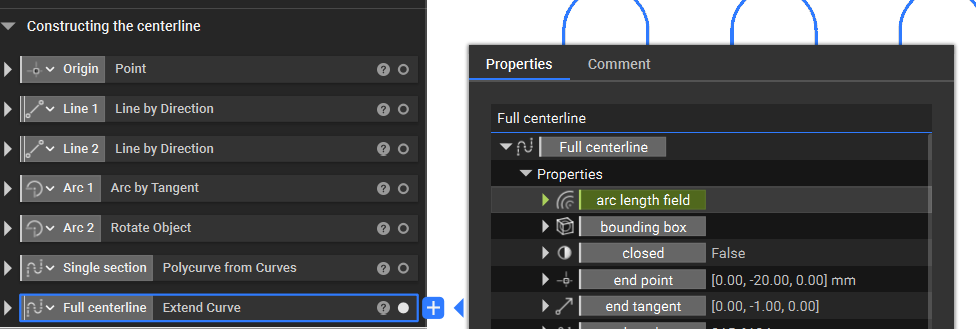
- Start with the Centerline which you would like the gyroid to follow
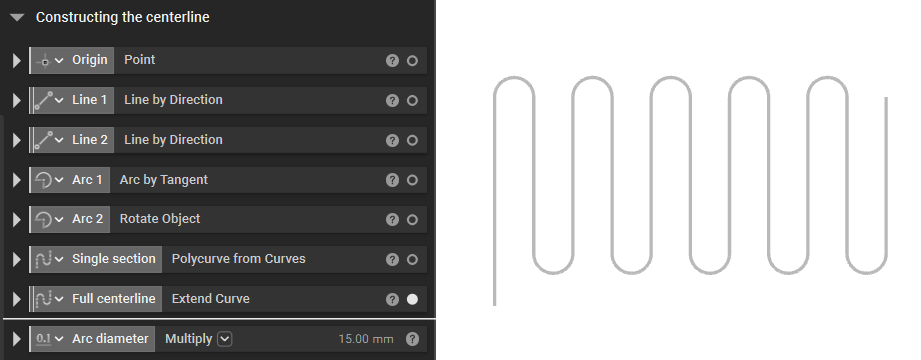 You can use a combination of Line Segments and Arcs to create your centerline or import it from CAD software as well.
- We would now need to generate the Gyroid structure that we will use to Remap to follow the Centerline. We recommend creating an infinite length (50x of what is needed) gyroid structure.
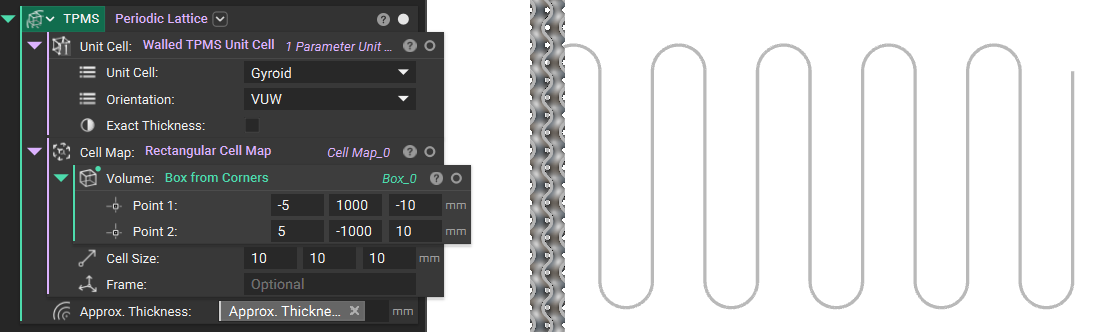
- We will use the Remap Field block to remap the TPMS’s direction.
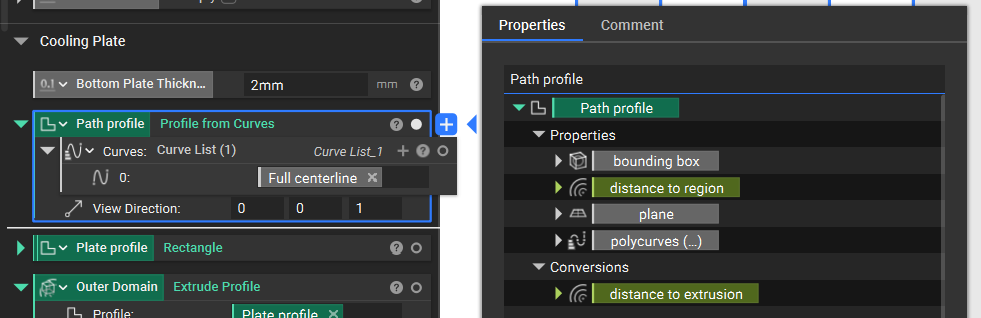 Y: We will use the curve’s arc length field property to determine the periodicity. Then, let’s move the Gyroid using an Add block.
- Finally, Boolean Intersect the obtained lattice structure with the Channel.
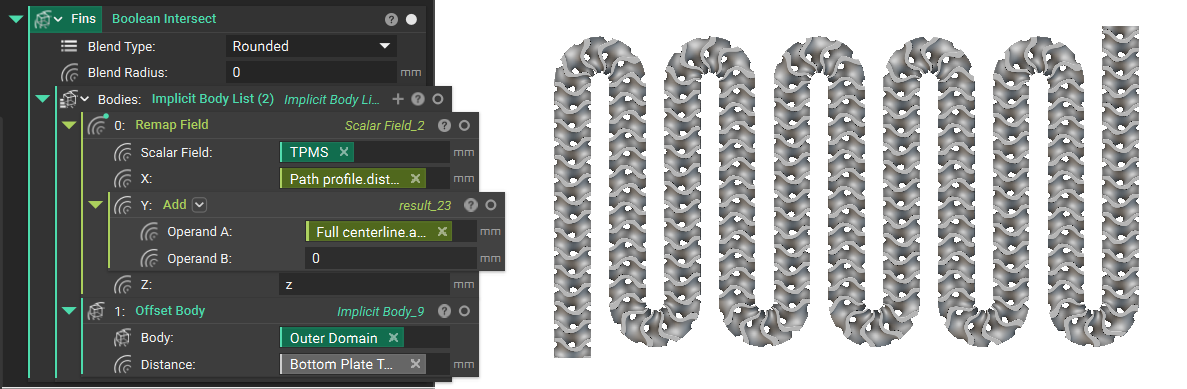 And that’s it. You have learned how to curve a gyroid.