

Objective:
I am designing a heat exchanger and need to offset the TPMS walls using two different offset values. I need to model a TPMS defined by multiple iso-contour level set inequalities.Note: If you are offsetting equally in both directions, you can use either the TPMS Unit Cell with Offset or the Walled TPMS Unit Cell with Offset blocks .
Applies to:
- TPMS
- Heat Exchangers
- Lattices
Procedure:
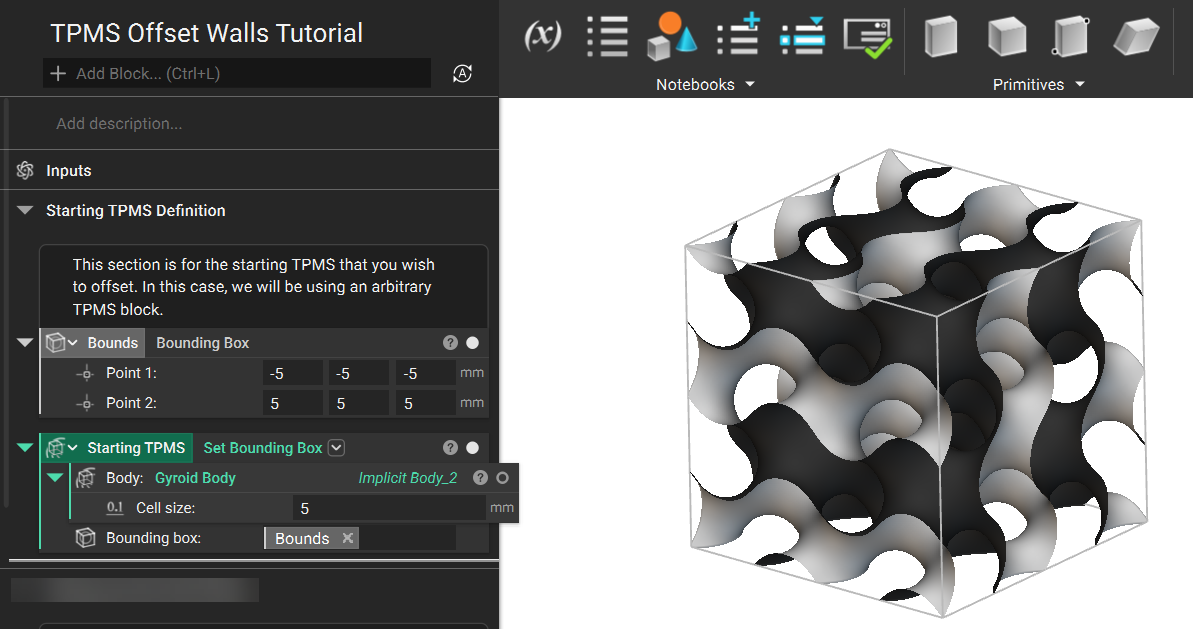
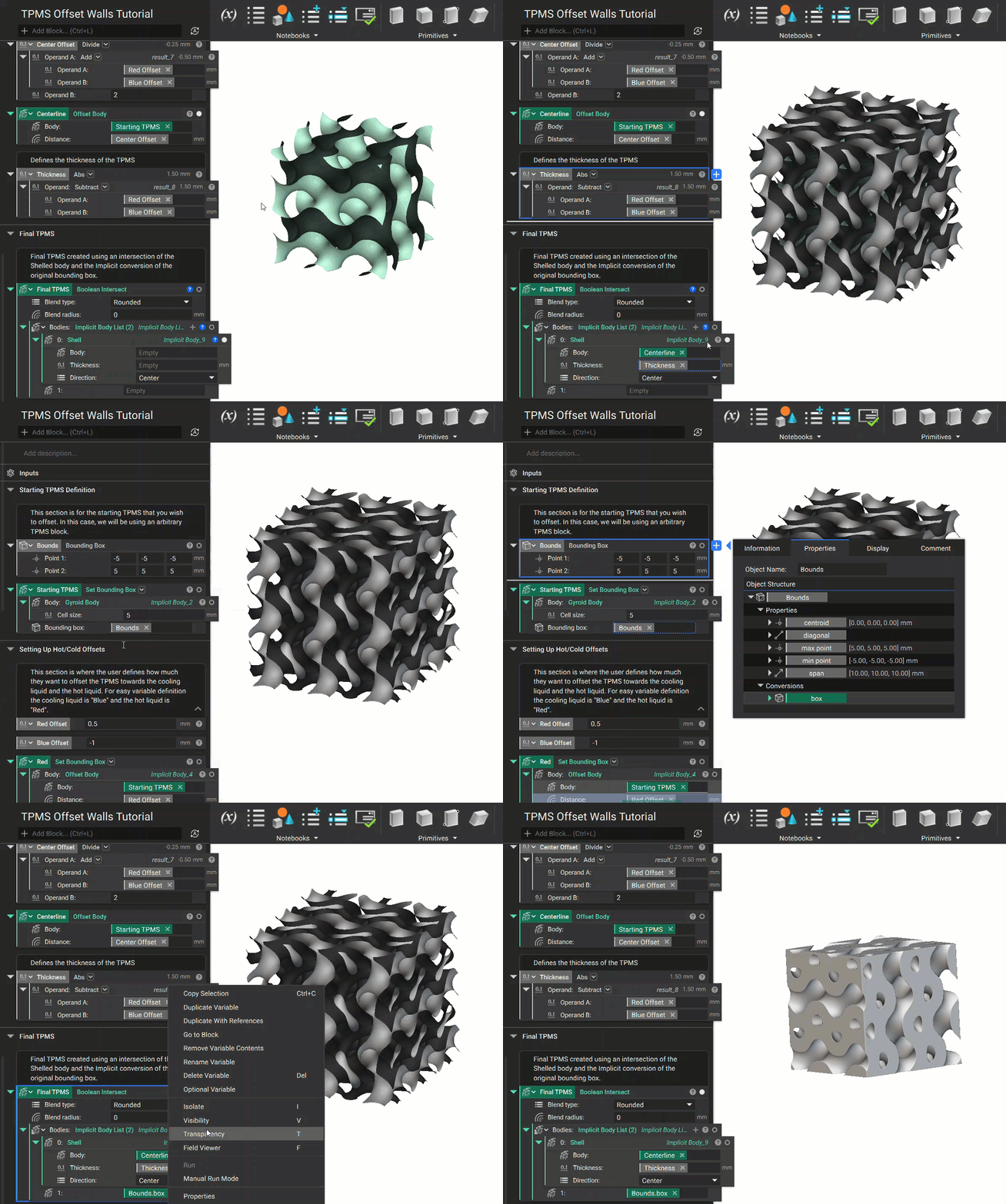
- For this example, we will use a cube cutout of TPMS composed of a Gyroid Body and a Set Bounding Box block.
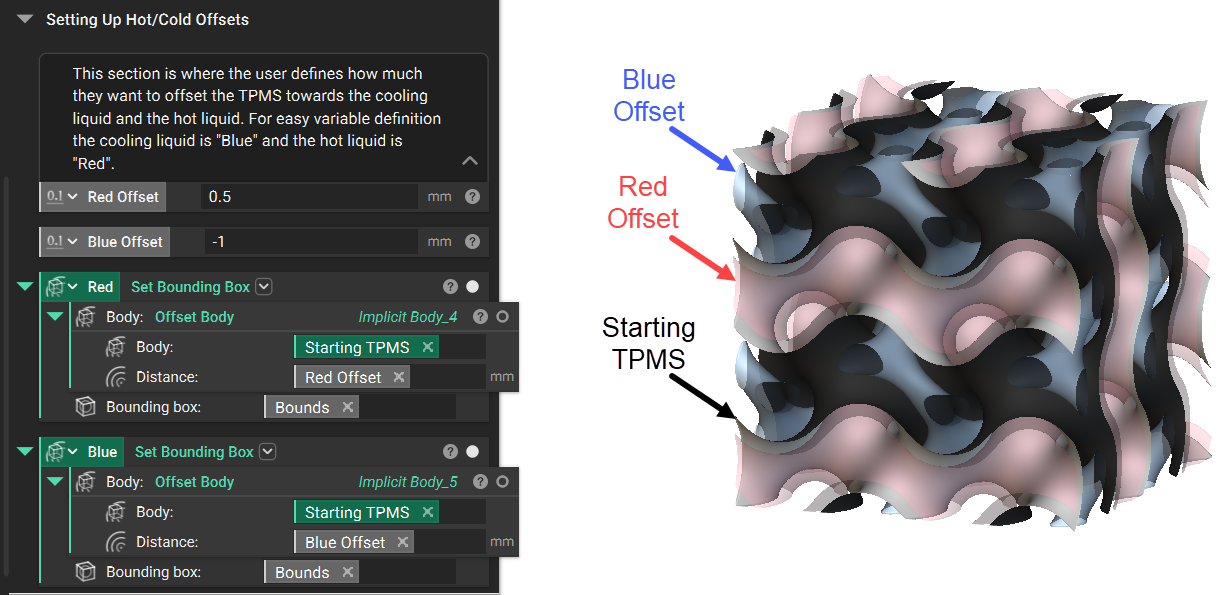
- Next is to define the required offsets for the TPMS walls by inputting your values. Offset bodies are then created for each side using the Offset Body block. For this example, we will refer to the offset sides as ‘Red’ and ‘Blue.’ To help illustrate and define each of these, we altered the color and transparency of the offset bodies.
Note: It is not mandatory to create the offset bodies; they are used to visualize the objective result.
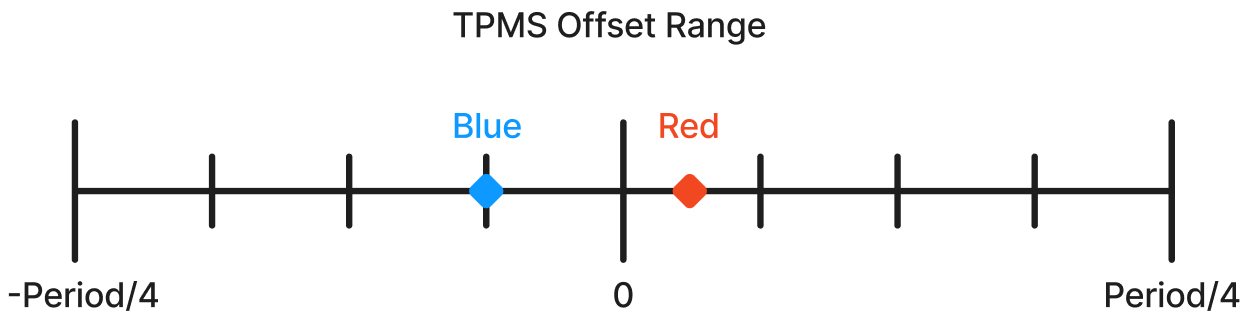
- Using an Add and Divide block, we can calculate the average of the two offsets. This ‘Center Offset’ value is then used to offset the ‘Starting TPMS’ body. The TPMS center has now shifted into its correct position. Our last calculation uses a Subtract and an Abs block to calculate the TPMS thickness.
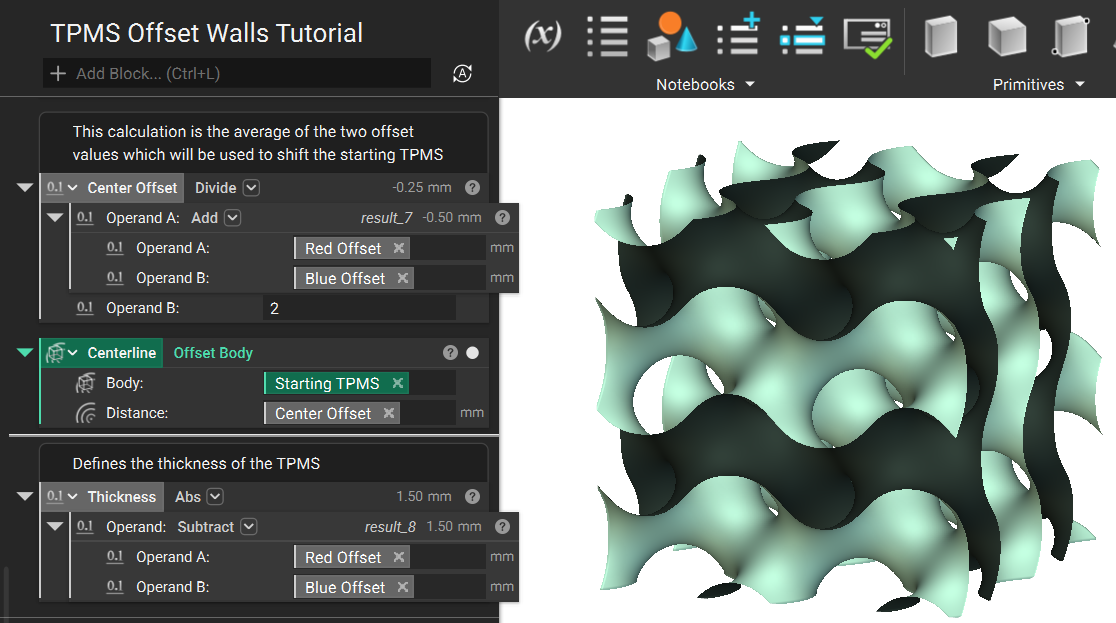
- The final steps are to use a Shell block with the new ‘Centerline’ TPMS body, the calculated ‘Thickness,’ and the Direction set to Center. When this Shell result is used to Boolean Intersect with the solid body conversion of the Bounding Box, the result is your ‘Final TPMS.’
 Are you still having issues? Contact the support team, and we’ll be happy to help!