

Objective:
Learn how to calculate the average valency for a latticeProcedure:
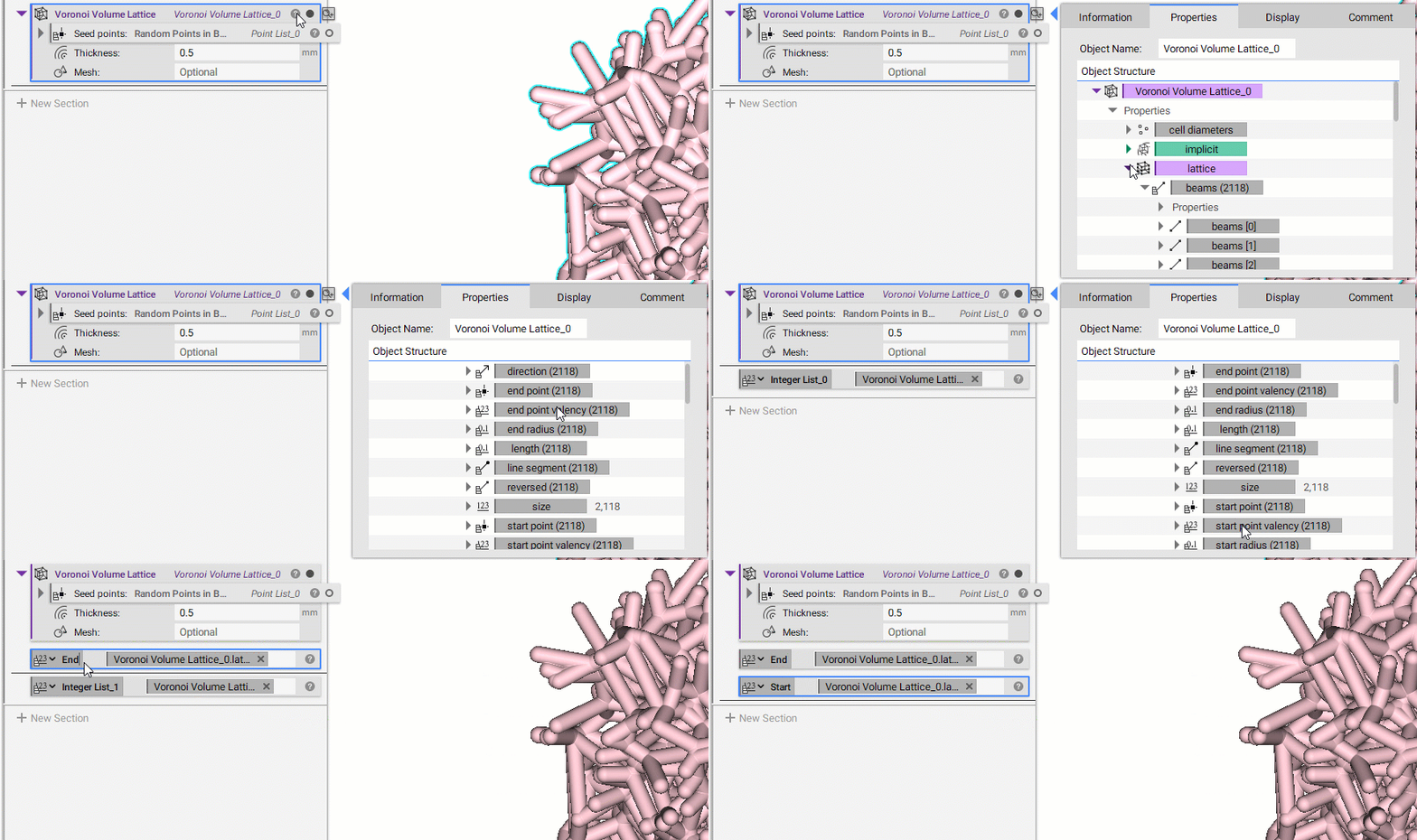
1. Create your lattice To calculate this, you need to use one of the new Beta lattice blocks. In this example, we are starting with a Voronoi Volume Lattice block. 2. Extract the Property chips- Open up the Properties of the Voronoi Volume Lattice block by clicking the question mark icon.
- Expand the “Lattice” property and then expand the “beams”
- Expand the ”> Properties” chevron underneath the “beams”
- Drag out the “end point valency” chip and the “start point valency chip” into the Notebook section.
 3. Combine the Lists
- Add a Concatenate List block
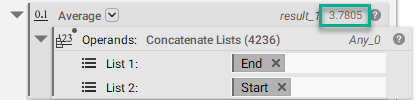
- Insert the two property chips, “end point valency” and “start point valency”, into the inputs
- Add an Average block
- Delete the auto-populated list
- Insert the Concatenate List block
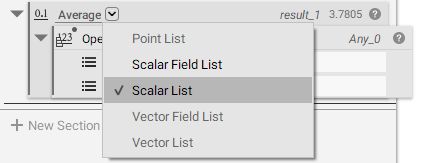
- Select the Overload to change the type to Scalar List
- The average valency now appears at the top right of the block
 And that’s it! You’ve successfully calculated the average valency of your lattice.
Are you still having issues? Contact the support team, and we’ll be happy to help!
And that’s it! You’ve successfully calculated the average valency of your lattice.
Are you still having issues? Contact the support team, and we’ll be happy to help!