

Objective:
Learn how to blend TPMS (and lattices) without using the Mix block.Applies to:
- Modeling
- Lattices
Procedure:
Using a Sine Wave transition
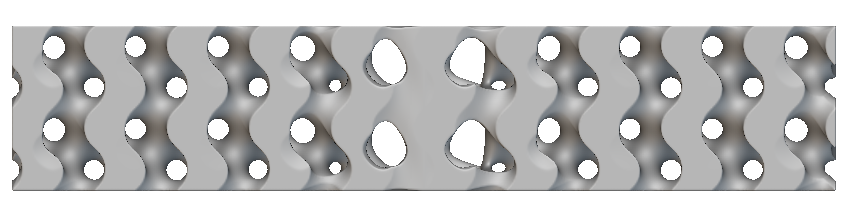
- Create two bodies with the TPMS or Lattice of your choice. Make these the same size.
- Add a Ramp block
- For the Field input:
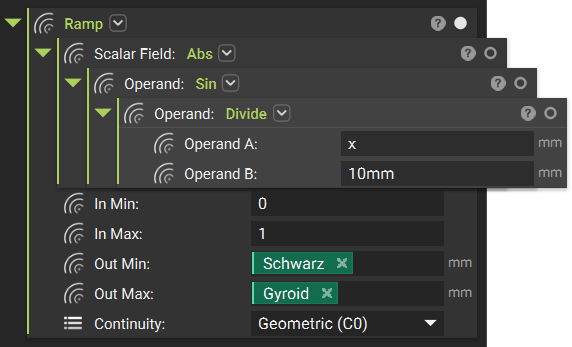
- Create the equation sin (x/10) using Math blocks.
- Add an Absolute (Abs) block and insert your equation so only the absolute values are returned.
- Set the In min to 0
- Set the In max to 1
- Set the Out min to your TPMS body
- Set the Out max to your second TPMS body
Inverse Distance Weighting
This method uses inverse distance weighting. You provide points (corresponding to the interpolation centers) and an exponent which controls the decay. As the exponents go to minus infinity, one gets a sharp Boolean Union of the Voronoi regions of the points. In the gif, you can see how the wiggling of the exponents changes the transition regions.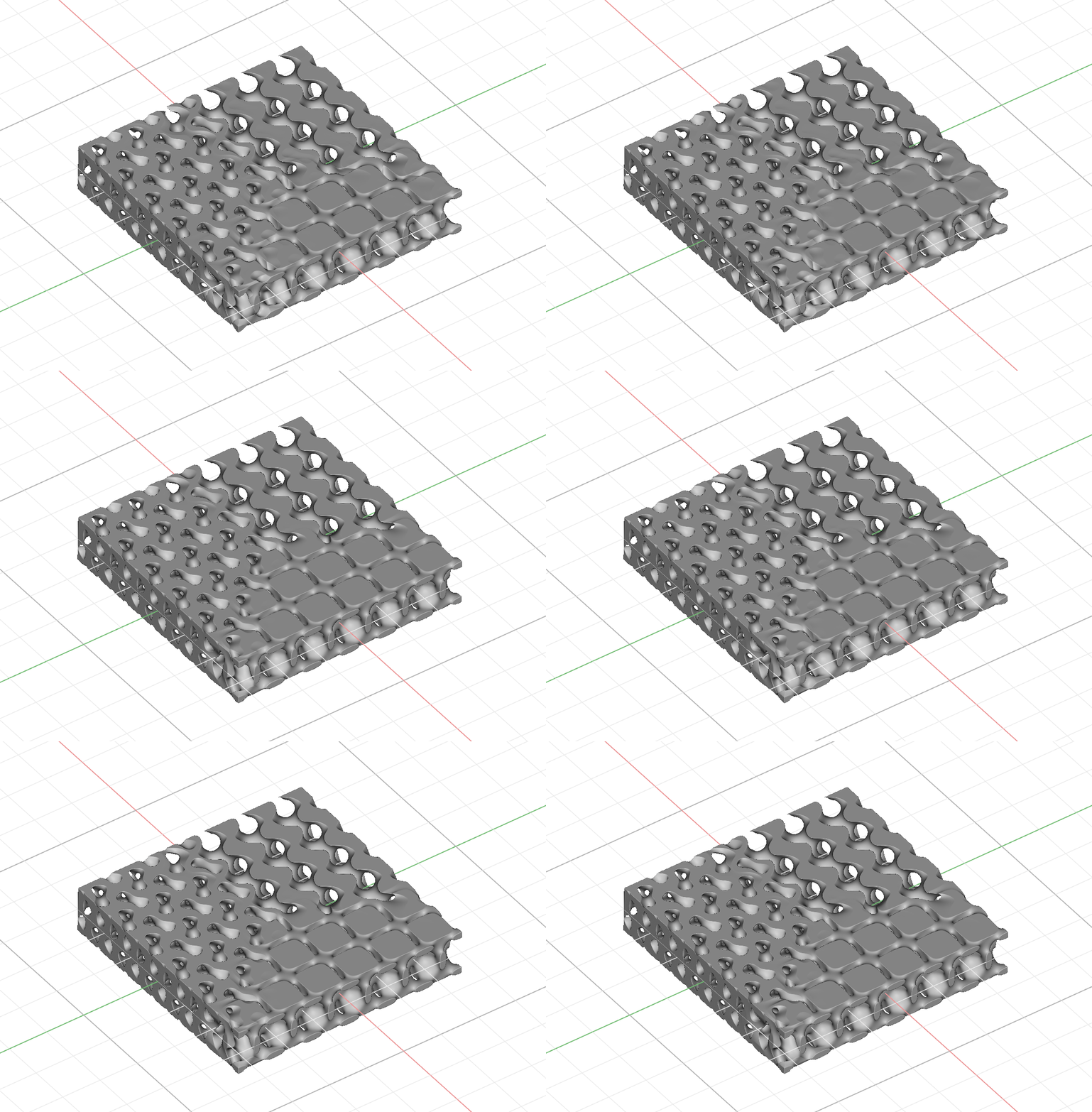 Custom block, the Shepard Equation
-
- Interpolation Point input: the interpolation center for that TPMS.
- Decay Exponent input: the decay exponent. (These values can be the same for each body or vary, depending on the blend you want).
To create this method in nTop:
- Create three bodies with the TPMS or Lattice of your choice. Make these the same size.
- Create a Point for each interpolation center. We are using a Polygon to create three points on the same plane, but any method for creating points works.
- Import the Shepard Equation custom block.
-
- Right-click on the Decay Exponent to create a variable (we are going to use the same value for each body)
- Create a Shepard Equation block for each TPMS body. Use the Interpolation point that relates to each body.
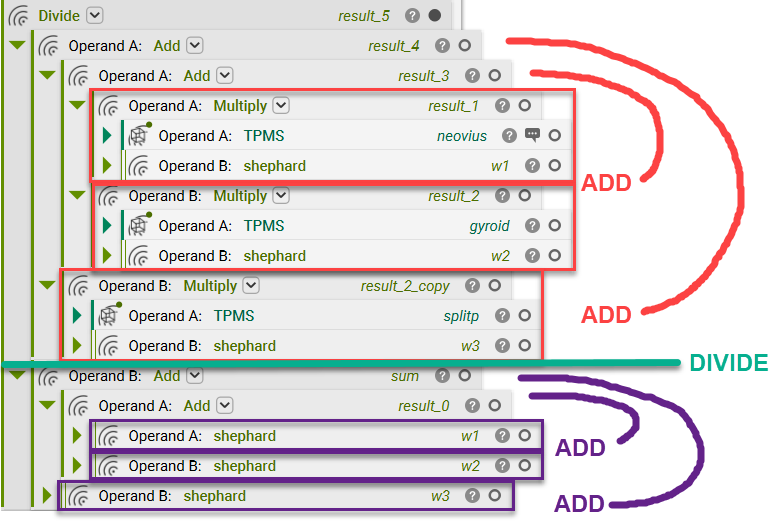
- Create the equation from above to build the TPMS transitions.
Advanced - Using Equations
You can use TPMS equations with an interpolator to create a blend. We want to interpolate from “x” to “a * x + b”. Therefore, we introduce a parameter t in [0, 1] and produce: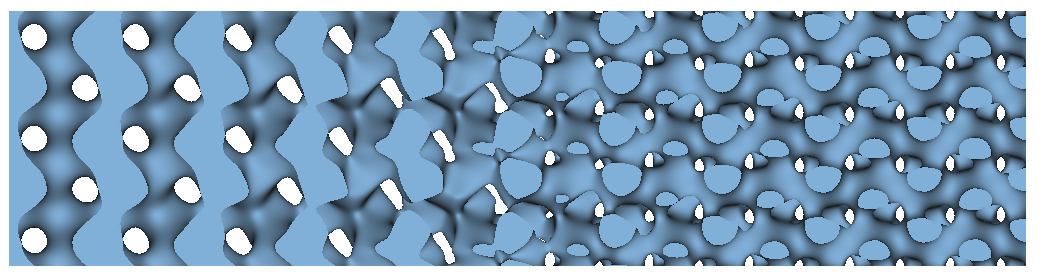 And that’s it! You’ve successfully learned several different methods to blend TPMS without the mix block.
Are you still having issues? Contact the support team, and we’ll be happy to help!
And that’s it! You’ve successfully learned several different methods to blend TPMS without the mix block.
Are you still having issues? Contact the support team, and we’ll be happy to help!