

Objective:
Learn how to warp a lattice using a sine wave field.Applies to:
- Lattices
- Remap field
Procedure:
1. Create a design space:-
- Import or create the geometry where you want the lattice to fill (this will be used at the end)
- Create a Box
- Length: 50 mm
- Width: 10 mm
- Height: 10 mm
-
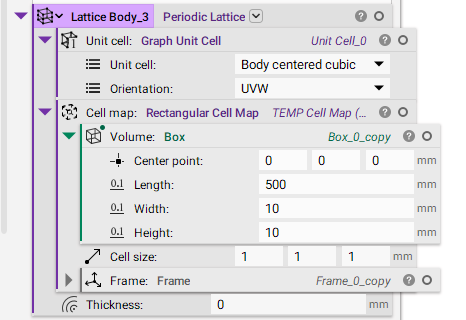
- Add a Periodic Lattice block
- Insert a Graph Unit Cell
- Unit Cell: Body-Centered Cubic
- Insert a Rectangular Cell Map
- Volume: Insert your own larger design space or add a Box with a length of 500 mm, a width of 10 mm, and a height of 10 mm (this is a lot longer than the design space created in Step 1a)
- Cell Size: 1 x 1 x 1 mm
- Thickness: 0 mm
 3. Create the Sine wave field:
- Add a Sin block
- Insert a Divide block into the Operand input
- Operand A: x
- Operand B: 1mm
- Add a Multiply block
- Operand A: Insert the Sin block
- Operand B: 1 mm
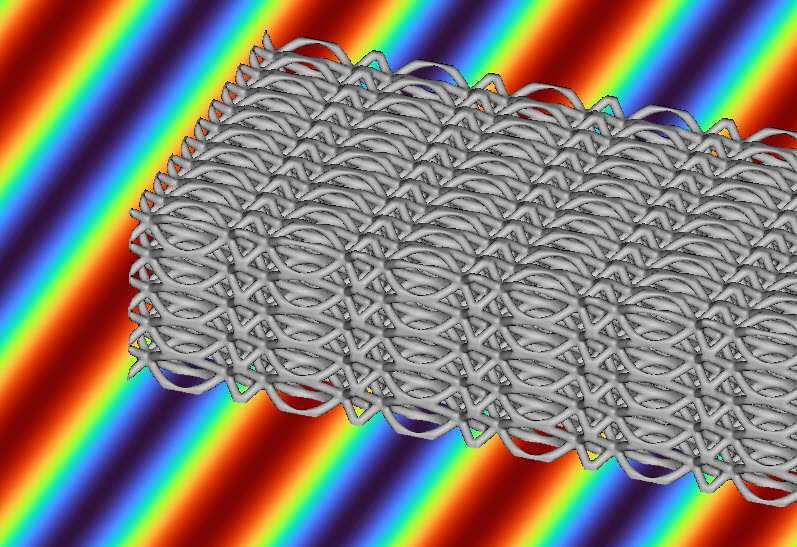
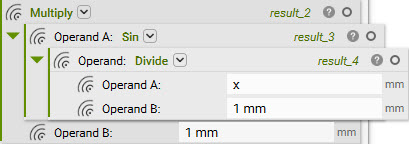 To preview the field, select the Multiply block and hit ‘f’ to bring up the Field Viewer. Set the Colormap to ‘Turbo’. Below, you can see the visualization of the sine wave.

-
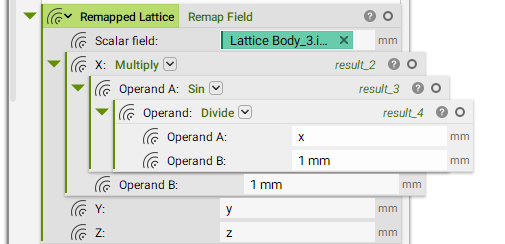
- Add a Remap Field block (this re-maps the lattice field with the sine wave on the x-axis)
- Scalar Field: Insert the Implicit Property chip from the Periodic Lattice Body in Step 1
- X: Insert the Multiply block
- Y: Y
- Z: Z
 3. Normalize the Field: This block is useful for remapping fields with severe deformations. It helps make the thickness more accurate. Without it, the underlying field can be stretched.
Note: You can now grab a Normalize field chip from the block’s Properties panel.
-
- Download the Custom Block Normalize Field and import it into your notebook
- Add the Normalize Field block
- Insert the Remap Field block from Step 2
-
- Add a Thicken Body block
- Insert the Normalize Field block from Step 3
- Set the Thickness to 0.25 mm
-
- Add a Boolean Intersect block
- Body 0: Thickened Lattice
- Body 1: Design Space
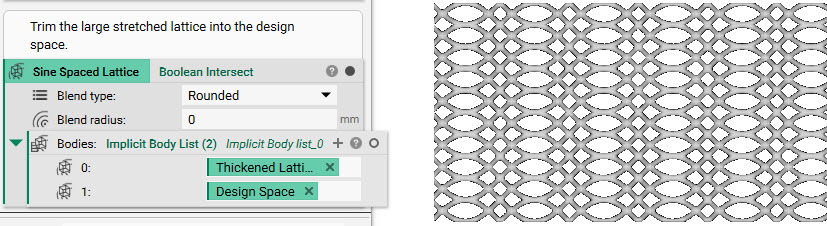 In the image below, we compare the lattice to the sine wave field. You can see the lattice is elongated where the sine wave is at the min and max values.
 And that’s it! You’ve successfully warped your lattice with a sine wave.
Are you still having issues? Contact the support team, and we’ll be happy to help!
And that’s it! You’ve successfully warped your lattice with a sine wave.
Are you still having issues? Contact the support team, and we’ll be happy to help!