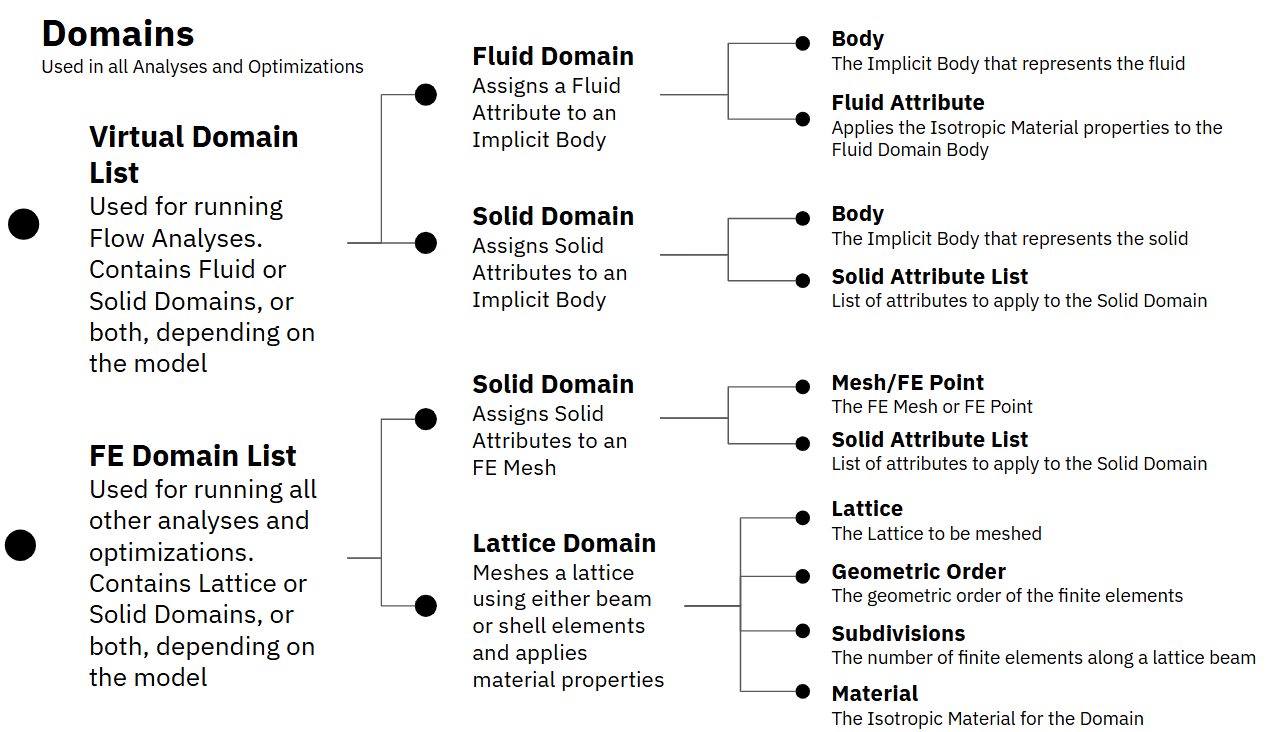
A Domain requires two key components, material properties and a body or mesh to apply them to. The body input will be an Implicit Body, Lattice, FE Point, or FE Mesh, depending on the Domain type. The material properties are usually defined inside an Attribute block, with a few exceptions for the Lattice Domain and the Parametric Domain blocks.
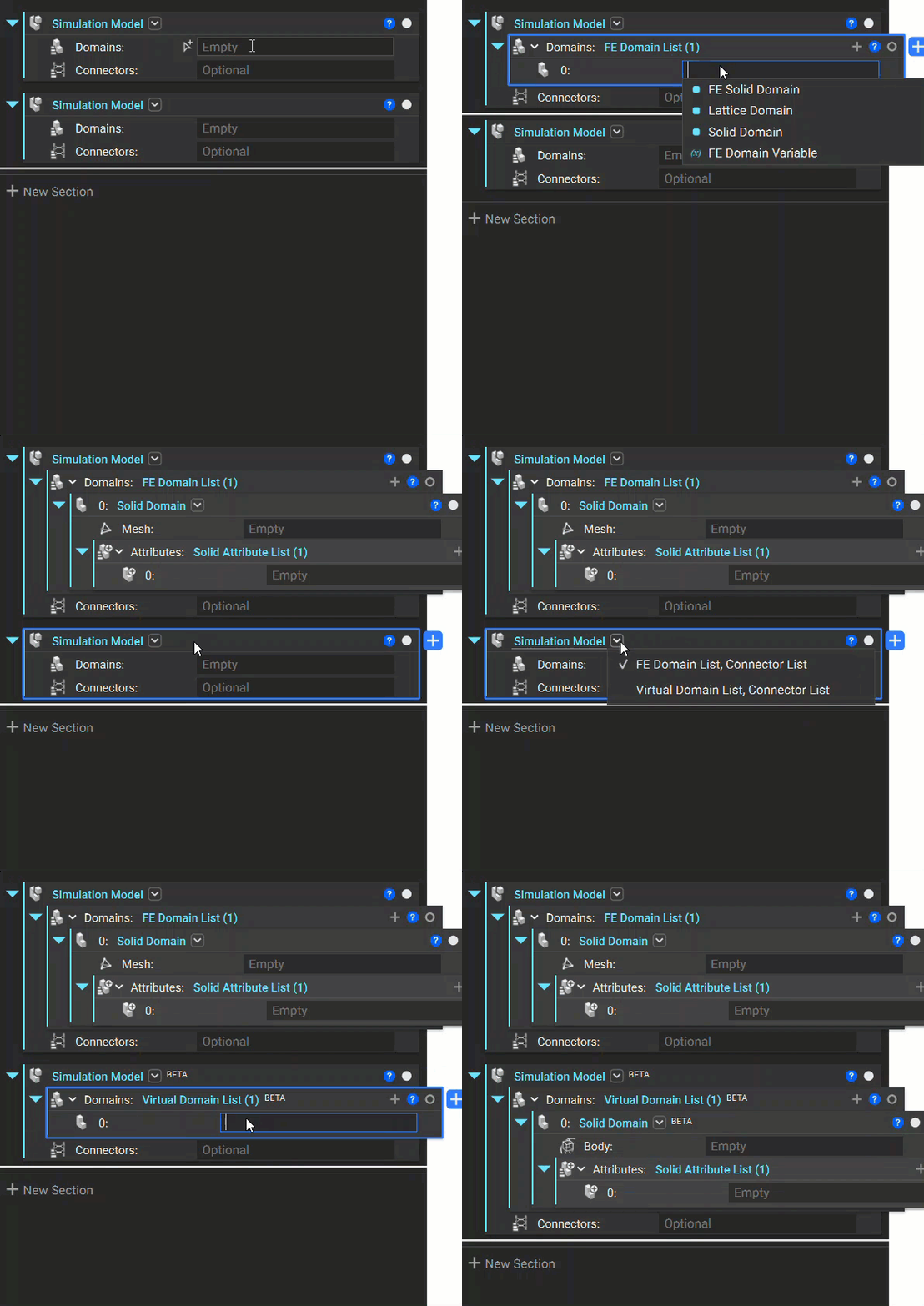
There are 4 main types of Domains for running simulations, Fluid, Solid (Implicit Body), Solid (FE Mesh/Point), and Lattice. There are two Solid Domain blocks because they are used to run different analyses. We recommend adding the Domain List to you workflow first, as nTop will automatically provide the correct Solid Domain based on the parent Domain List block. The gif below demonstrates how to add a Solid Domain for both a FE Domain List and a Virtual Domain List. If you don’t see Virtual Domain List as an option, you may need to change the Simulation Model block overload as shown below.
The table below shows the Domain options for running a Field Optimization, if you would like to learn more about these Domains we recommend reviewing our Parametric FE Domains lesson.
Parametric Domain
Visual Representation
Design Parameters
Field Optimizable Design Parameters
Parametric Lattice Domain
A Parametric Lattice Domain example
Unit Cell, Boundary Behaviour, Cell Size
- Min and Max Thickness
Parametric Shell Domain
A Parametric Shell Domain example
- Min and Max Shell Thickness
Parametric Shell-Infill Domain
A Parametric Shell-Infill Domain example
Unit Cell, Cell Size
- Min and Max Infill Thickness - Min and Max Shell Thickness
Parametric Voronoi Domain
A Parametric Voronoi Domain example
- Min and Max Cell Size - Min and Max Thickness
Assistant
Responses are generated using AI and may contain mistakes.