

Objective:
This guide explains using the Remap Field block to scale or translate an implicit body. While other blocks exist in nTop for these operations, this method provides a foundational understanding of how field remapping and coordinate systems work.Applies to:
- Implicit modeling
- Field remapping
Procedure:
To gain a further understanding of fields and remapping in nTop, take a look at this Field-Driven Design White Paper by George Allen, an nTop Fellow. In general, Remap Field allows you to warp geometry by supplying functions or fields to specify a replacement position for every point in the model. Let’s start with a simple 2D analogy: We have a number line [0, 1, 2, 3]. If you multiply this number by 10, you get [0, 10, 20, 30]. Basically, you are stretching out these values. This is what happens with Remap Field, but we do it to 3D geometry across XYZ. Ex. 1 Let’s use the remap block to magnify a sphere.-
- Add a Sphere block
- Add a Remap Field block
- Input the Sphere into the Field input
- X: X*10 (can also use a Multiply block)
- Y: Y
- Z: Z
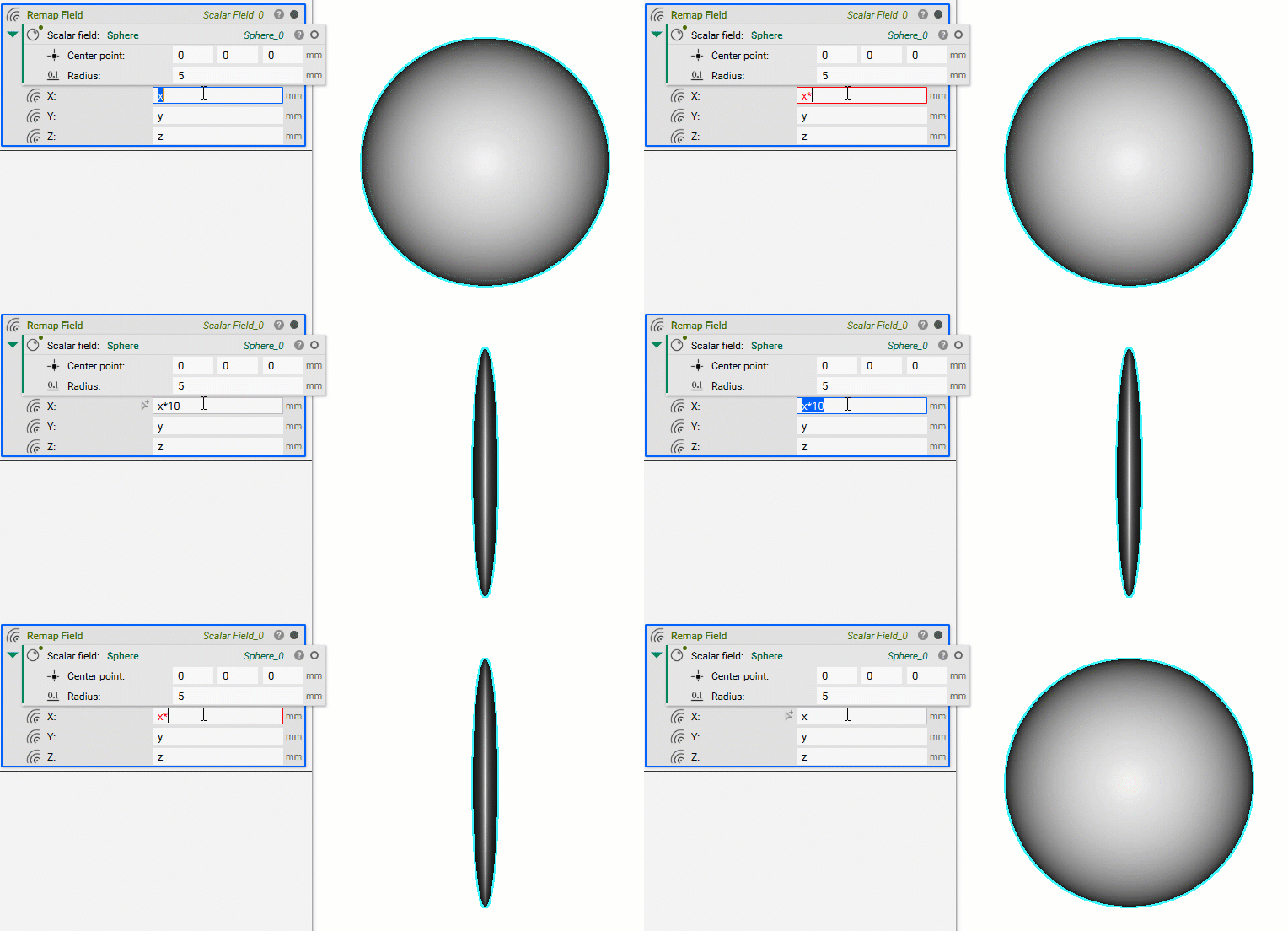 In nTop, when you modify a field, you aren’t directly modifying a shape; you change the coordinate system used to define that shape. This is a key difference between explicit and implicit modeling:
- Explicit geometry transforms actively (you move the object itself).
- Implicit geometry transforms passively (you move the coordinate system, and the object moves relative to it).
Understanding Remapping through Equations
If you want to plot a function in the formz = f(x, y), you can implicitize it by moving all the terms to one side. e.g. 0 = z - f(x, y)You want the expression opposite the zero to be negative where the part is solid.
Ex. 2 The unit circle centered at the origin has the equation sqrt(x^2 + y^2) - r = 0 . We want to shift this circle by +1 unit along the x-axis, the new equation is sqrt((x-1)^2 + y^2) - 1mm = 0mm . To move the circle +1 in the x-direction, we replaced x by x-1, not by x+1.
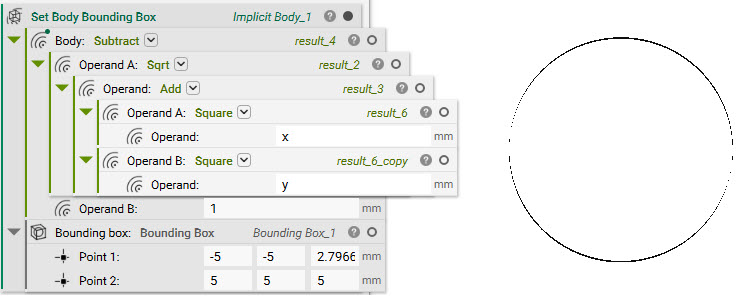 The blue circle is the translated object.
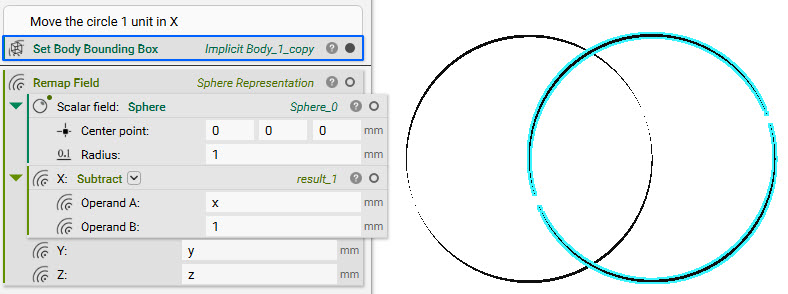 Example as shown using a primitive sphere block.
-
- Input a Subtract block into the X input
- Set Operand A: x
- Operand B: 1
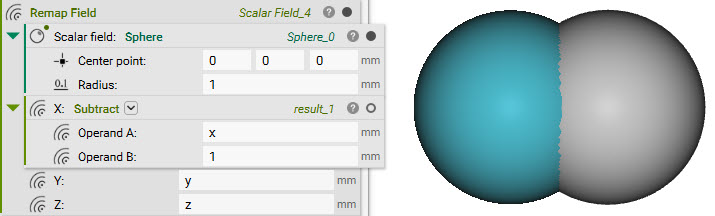 Ex. 3 We want to scale our unit circle by a factor of 3. The scaled-up circle has the equation
 sqrt((x/3)^2 + (y/3)^2) - 1mm = 0mm. To scale the shape by a factor of 3, we scale its coordinates by a factor of 1/3.
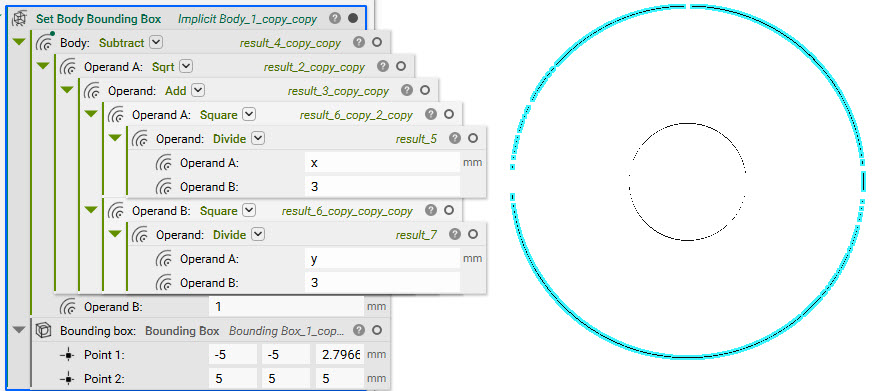 Example as shown using a primitive sphere block.
-
- Input a Divide block into the X input
- Set Operand A: X
- Operand B: 3
- Input a Divide block into the Y input
- Set Operand A: Y
- Operand B: 3
- Input a Divide block into the Z input
- Set Operand A: Z
- Operand B: 3
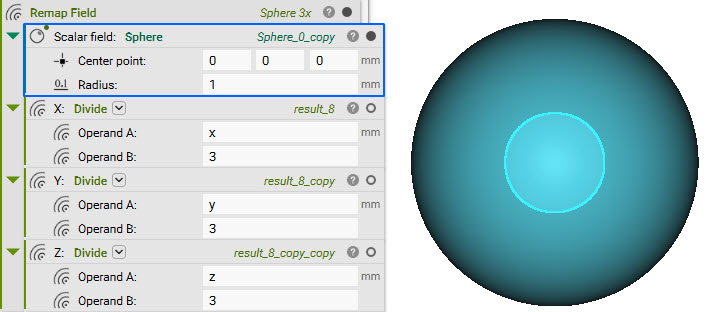 Are you still having issues? Contact the support team, and we’ll be happy to help!