
Question:

How do I create a ribbed lattice perpendicular to the surface?

Applies to:

  • Lattices
  • Implicit modeling

Answer:

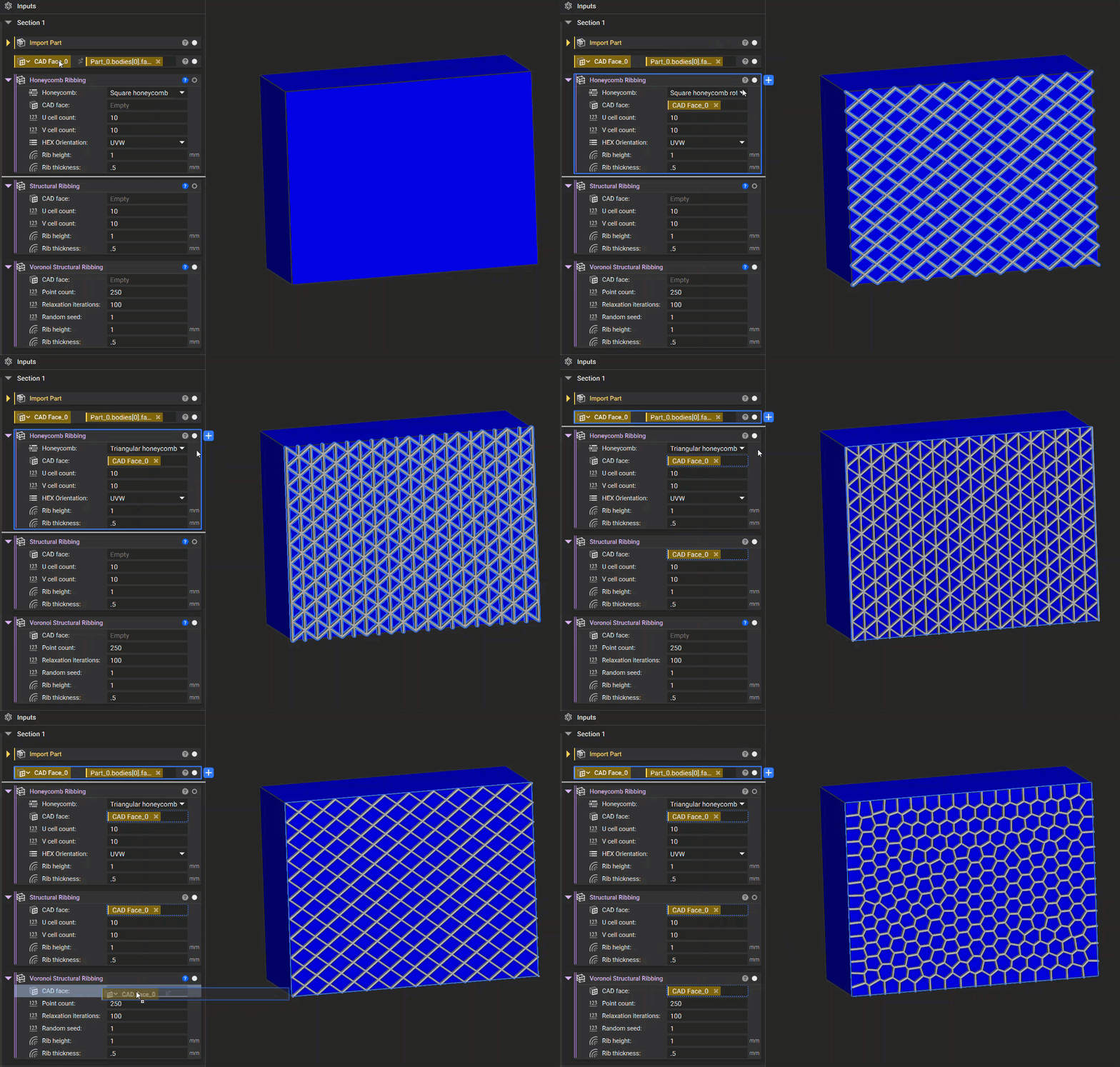
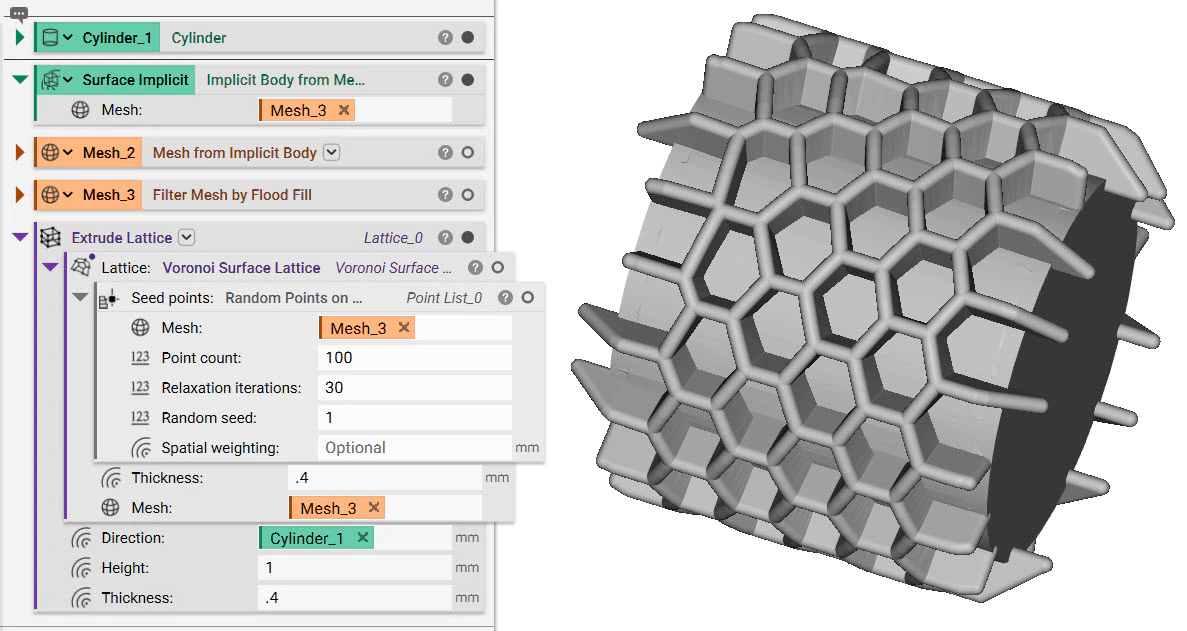
The best option would be to use one of nTop’s ribbing blocks like: Honeycomb Ribbing , Structural Ribbing , or Structural Voronoi Ribbing. These blocks allow you to generate conformal ribbing using a specified CAD face. You can then adjust the parameters of the ribbing using the additional input options. Ribbing blocks that allow you to generate conformal ribbing using a specified CAD face If you aren’t using CAD geometry, another option is to use the Extrude Lattice block. You can use this block with any surface lattice to extrude it outward and create ribbing. To create a ribbed lattice that is perpendicular to the surface, use the Implicit Body that created that lattice as the Direction. The Direction input allows for Field types, and the implicit body is a field where the positive direction is outwards from the body. An example of creating ribs using the Extrude Lattice block on a surface lattice
More on this topic:

Keywords:

field lattice question rib normal direction ribbed perpendicular