Question:
Is it possible to put a Ramp block in a shell block to make the thickness variable?Applies to:
- Modeling
Answer:
To put a Ramp block into the Shell block, you need to change the overload to Scalar on the Ramp block (using the down arrow by the block name).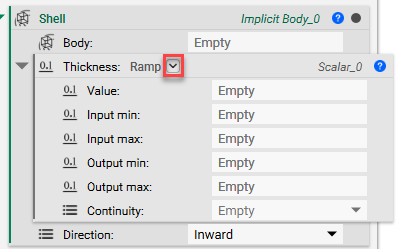 However, now you can’t use a Scalar Field as your input. If you want to use a Scalar Field, and still need a variable thickness, try this workflow instead:
-
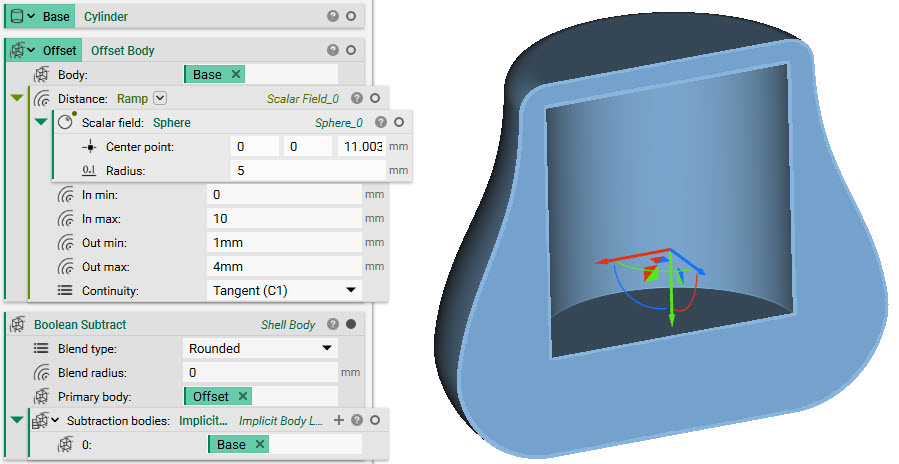
- Use an Offset Body block
- Input a Ramp for the distance
- Boolean Subtract your base object from the Offset result to create a variable shell