

Objective:
Create a smooth profile polygon using a points list.Applies to:
- Using a solid body to clean a hole
- Custom curved profiles
Procedure:
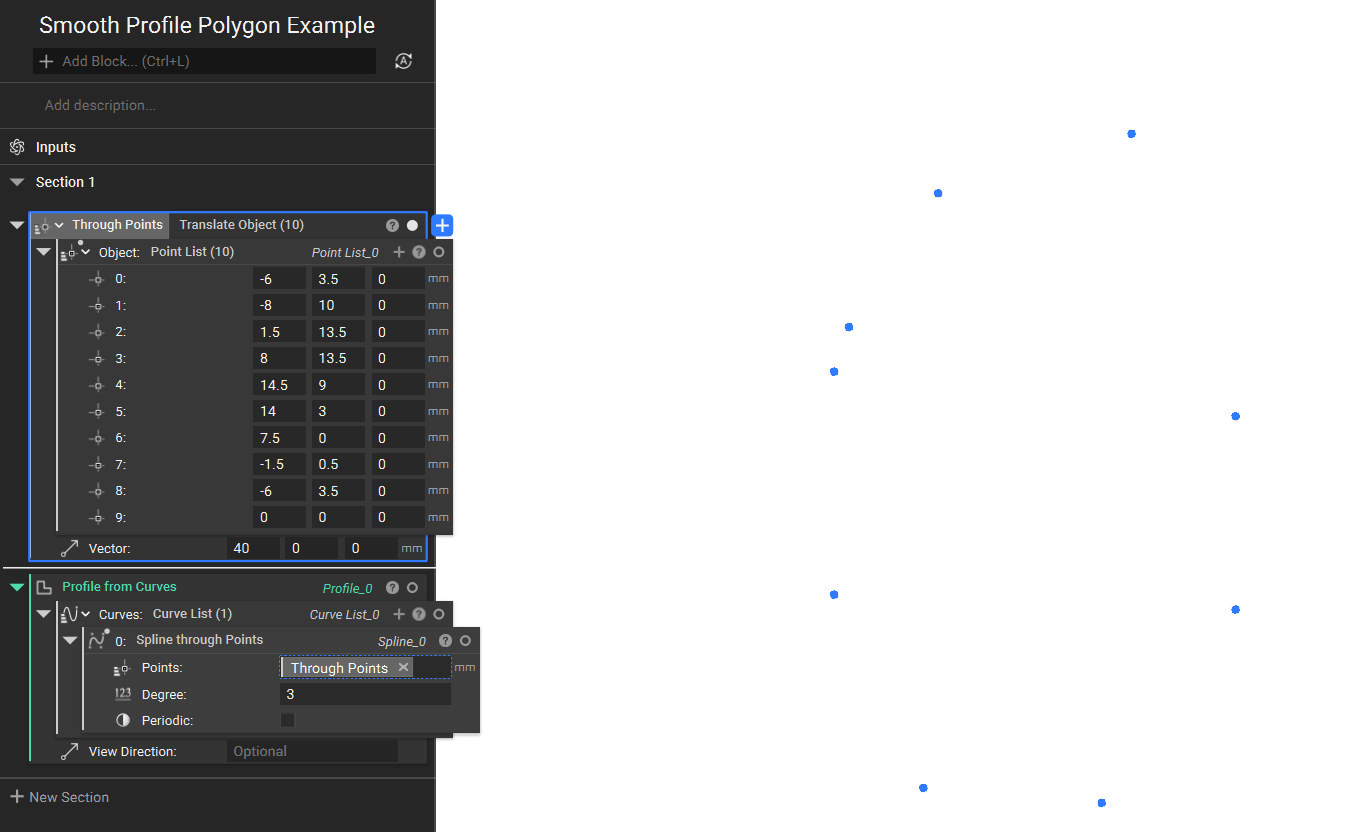
- Point List: Enter point values that map out your general shape; you can edit these later to achieve a more precise result.
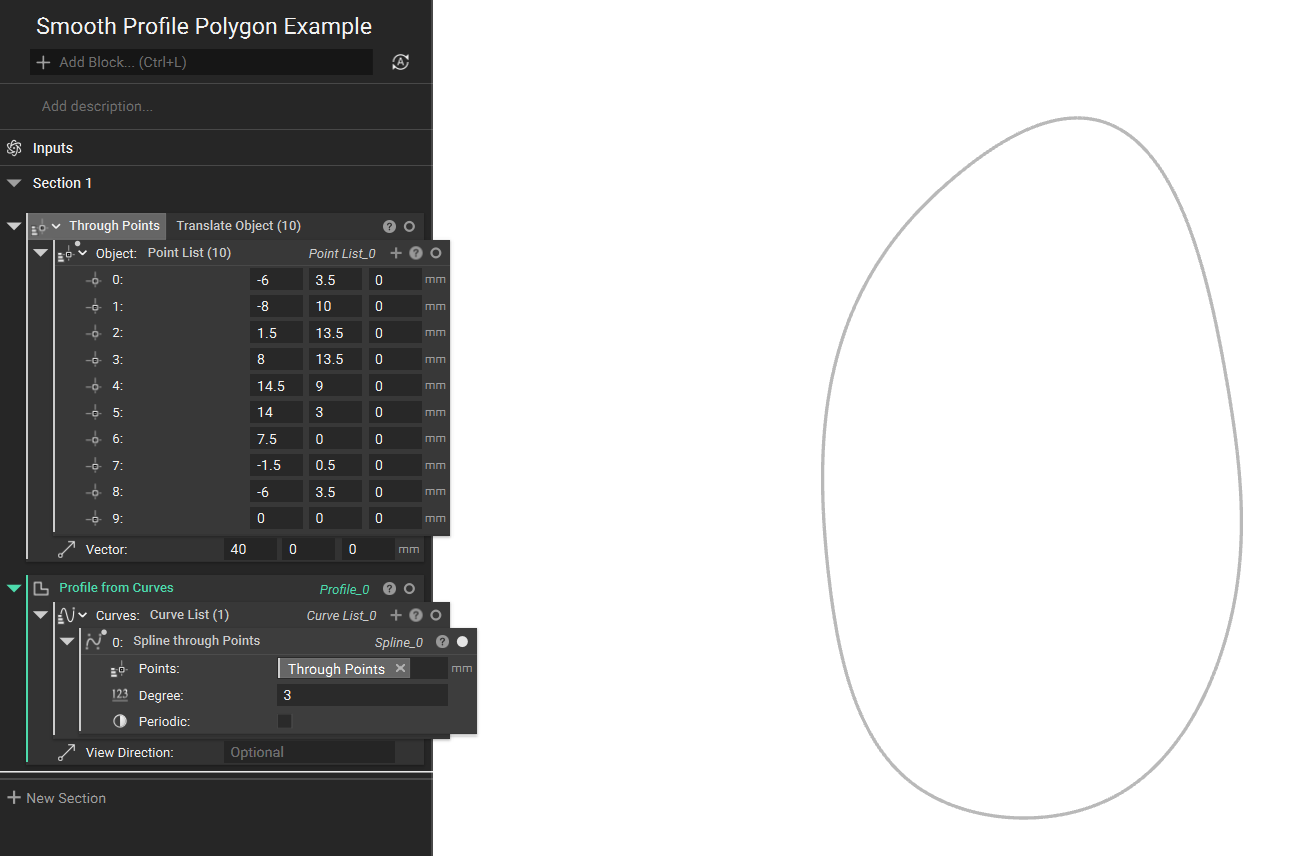
- Spline Through Points: Insert the points list using the Spline through the Points block. This will generate a line connection between all of the points. The Degree input allows for adjusting the degree of the curve.
- Please use the Profile from Curves to create a profile from the Spline generated in the above step.
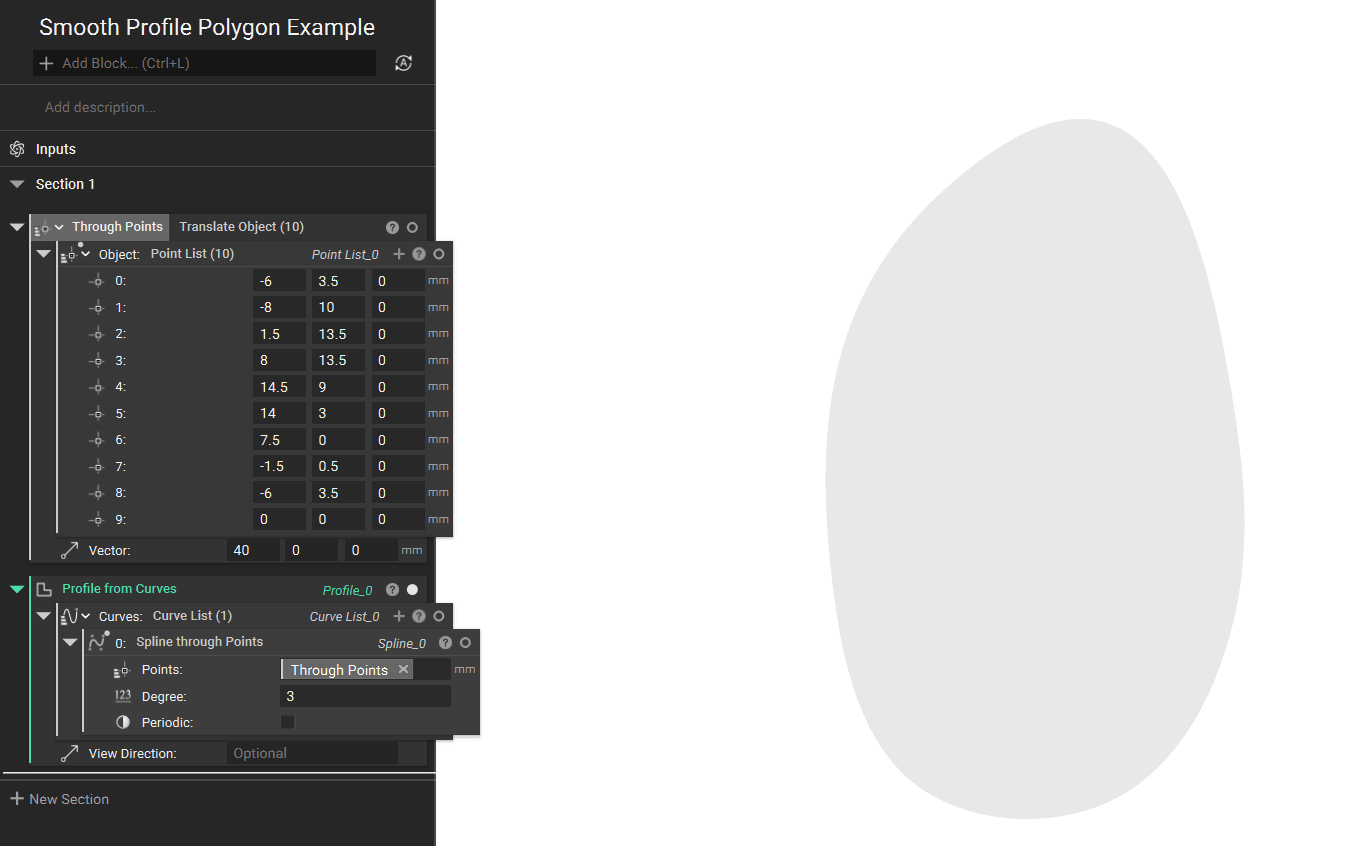 And that’s it! You’ve successfully created a smooth profile polygon.
Are you still having issues? Contact the support team, and we’ll be happy to help!
And that’s it! You’ve successfully created a smooth profile polygon.
Are you still having issues? Contact the support team, and we’ll be happy to help!