

Issue:
The Scaled Object/Remap Body block doesn’t offset to the correct value when I use the Offset Body/Thicken Body block.Applies to:
- Remapping
- Scaling
- Warping
Cause:
An issue with the field.Solution:
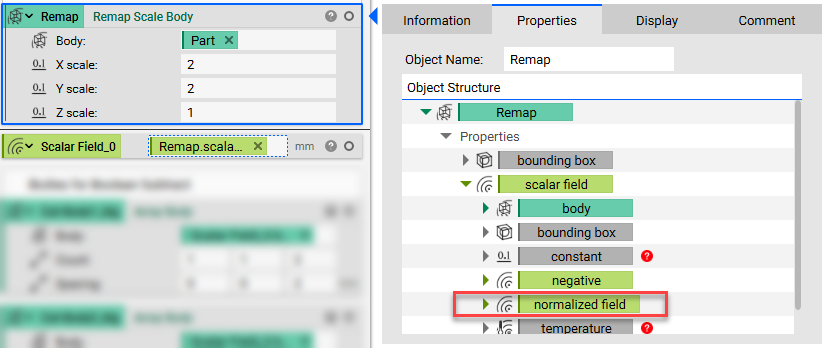
- Open up the properties or the Remap, Scale, or distorted part.
- Expand the Field properties.
- Grab the Normalized Field property and drag it into the Notebook.
- Use the Normalized Field as your body or open up its properties and use its Body chip instead.
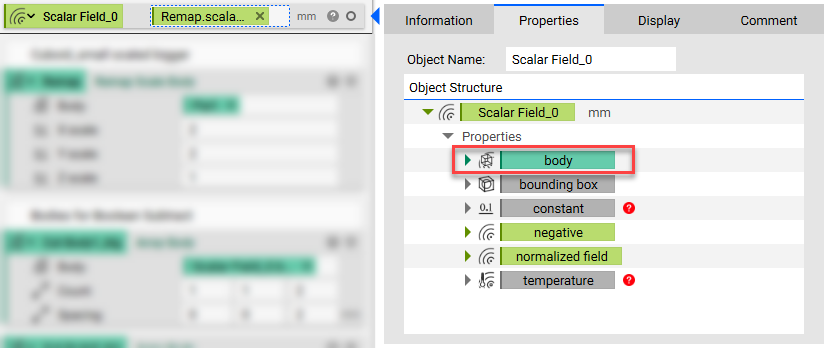
- By using the Normalized Field, the field is normalized and you can offset and thicken your part to the correct distance.