Question:
I created an open profile and didn’t specify a normal direction, but the material direction isn’t what I was expecting. How does nTop determine the material direction for an open profile?Applies to:
- Open profiles
Answer:
nTop profiles follow the same logic as the well known mathematics/physics “right hand rule”. You can use this rule to understand how nTop determines the direction of material applied to an undefined open profile. Below are two examples to help explain:Example 1:
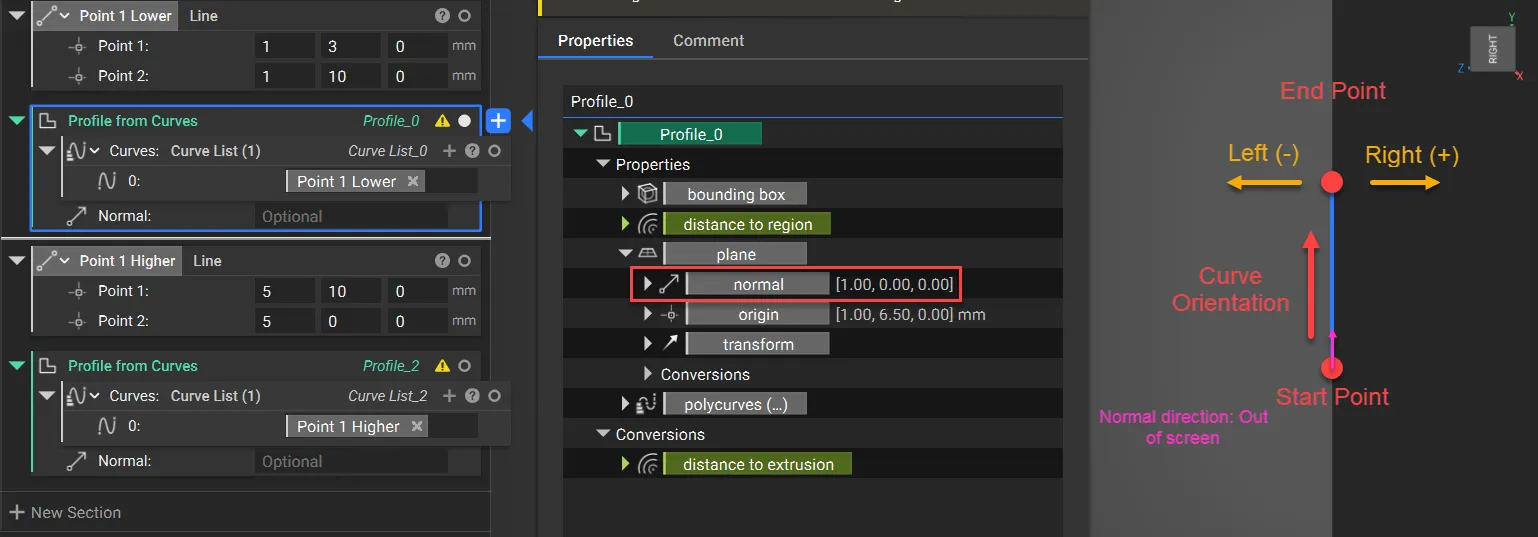
This first example is using a straight vertical line. The Start Point is at the bottom, and the curve travels in the positive Y direction towards the End Point. The normal direction is positive X, so the vector would be coming out of your screen. Using the right hand rule:- Your thumb is the normal vector (positive X)
- Your fingers should point in the orientation of the curve (positive Y)
- Your fingers curl to the left, so the material direction (negative field) is to the left (positive Z)
Example 2:
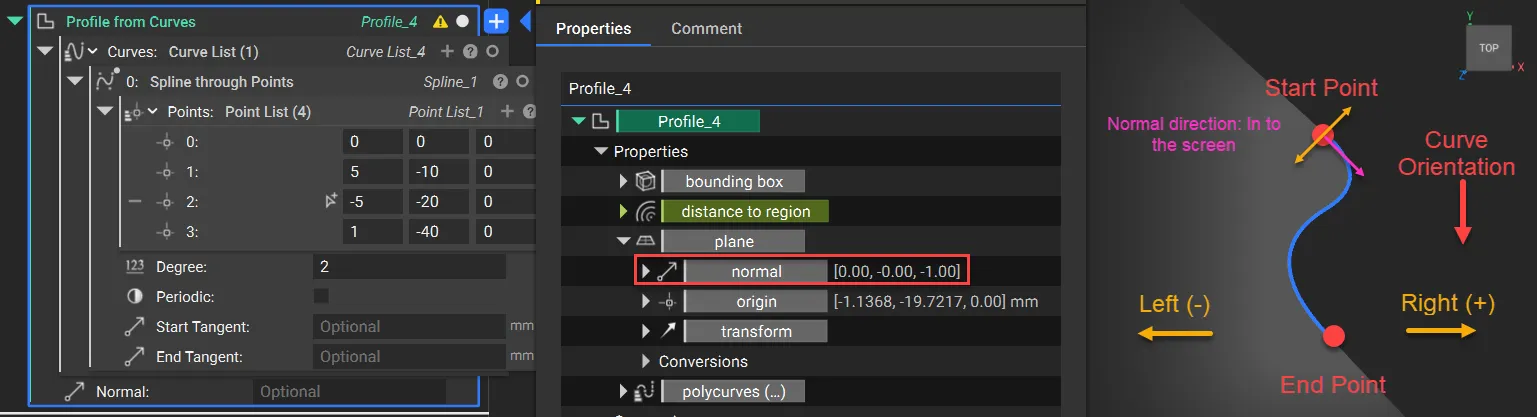
The second example is using a spline. This curve is inverted compared to the first example, with the Start Point at the top, and the line travels in the negative Y direction. The normal direction is negative Z, so the vector would be going into your screen. Using the right hand rule:- Your thumb is the normal vector (negative Z)
- Your fingers should point in the direction of the curve (negative Y)
- Your fingers curl to the left, so the material direction (negative field) is to the left (negative X)