

Objective:
Learn how to create a selection of random points from a List of Points by using surface roughness to filter the points based on volume.Note:
To start, you will need to download and import the Custom Block: Filter Points by Volume.Procedure:
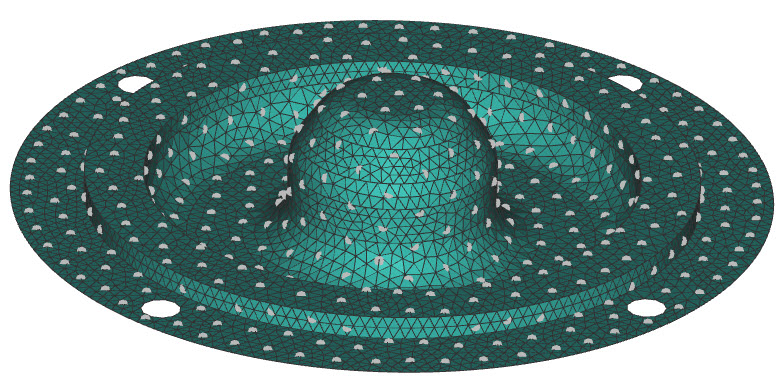
1. Set-up:- Import your part,
- Convert it to a mesh
- Input your mesh into a Remesh Surface block to create an even mesh
- Add the block Random Points on Mesh
- Set the spacing and amount to your desired value
 3. Create the Volume to filter with
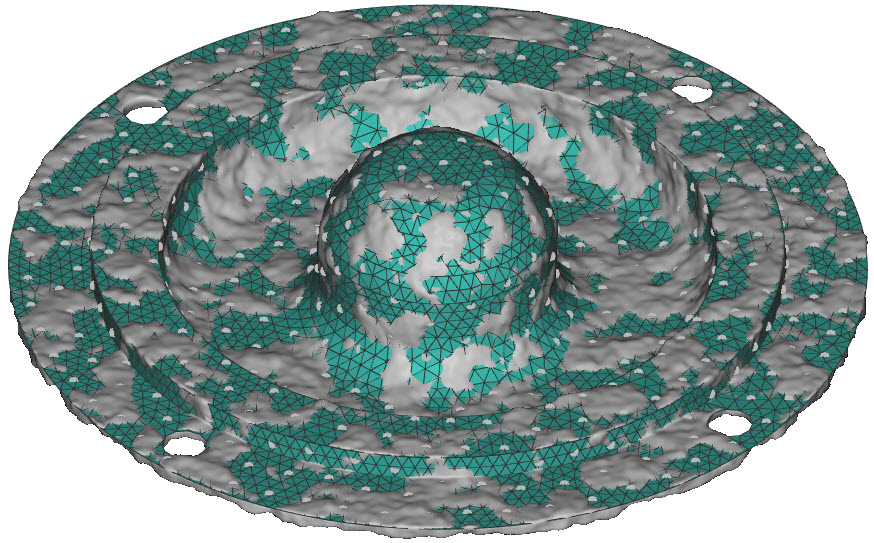
Since we are filtering by volume, we want to create a volume that randomly covers some of the points. There are a few methods to do this with the different noise blocks such as Simplex Noise, Cellular Noise 3D, and Surface Roughness.
3. Create the Volume to filter with
Since we are filtering by volume, we want to create a volume that randomly covers some of the points. There are a few methods to do this with the different noise blocks such as Simplex Noise, Cellular Noise 3D, and Surface Roughness.
- Add a Surface Roughness block
- Insert your model as the Body
- Edit the Roughness frequency, amplitude, and seed value to change your results
 4. Filter the points
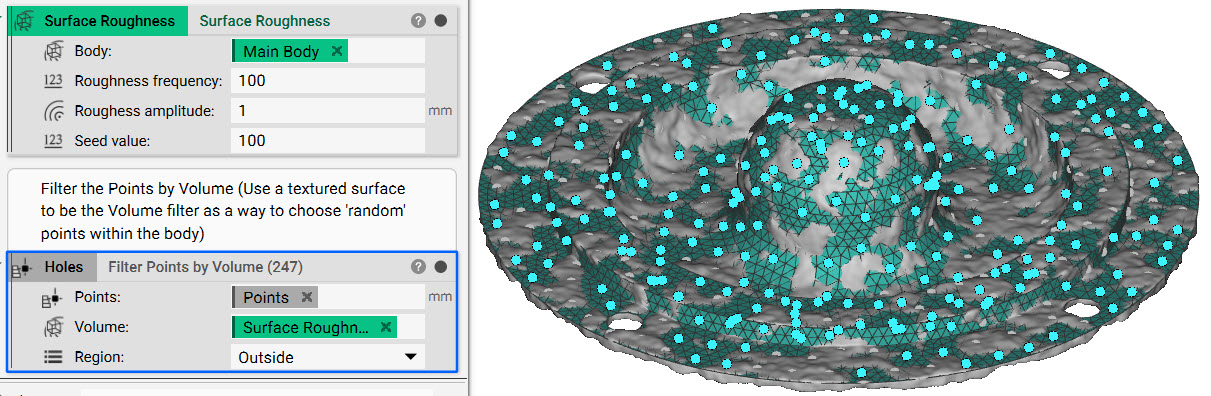
- Add the Filter Points by Volume block
- Use the Surface Roughness as the Volume input
- Set the Region to Outside
 5. Optional: Create a list from the remaining points
- Duplicate the Filter Points by Volume block
- Set the Region to Inside to create the opposite selection of Points