

Objective:
Learn how to calculate mass and volumeApplies to:
- Mass Properties
Procedure:
- Insert the body you want to evaluate in the Body field
- Apply a density value
- The Relative Error input defaults to 0.01
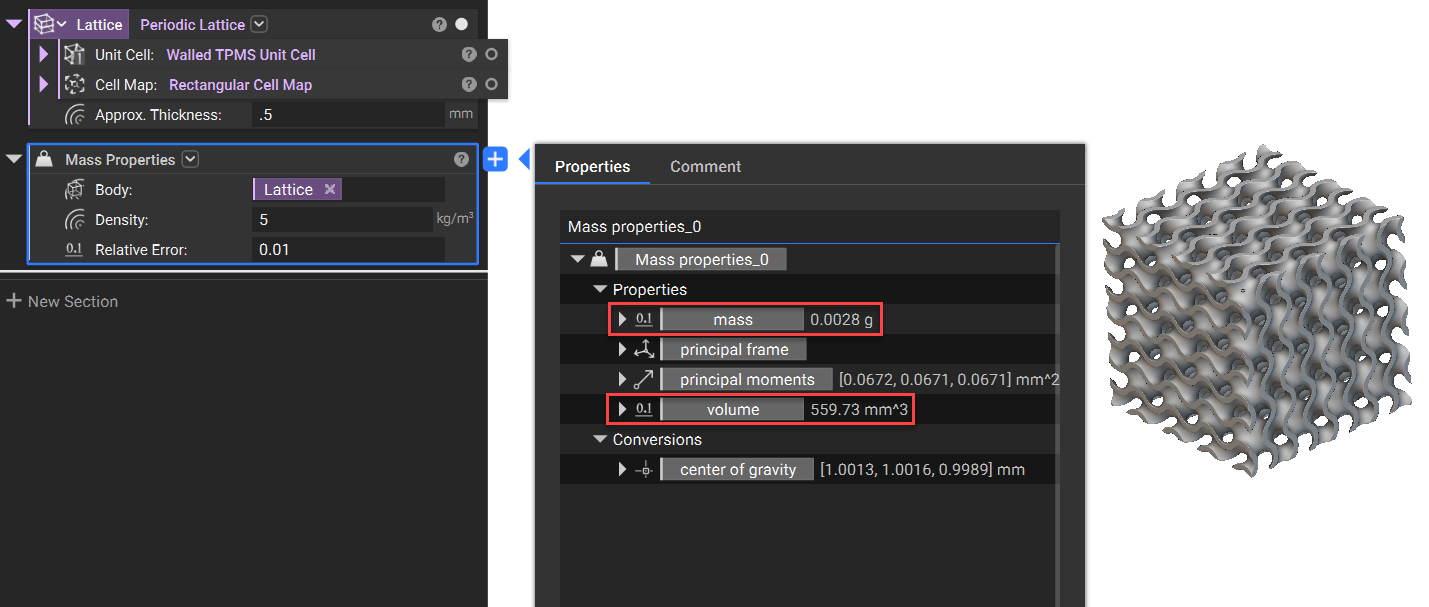 And that’s it! You’ve successfully obtained your values.
Are you still having issues? Contact the support team, and we’ll be happy to help!
And that’s it! You’ve successfully obtained your values.
Are you still having issues? Contact the support team, and we’ll be happy to help!