

Question:
How does the Ramp block work?Answer:
The Ramp block lets you gradually change a value based on the Scalar field. Ramp functions can be applied to several types of fields. Another way to think of a Ramp is a gradual transition, like walking up a ramp. It takes you from one level to another incrementally.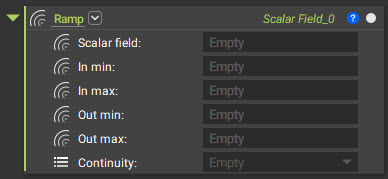
- Scalar field: The field driving the Ramp.
- There are many options for this input, which is where the power of this block shines. Some examples are (but not limited to):
- Implicit Bodies
- Point and Axis
- Simulation Results: Von Mises Stress, Displacement Results.
- Imported Point Maps converted into Scalar fields (using Field from Point Map).
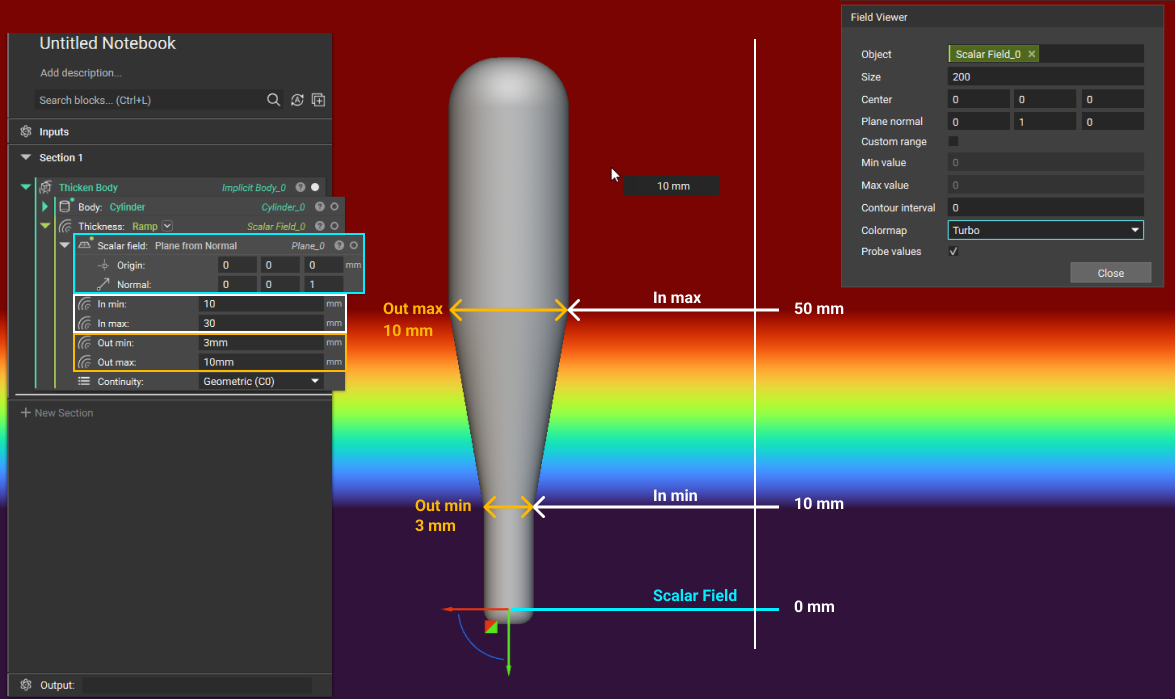
- In min/In max: The boundary where the Ramp begins (In min) and ends (In max). These values are in relation to the Scalar Field (with 0 mm usually being the neutral edge of the field).
- Out min/Out max: The Ramp output values. Out min is the starting value at the In min, and Out max is the value reached at the In max. They are the new values as a function of the Scalar field.
- The values ramp between the In min and In max values. Before In min, the value stays constant at the Out min value, and after In max, the value stays constant at the Out max value.
Note: When defining these values, make sure to include units.
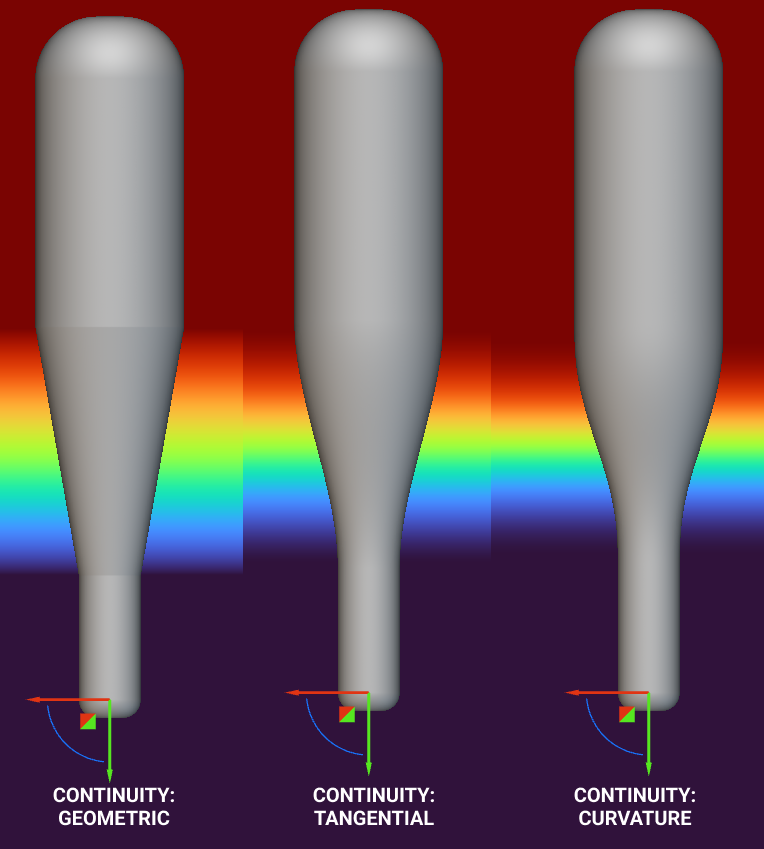
- Continuity: Represents how the values will ramp from In min to In max.
 The image below shows the different Continuity options. Using the Field Viewer with a Turbo colormap, you can see how the transitions differ with each option.
 When you use an Implicit body for the Scalar field, a value of 0 refers to the body’s outline. Positive values are outside of the body, and negative values are within it.
Example 1: Point and Axis
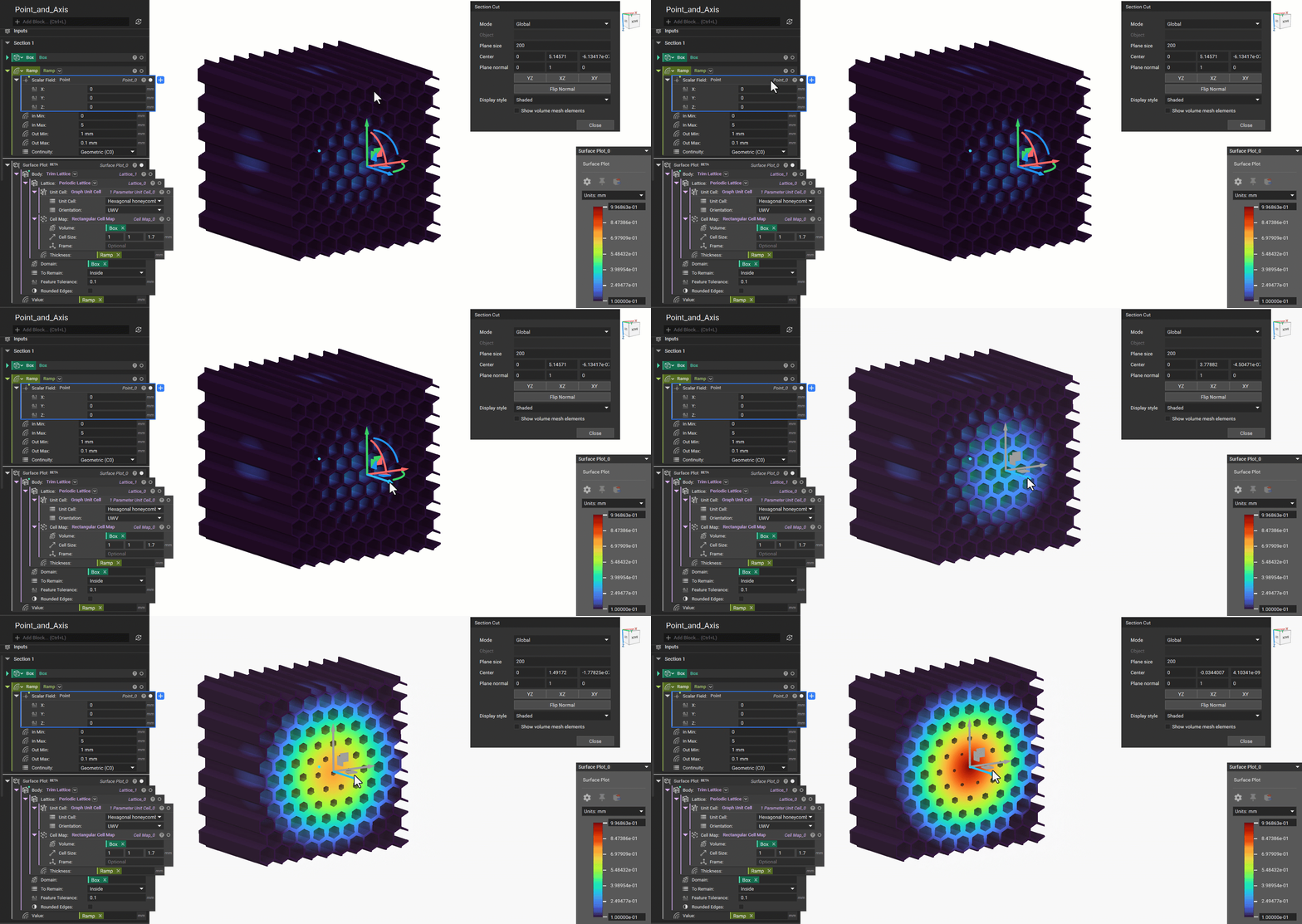
In this example, we will thicken a lattice with a Point and Axis as scalar field inputs. We can see from the Field Viewer that the Point creates spherical contours, and the Axis creates cylindrical contours. We can use the Surface Plot to display the thickness of the lattice as a shaded view over it. We can see how the field varies using a point and an axis.Point:
Axis:
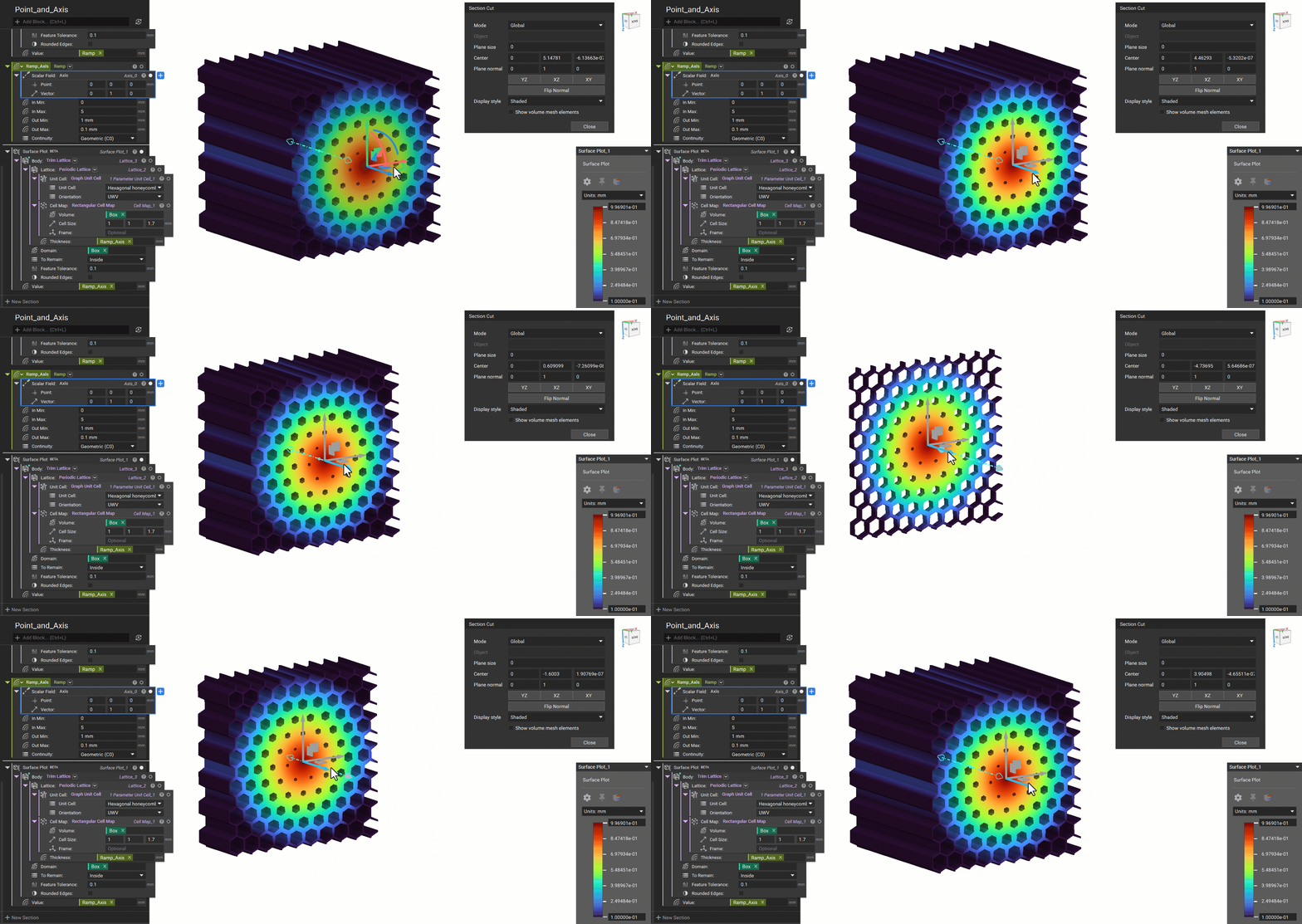 Example File
Example 2: Point Map or Field
In this example, we will convert a Point Map into a Field with the Field from Point Map (How to use simulation results to create a Point Map or Field) block. The Point Map was obtained from a Static Analysis to drive the thickness of a bike seat to increase reinforcement in those regions and keep the other regions light. The image below shows an example of using the Ramp block to drive the thickness and point spacing input.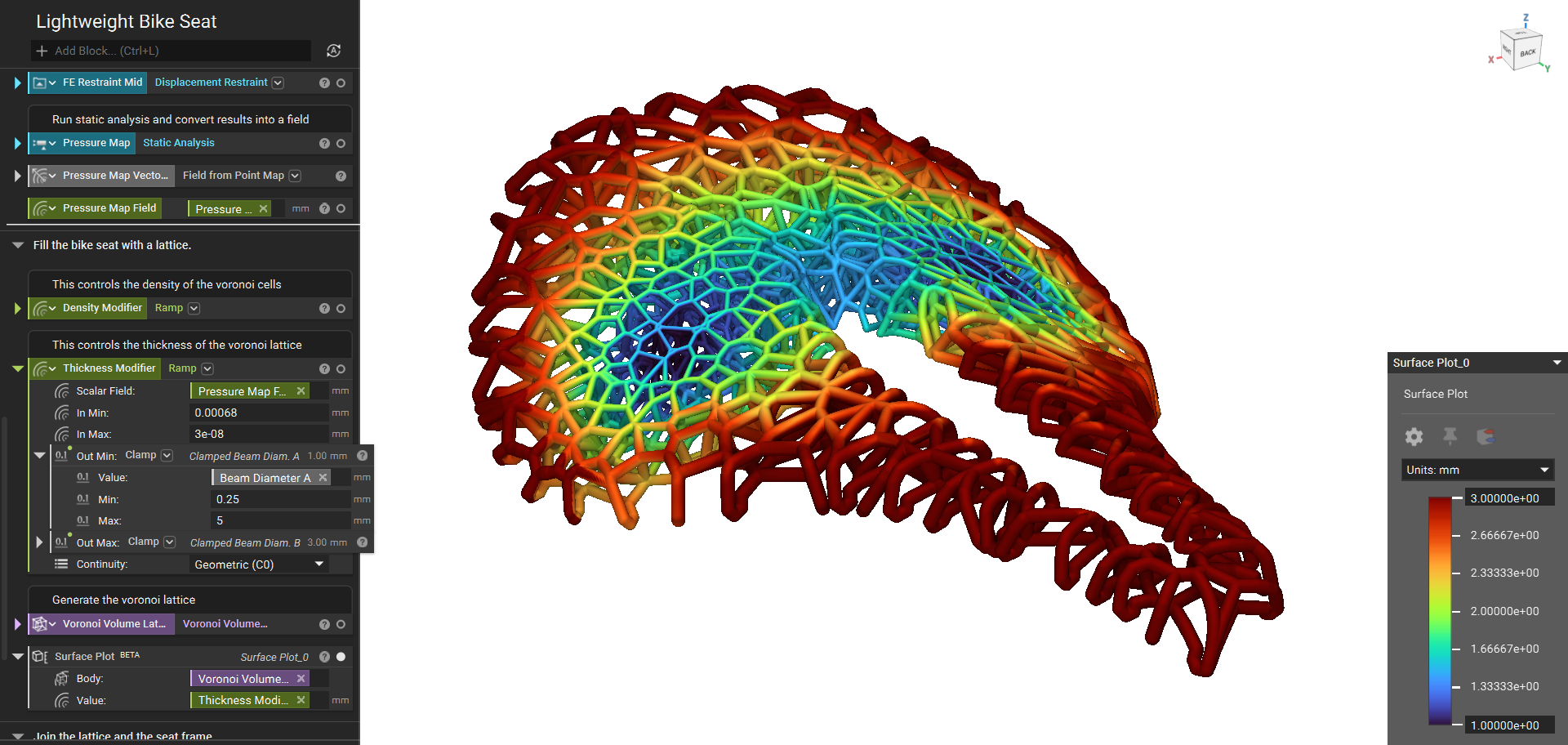 Home Screen Example - Bike Seat