

Question:
How do you loft an airfoil from root chord to tip chord?Answer:
To create a tapered loft, in this case for an airplane wing, we’ll use the Remap Field block to scale the airfoil’s profile along a path. The Remap Field block transforms geometry; for every point in 3D space, it provides a new coordinate location. This allows you to scale, stretch, twist, or otherwise warp a part’s geometry (How to use Remap Field to scale or translate an object). To further understand fields and remapping in nTop, look at this Field-Driven Design White Paper by George Allen, an nTop Fellow.Example of Scaling with a Rectangle:
Before applying this to an airfoil, let’s look at a simple example: tapering a rectangle along the Y-axis. We begin with a Rectangle on the XZ plane. To create a loft, we first must define a Ramp along the Y-axis from Y=0 to Y=20mm, which applies the scaling factor for the rectangle.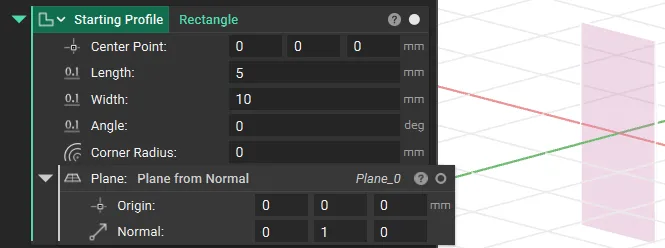 We can set the Ramp to have an output value of x (the initial scale) at Y=0 and an x/2 (200% scale) at Y=20mm.
We then use the X Field we created using the Ramp block as an input to the Remap Field block, which creates a tapered loft.
We can set the Ramp to have an output value of x (the initial scale) at Y=0 and an x/2 (200% scale) at Y=20mm.
We then use the X Field we created using the Ramp block as an input to the Remap Field block, which creates a tapered loft.
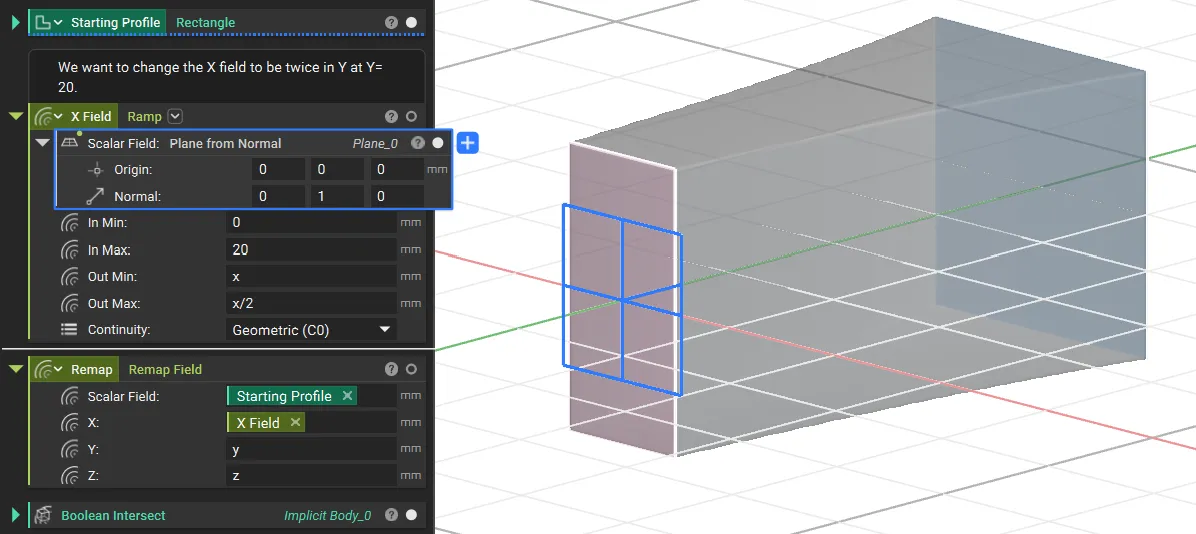
Note: The Remap Field block generates an infinite field. You must use a Boolean Intersect block to combine the remapped field with a bounding box to define your part’s final geometry.
Applying the Concept to an Airfoil
Here’s the step-by-step process for lofting an airfoil from a root profile to a smaller tip profile.- Set up the Airfoil Profile and Guide Curves
- Import your airfoil coordinates using the Import Points block, and then create a 2D profile using the Profile from Points block.
- Use the Rotate Object and Scale Object blocks to set the final size and orientation for the airfoil. For this guide, we’ll assume the profile lies on the YZ plane, centered at the origin. The Y-axis represents the chord direction, and the Z-axis represents the airfoil’s height.
- Next, use the Line by Direction block or other line-creation methods to create the wing’s Leading Edge and Trailing Edge guide curves. These curves define the wing’s span, sweep, and taper.
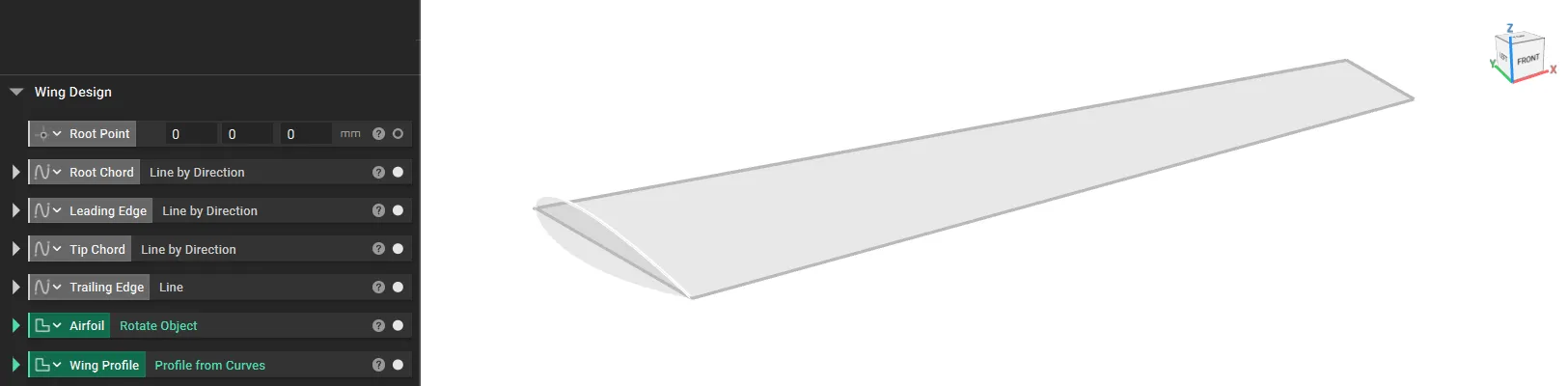 At the end of this step, you will have a 2D airfoil profile and the guide curves for the wing’s edges.
- We now need to create the Y Field and the Z Field to vary the airfoil size across the wing.
X Field (Chord Field)
- We must create an X field that ensures that the chord length varies from Root Chord Length to Tip Chord Length in the same taper ratio as the wing.
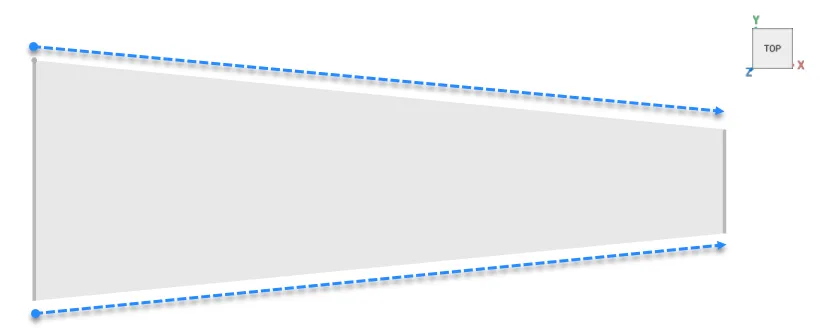 We create Distance to LE and Distance to TE using Distance to Curve from Axis blocks.
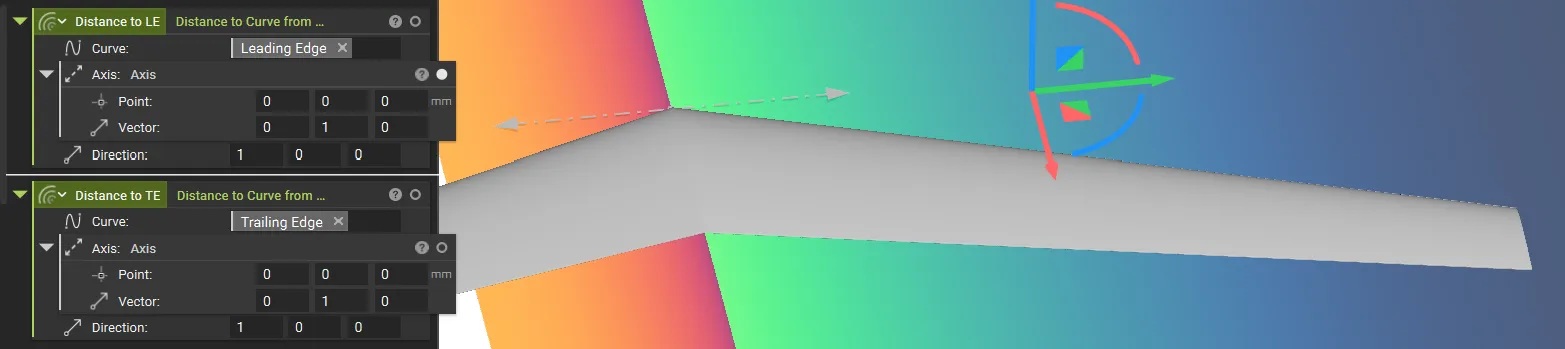 Tip: Use the Implicit view to see the distances to visualise inside (+) and outside (-)
This gives us the distance, but we need the leading edge and trailing edge to follow the guide curves, so we will add -x, which provides us with the field that follows the guide curves. Rename these variables as A and B.
Tip: Use the Implicit view to see the distances to visualise inside (+) and outside (-)
This gives us the distance, but we need the leading edge and trailing edge to follow the guide curves, so we will add -x, which provides us with the field that follows the guide curves. Rename these variables as A and B.
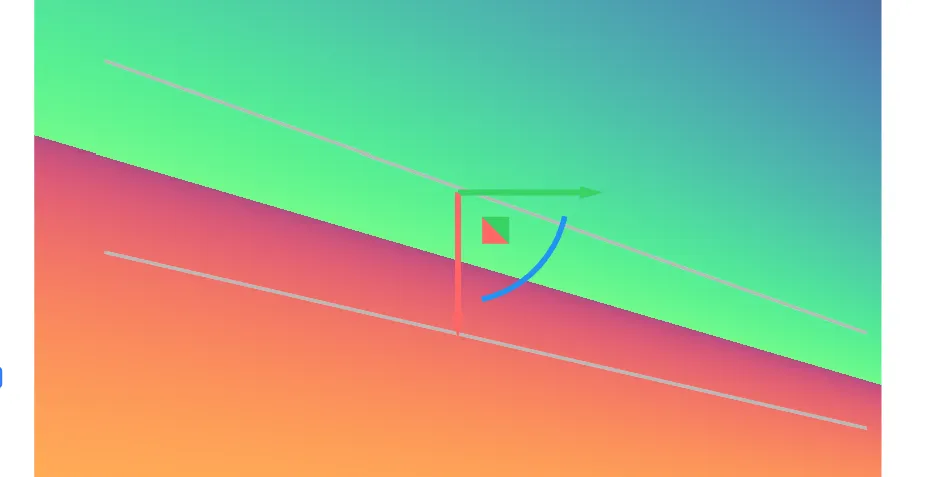 Use the newly generated Y field in the Remap Field block. You can see the ratio is not maintained for the Z height, leading to a different profile in the end.
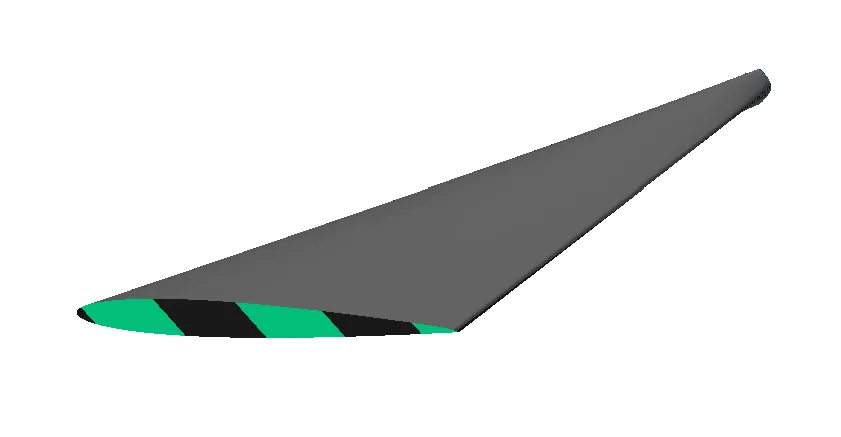
Z Field (Height Scaling Field)
Similar to the Y field, we will generate a Z field, which will be used to remap the airfoil’s Z value to maintain the ratio. We need to define a field, which is the ratio of chord length divided by root chord length, to keep the taper ratio.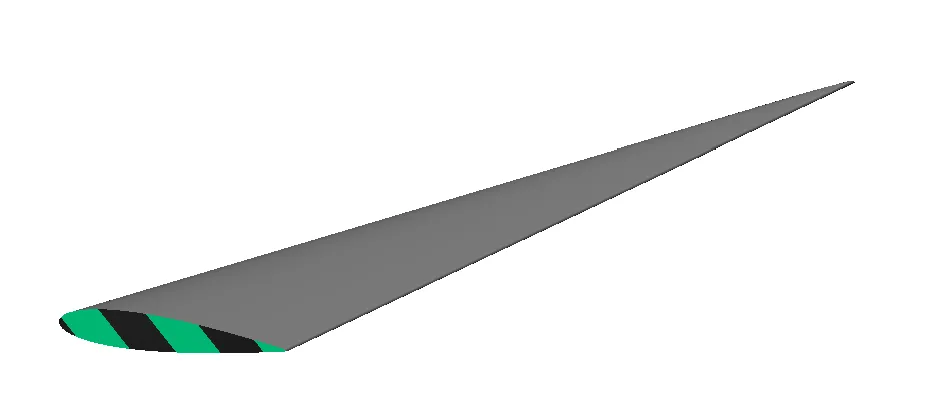 We will then use Mirror Body Symetrically and Boolean Intersect blocks to trim our final wing. We highly recommend completing the Parametric Aircraft Modeling course to learn how to build a parametric aircraft model in nTop.