Applies to:
Conic and Cubic Bézier blocks are used for:
- Designing aerodynamic profiles for wings, fuselages, and other vehicle bodies.
- Modeling smooth transitions in components like ducts, inlets, and nozzles to manage fluid flow.
- Creating architectural features like arches and curved facades.
Procedure:
- Create a 3D Position Vector Field from Components block (x,y, and z). This represents the spatial coordinates with units of length.

- Create Design Space, which will be used to bound the Conic sections. In this example, we will use Box.

Conic
 | - The Conic block creates a conic section (ellipse, parabola, or hyperbola) based on five inputs: Point 1 (P1), Point 2 (P2), Point 3 (P3), Rho (ρ), and the Coordinate Space.
- Point 4 is the midpoint of the chord between Point 1 and Point 3. Point 5 is where the curve intersects the chord between Point 4 and Point 2.
|
|---|
- The 2D Vector Field block creates a 2D vector field from scalar field components, defining the (x,y) coordinates of the control points. (Conceptually, you can imagine the z-component extending to infinity, (−∞,∞). If you need to visualize the 2D plane in a 3D space, use Lines.)
- We need three points to control our Conic section, so we will create three different 2D Vector Fields for P1, P2, and P3.

- The Rho Value defines the “bulge” or shape of the conic curve as it’s pulled toward Point 2.
| Rho Value | Resulting Curve Type | Example |
|---|
| Rho < 0.5 | Ellipse |  |
| Rho = 0.5 | Parabola |  |
| Rho > 0.5 | Hyperbola | 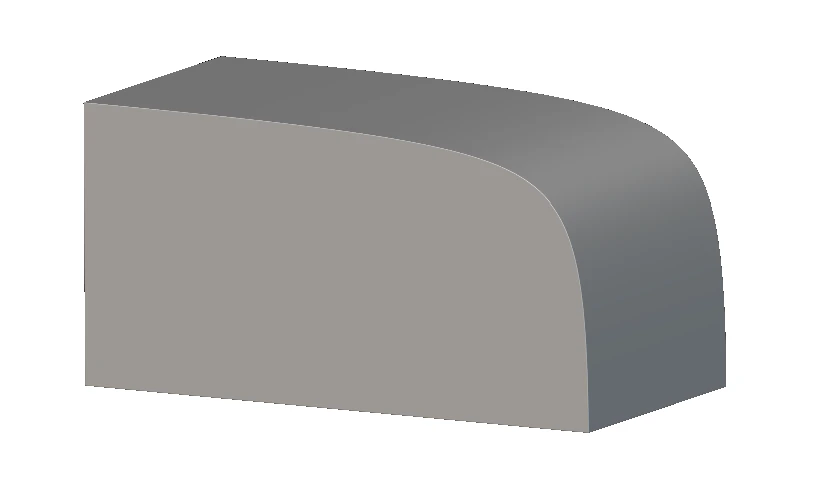 |
- We have the Point 1, Point 2, and Point 3 inputs ready for the Conic block. The coordinate space input is the vector field representing the basis on which the curve is evaluated. For this example, it would be the XY field.

Tip: You can also vary the value of Rho using a Ramp block.
 If you want to orient the Conic in different directions, you can use the Coordinate Space input to change the direction.
Cubic Bézier
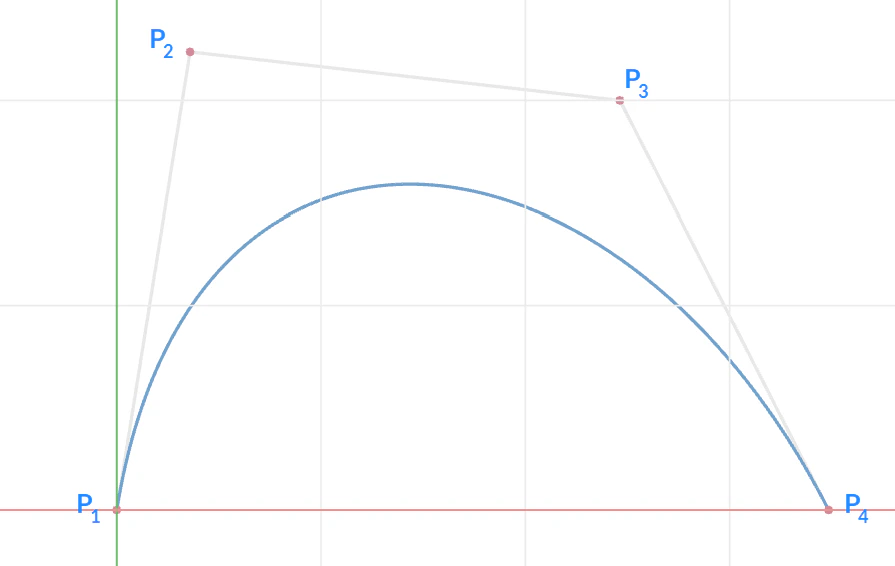 | - The shape of the curve is controlled by four points: Point 1 (P1), Point 2 (P2), Point 3 (P3), and Point 4 (P4).
- You can vary the control points (P1−P4) for dynamic control using blocks such as a Ramp block or a Distance to Curve from Axis block.
|
|---|
- You will need four separate 2D Vector Field blocks to define the inputs for Point 1 (P1), Point 2 (P2), Point 3 (P3), and Point 4 (P4).
 A simple example file showing how you can vary the Y coordinate of one of the points using the Ramp block.
Example File
Keywords:
lofting cubic 2d wing conic bezier vector field
