

Objective:
Learn how to create a Simulation Model that has more than one material.Applies to:
- Simulation
- Topology Optimization
Procedure:
Material is applied to a Simulation Model by using Attributes. Each Attribute adds a new material. To add more than one material to a Simulation Model, you need a Region to define where that material is applied. If you only have two attributes, then one of them doesn’t need a Region. Instead, that material will be applied everywhere the other material isn’t. Check out the image below to see how you would set up two and three material attributes.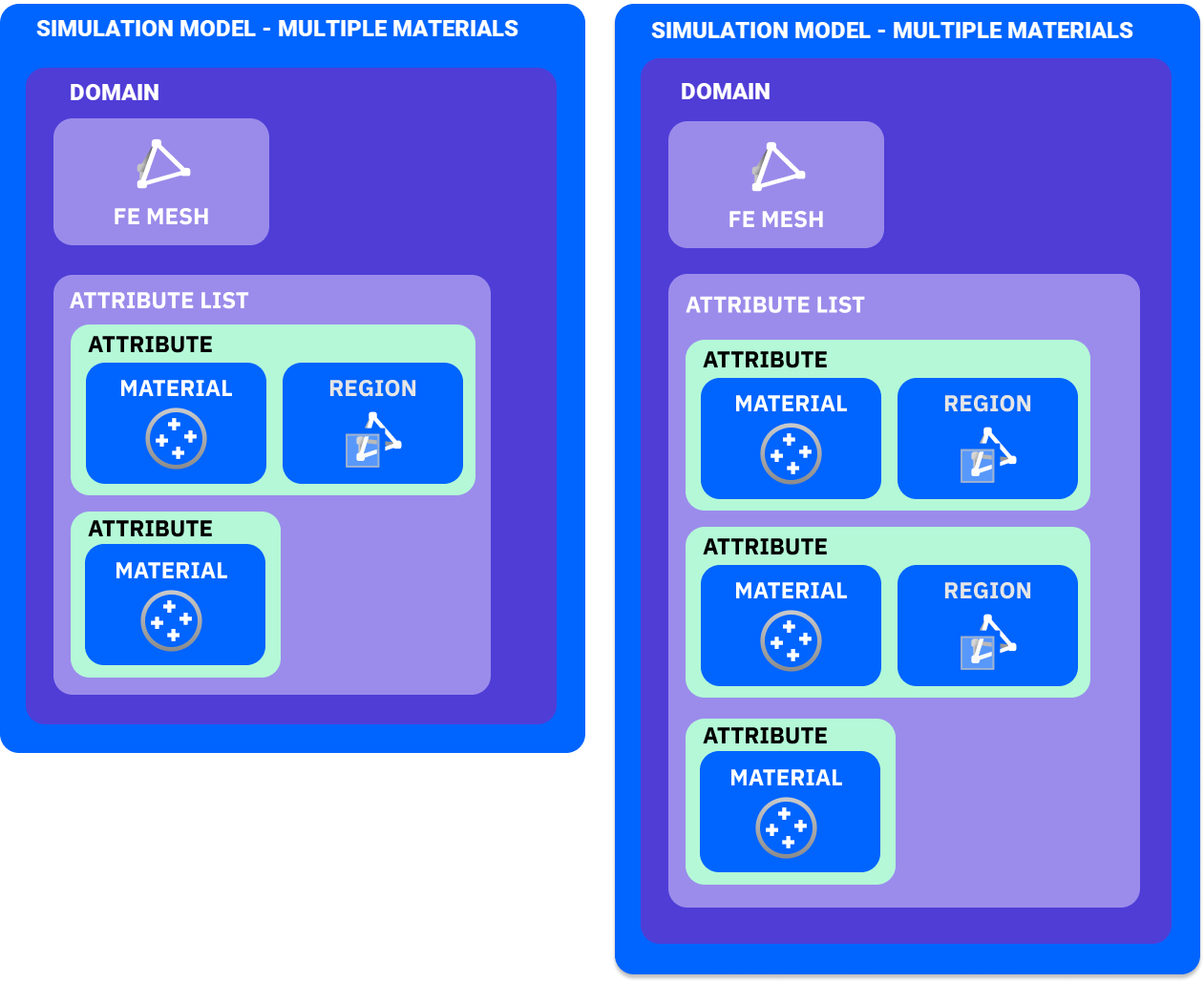 1. Set-Up: Download the example file and start with the FE Mesh already created.
2. Simulation Model:
1. Set-Up: Download the example file and start with the FE Mesh already created.
2. Simulation Model:
-
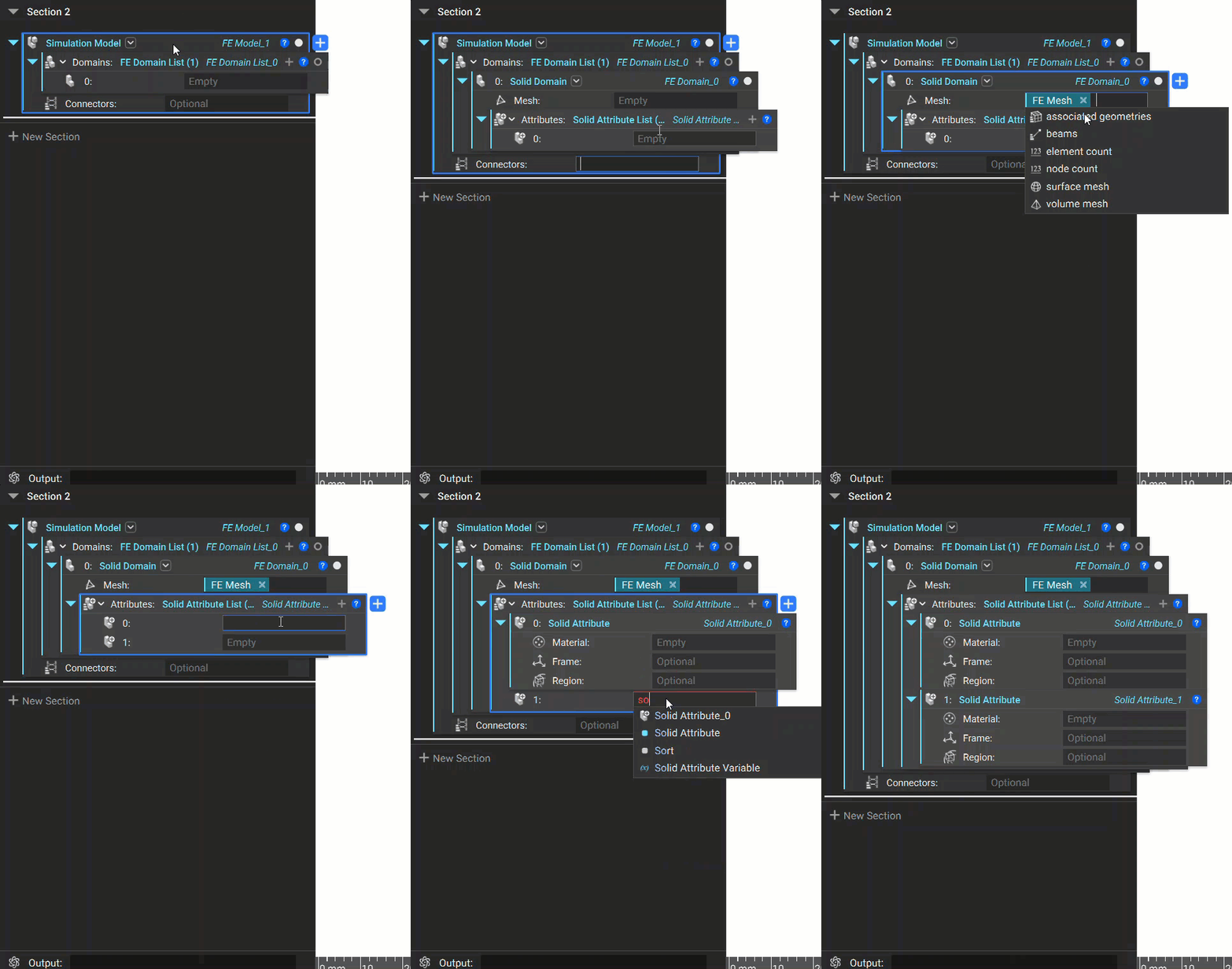
- Add a Simulation Model block.
- Add a Solid Domain.
- Input the FE Mesh variable.
- Click the + on the Attribute List to add another Attribute.
- Input a Solid Attribute into each input in the Attribute List.
 3. Material:
-
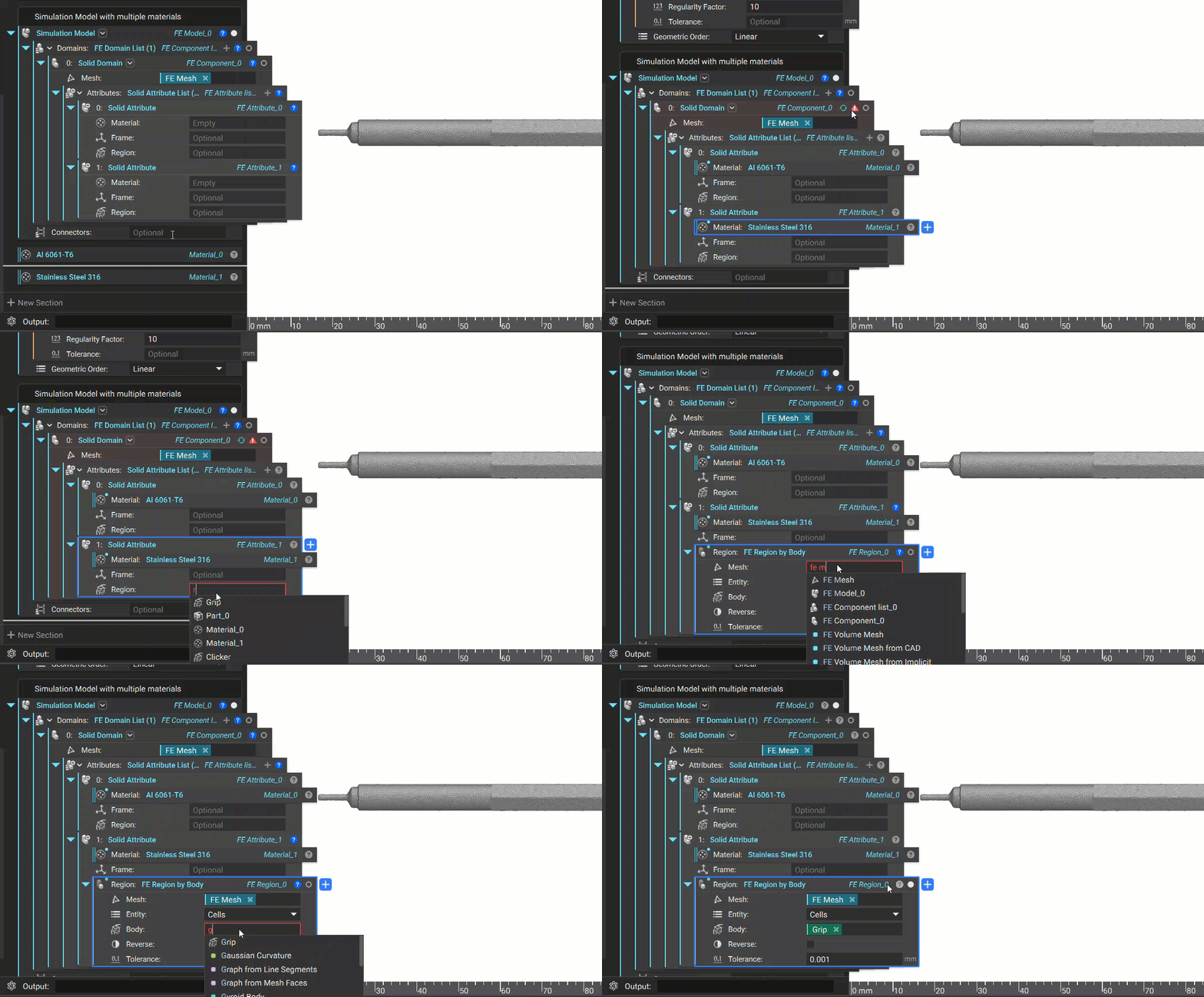
- In the first Solid Attribute, add the Al 6061-T6 Material to the Material input.
- Add the Stainless Steel 316 material to the second Solid Attribute.
- An error will pop up saying you need to set a Region for one of the Attributes.
-
- Add an FE Region by Body in the second Solid Attribute.
- Set the Mesh to the FE Mesh variable.
- Set Entity to Cells.
- Set Body to the Grip Implicit Body variable.
 And that’s it! You’ve successfully set up a Simulation Model with multiple materials.
Are you still having issues? Contact the support team, and we’ll be happy to help!
And that’s it! You’ve successfully set up a Simulation Model with multiple materials.
Are you still having issues? Contact the support team, and we’ll be happy to help!