

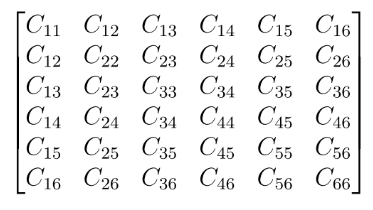
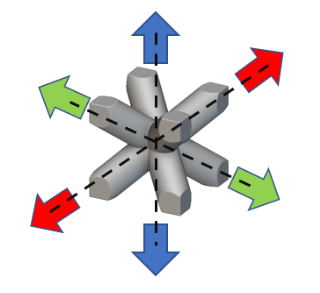
 (b) Thermal: 3 unit temperature loads under periodic boundary conditions in the X, Y, and Z directions to calculate the unit cell’s effective conductivity and specific heat. The block calculates the six components kij of the anisotropic thermal conductivity matrix.
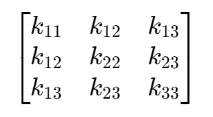 In addition to the mechanical and thermal properties, the effective density of the unit cell is also calculated.
Common uses:
In addition to the mechanical and thermal properties, the effective density of the unit cell is also calculated.
Common uses:
- Analyzing complex lattice structures.
- Exporting material properties.
- The block has the following inputs :
- Unit Cell Model: The unit cell’s simulation model has domain, mesh, attribute (solid), and material properties.
- Design Volume: This is the Implicit Body that envelops the boundaries of the unit cell exactly. This is typically a box. Unit cells with rounded corners are typically trimmed to fit a box.
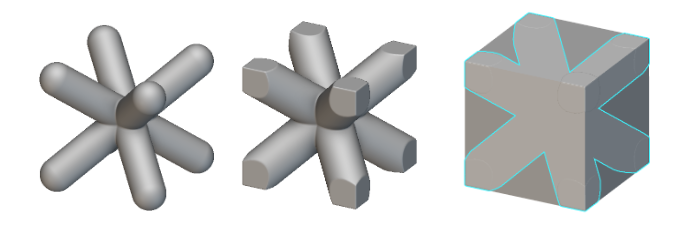
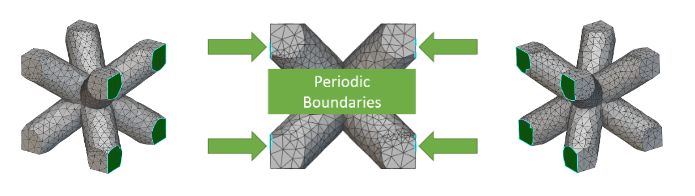
- Tolerance: This is the search tolerance to establish a rigid connection between the periodic boundaries of the unit cell. The tolerance value should be large enough to capture the nodes on the periodic boundaries but small enough to avoid over-constraining these boundaries. A recommended value is 10% of the element size of the unit cell mesh.
- Mechanical and Thermal checkboxes: By default, the block has the Mechanical option checked to calculate the effective elastic properties. Optionally, checking the Thermal option will prompt the block to calculate the effective Thermal properties like the unit cell’s anisotropic conductivity and specific heat capacity.
- Periodicity in all directions: While this method offers a convenient way to cut down the computational effort for large lattice structure simulation, it is best applied to situations where this lattice is periodic in all three orthogonal directions.
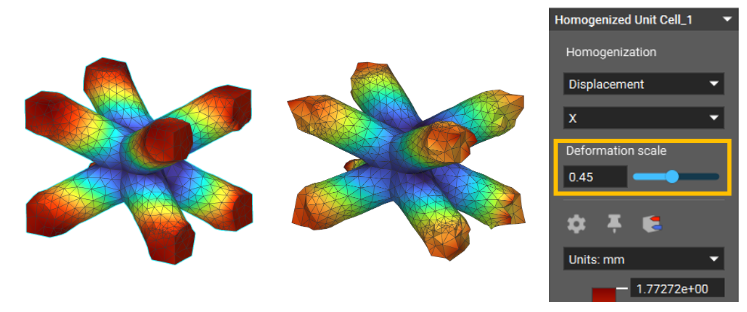
- Tolerance setting: The tolerance setting defines the maximum distance between the nodes on the periodic boundaries that will be connected. Typically, the default tolerance value of 0.01mm should work for most cases, but a recommended tolerance size is about 10% of the mesh size. A method to check that the tolerance value is appropriate to capture the periodic boundaries is to increase the deformation scale of any Homogenization result. The boundaries would deform uniformly if the tolerance is right (image on the left). If not, there would be disconnected nodes in the boundary (image on the right). If the tolerance value is too large, the block will report the following error: “Error in solving the linear system of equations. The system is not positive definite.”
- Exporting Material Properties: Exporting the anisotropic material properties generated by the homogenized unit cell block is possible. This can be achieved through the Export Material block, as described in this support article.
Example File
Example 1 - Bend Testing a Lattice Panel
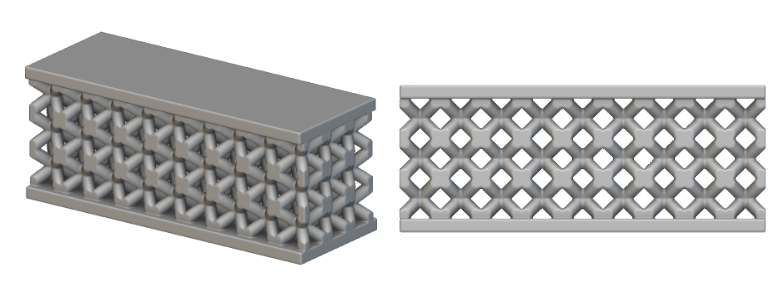 In this example, a lattice panel is tested in bending to estimate its flexural strength. Two different models of this panel are analyzed - one composed of the lattice structure and the second with a volume representing this lattice. We’ll refer to the first model as the Microstructure model and the second as the Macrostructure model (image below).
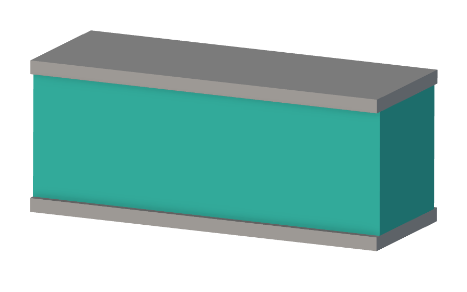 Assuming the microstructure model being analyzed is made out of Aluminum, the Homogenize Unit Cell block is used to estimate the effective elastic properties using Aluminum and the unit cell of the microstructure model. This block is then used as the material property input to analyze the macrostructure. The static analysis of the panels involves the following boundary conditions:
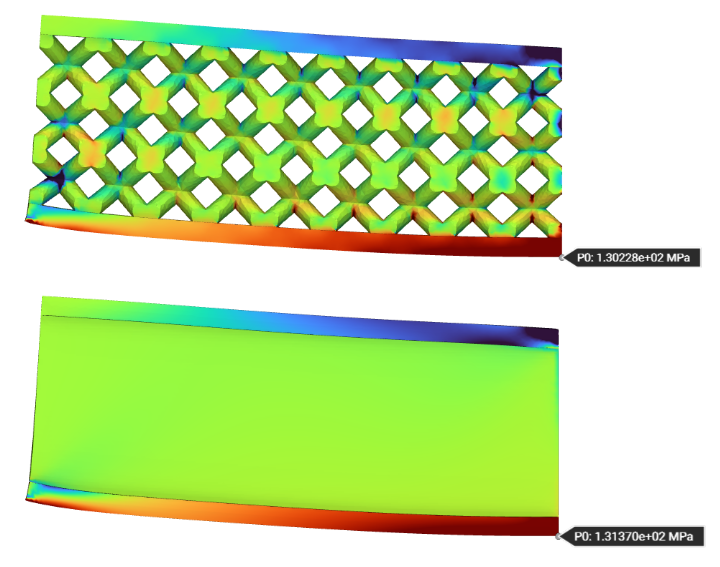
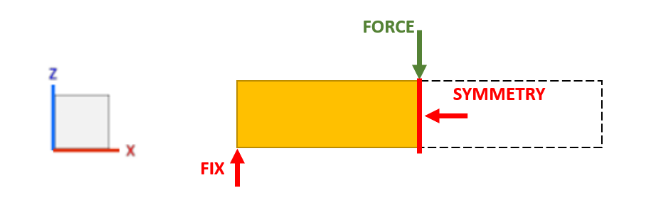 Here are the x-direction longitudinal stress results of the two models when bent by a force of 500 N in the indicated direction:
 Here is a table summarizing the performance and results of the two panels:
To summarize, we got similar results between the microstructure and macrostructure models. Although the macrostructure took longer to compute owing to the contact calculation between the panel and the macrostructure volume, the meshing speed was much faster than the microstructure model. If this panel had several more unit cells, the time taken to mesh would compensate for the slower solve times, making the macrostructure model more efficient in iteratively evaluating its structural performance. One caveat to the macrostructure analysis is that it does not report the localized stresses on the lattice, which might be required for fatigue evaluations.
Download Example: Bend Testing a Lattice Panel
Example 2 - Thermal Analysis of a Porous Structure
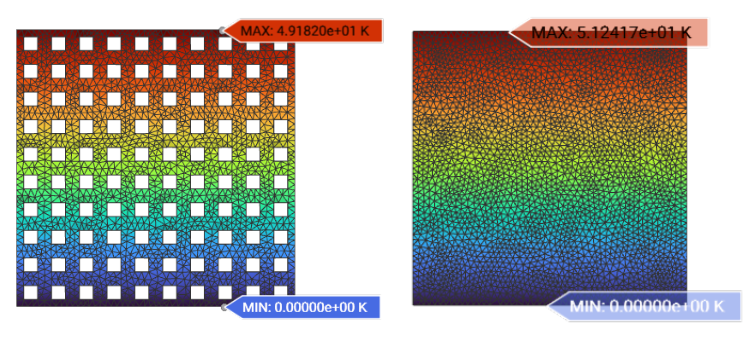
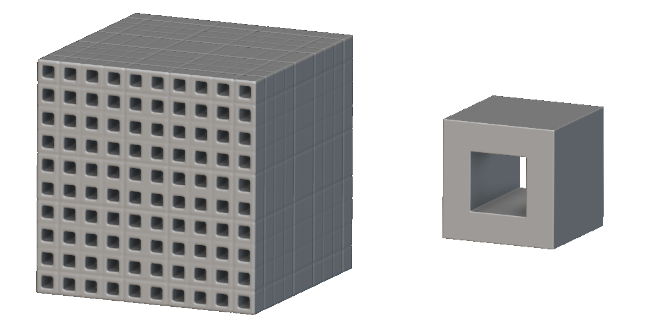 This example analyzes a porous structure composed of the unit cell (image above) to estimate its thermal performance from an applied heat flux load. It is assumed that the structure is made of Aluminum. The thermal boundary conditions applied to the porous structure (and the representative macrostructure) is outlined in the following image: The following images illustrate the temperature distribution between the macromodel and the micromodel. Both models show a maximum temperature of around 50 K with the applied heat flux load:
 Download Example: Thermal Analysis of a Porous Structure