Objective:

How to use a CAD Face in a boundary condition.

Applies to:

  • Boundary Conditions

Procedure:

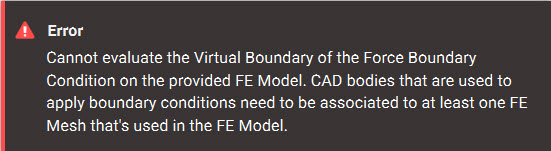
Note: If you are running into the error shown below, then you most likely have a CAD Face that isn’t associated with a mesh. Continue reading below to solve this issue.  An error message that occurs when a user tries to apply a boundary condition to a CAD body or face that is not referenced in the FE Mesh used in the FE Model.
  1. Select the CAD Face List overload in the boundary condition block.
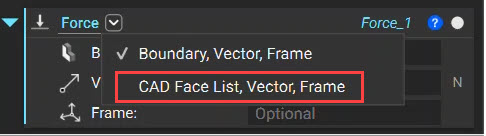
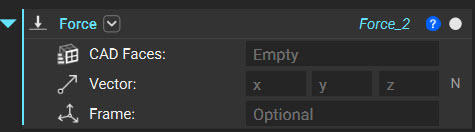
 An image showing how to access the CAD Face List overload of the Force block  The Force block
  1. Use the CAD Face directly as an input or the CAD Face List block to select multiple CAD faces for scoping your boundary condition.
  2. Associate the FE Mesh with the CAD body containing the CAD faces selected in the above step.
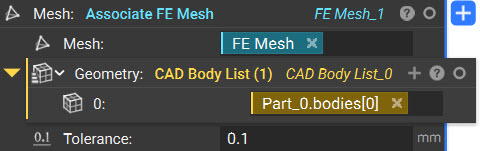
 The associate FE Mesh block utilizing an FE Mesh and a CAD body
  • Mesh: The FE Mesh is to be associated with the CAD Body.
  • Geometry: CAD bodies from which the boundary CAD faces are scoped.
  • Tolerance: Tolerance is the Maximum distance between selected mesh elements and the chosen topology.
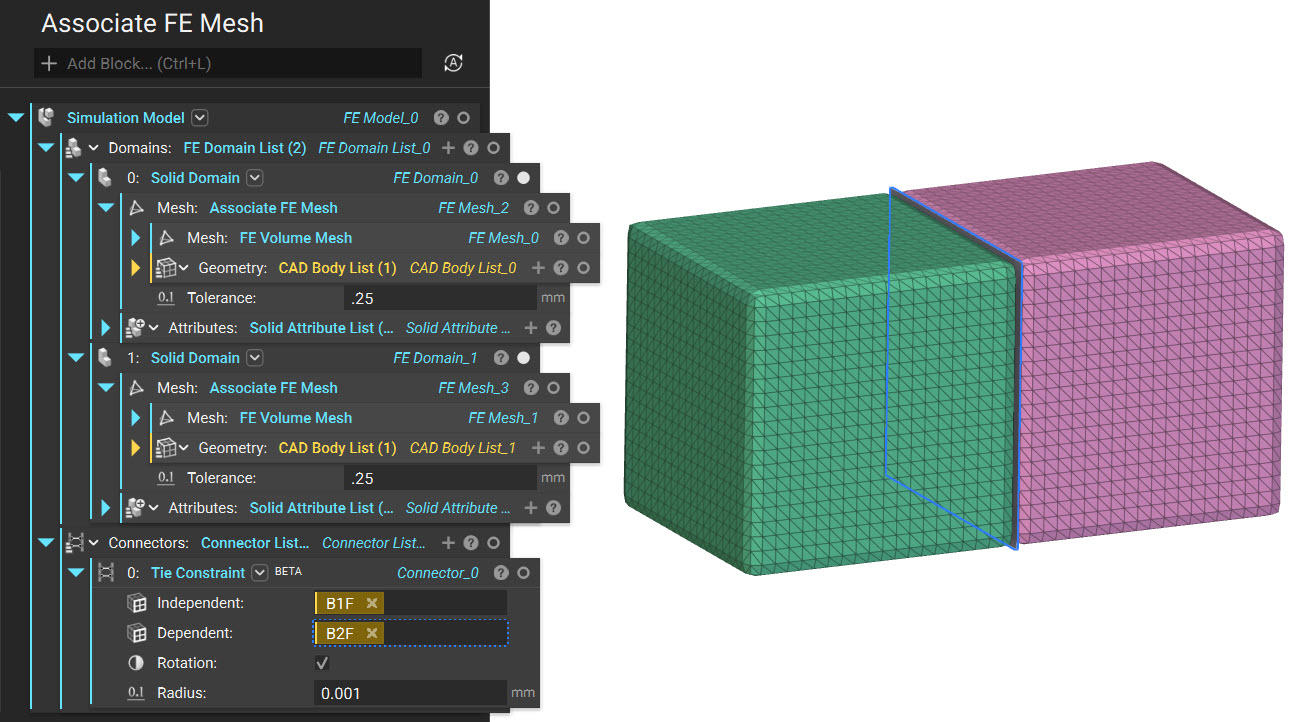
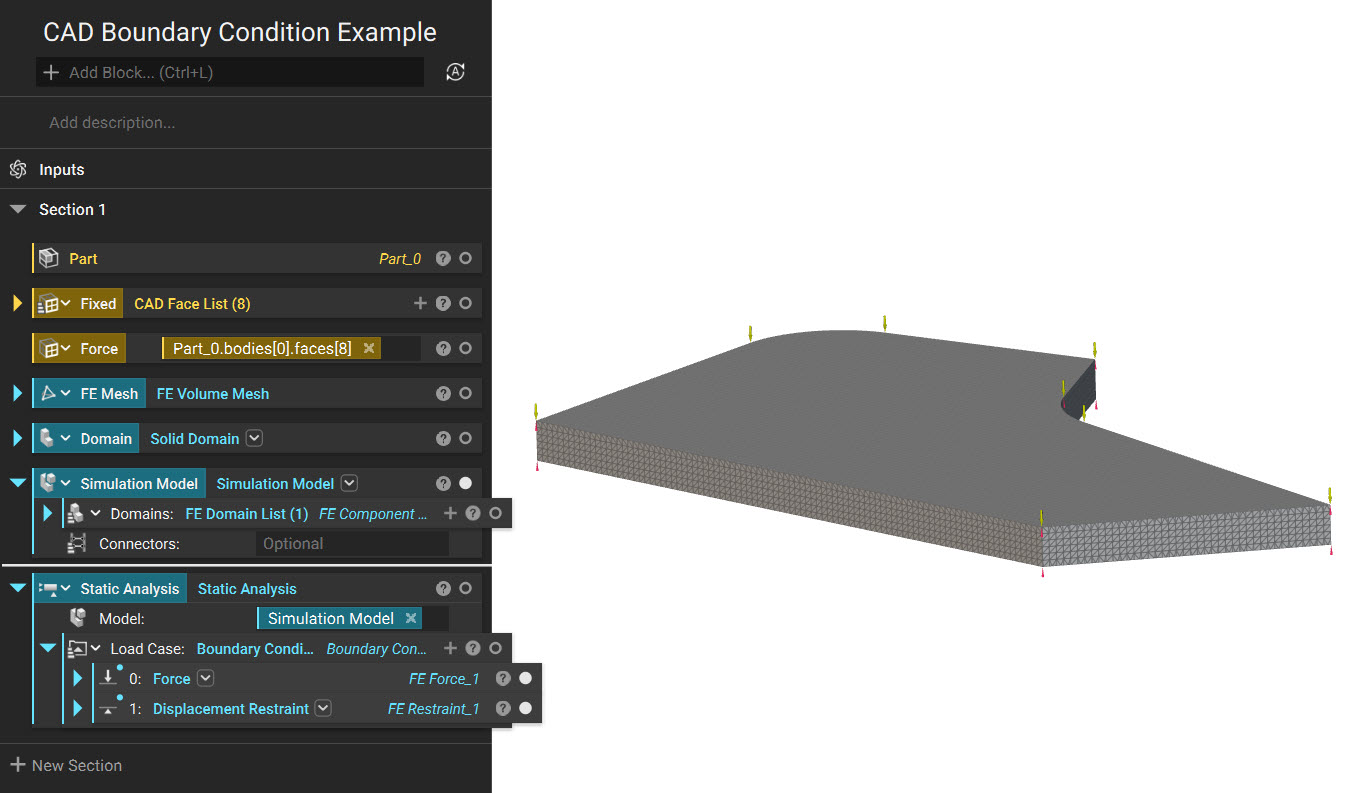
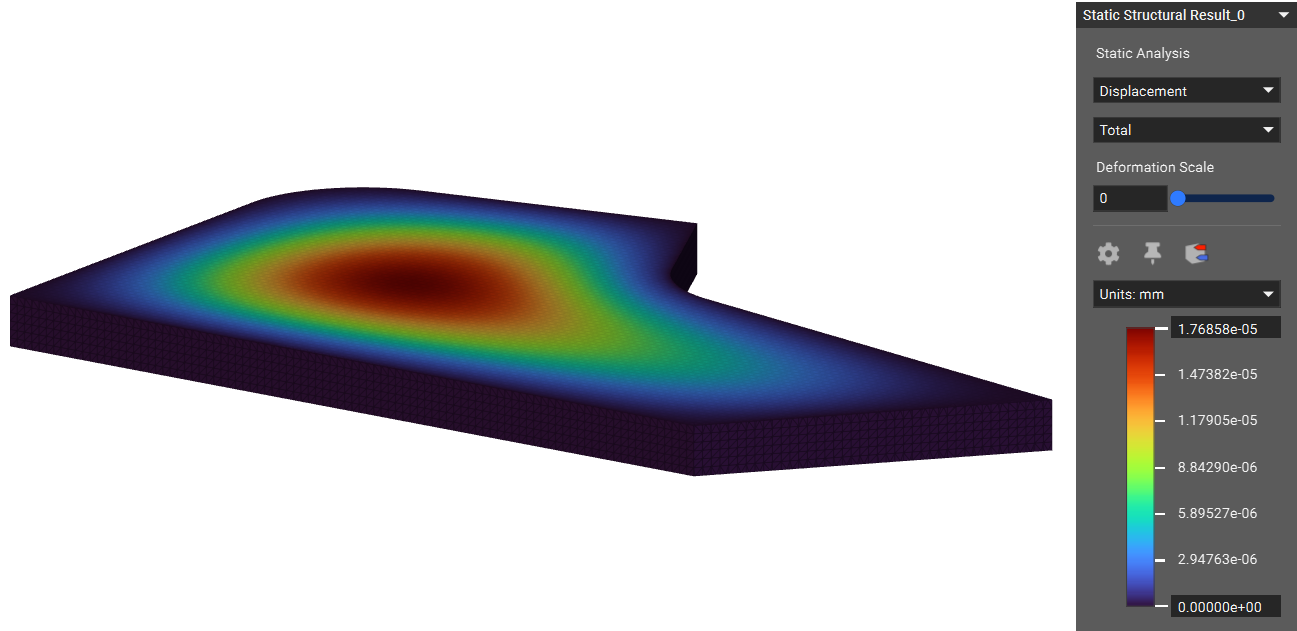
Associate FE Mesh block also helps you scope boundary conditions to multiple FE meshes generated by duplicating and replacing the Mesh input for the new Mesh. You can use the Associate FE Mesh block to assign different FE Meshes to different CAD Bodies for multi-component analyses. A Boundary Condition that is scoped to a specific CAD Face will only be applied to the mesh associated with the CAD Face. This is useful to distinguish features near each other, like neighboring Boundary Conditions or FE Connectors. For example, a Tie Constraint takes Independent and Dependent boundaries, which typically overlap in 3D space. Those boundaries can be assigned to two CAD Faces in the same location but from different CAD Bodies.  The ntop notebook and two mesh models. The image is showing how to use the Associate FE Mesh block and a Tie constraint block to create a valid simulation model.  An example simulation model with applied boundary conditions  Static Analysis results showing displacement values on a model And that’s it! You’ve successfully used CAD face to scope a boundary condition. Are you still having issues? Contact the support team, and we’ll be happy to help!

Download the Example file:

More on this topic: