

Objective:
Learn how to run a transient thermal analysis.Applies to:
- Thermal Analysis
Procedure:
Note: This workflow uses Beta blocks. Learn how to turn on Beta blocks by reading: What are beta blocks?
1. Define thermal properties.
-
- Follow the steps in this article to set up your material: How to run a thermal analysis
2. Complete the FE Model and choose your Boundary Conditions.
-
- You can read here for more information on thermal boundary conditions: How to run a thermal analysis.
- In this example, we use two Temperature Restraint blocks and a Surface Heat Flux block for our Boundary Conditions.
3. Run the analysis.
-
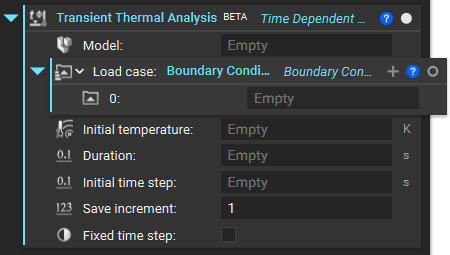
- Add a Transient Thermal Analysis block. This block performs a linear transient heat conduction analysis on an FE Model subject to prescribed temperature and heat flux boundary conditions.
- Initial temperature: The initial temperature of the components in the FE Model.
- Duration: Duration of the simulation.
- Initial time step: Initial time step for the transient analysis. The program will control the step size for subsequent steps.
- Save increment: Controls the amount of data that is stored and accessible after the simulation completes. The default value of 1 will save results for all increments, whereas 0 will save only the first and last increments. For any value N > 1, the block will save results for every N increment.
- Fixed time step: Option to fix the initial time step for the entire analysis. If this option is unchecked, the solver uses an automatic time-stepping scheme that varies the initial time step based on the stability of the analysis.
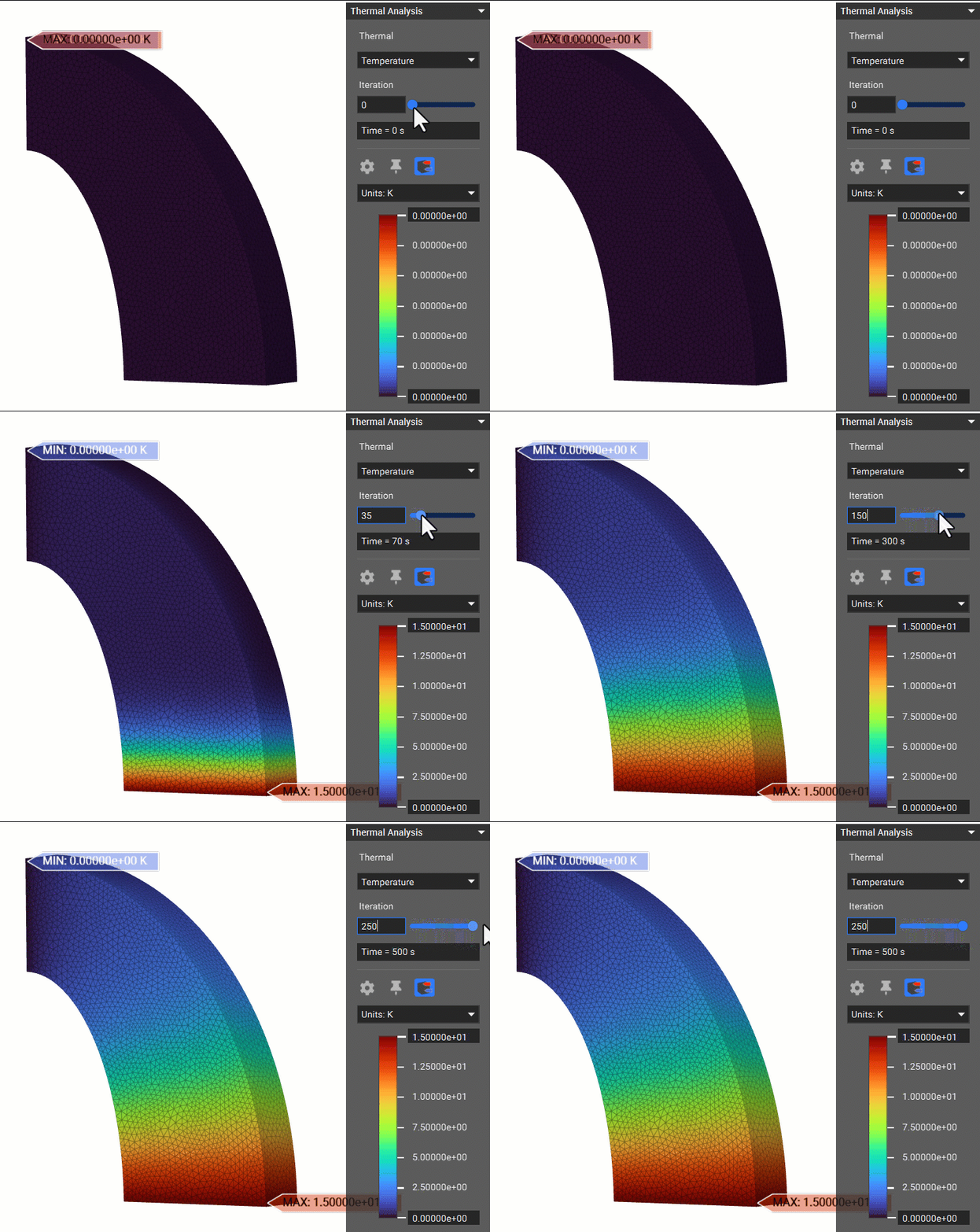
 Our results are shown in a Heads-Up-Display (HUD). You can visualize the Temperature, Heat Flux, and Thermal Reaction Flux in the HUD. You can access these properties by opening the Info panel and going to the Properties tab in the Transient Thermal Analysis block.
 And that’s it! You’ve successfully run a nonlinear thermal analysis.
Are you still having issues? Contact the support team, and we’ll be happy to help!
And that’s it! You’ve successfully run a nonlinear thermal analysis.
Are you still having issues? Contact the support team, and we’ll be happy to help!