

Objective:
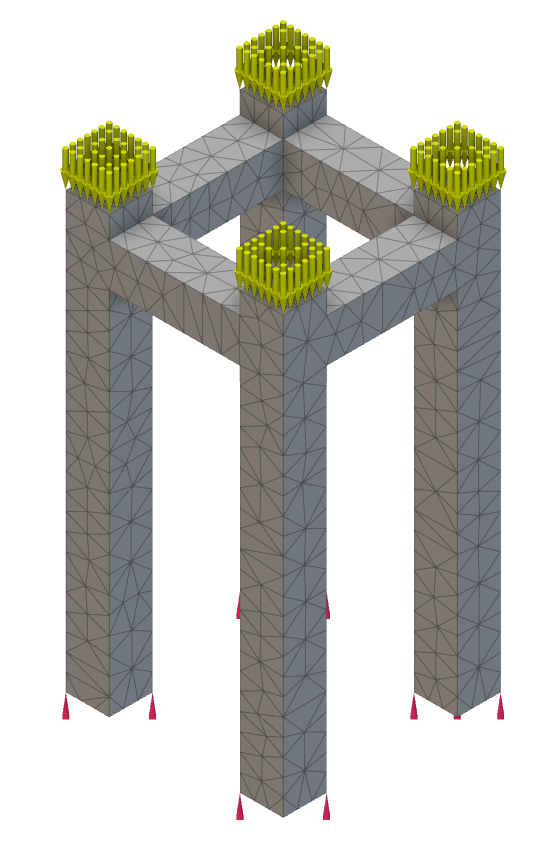
Learn how to perform a Buckling Analysis.This article uses Simulation/Optimization and both of them in nTop have two requirements: FE Mesh and Boundary Conditions (BCs). Follow the instructions in the links below to prepare your model for simulation.FE MeshBoundary Conditions (BCs)
-
- Add a Buckling Analysis block
- Insert the Simulation Model into the Model input
- Add the Force BC to the BC List input
- Press the ’+’ in the BC List to add another input
- Insert the Restraint BC into the new input slot
-
- Enter the Maximum Number of modes you wish to calculate.
- You can bound the Min and Max Eigenvalues, but it will return an error if there are no eigenvalues in that range.
Note: This is a linear buckling analysis. All inertial and damping forces are neglected. To get the most accurate results, it is recommended that a Quadratic geometric order FE mesh be used with any analysis.
- The loads are assumed to be applied slowly until the model reaches a state of equilibrium (static assumption), and the relationship between loads and displacements is assumed to be linear.
 2. Reading the Results
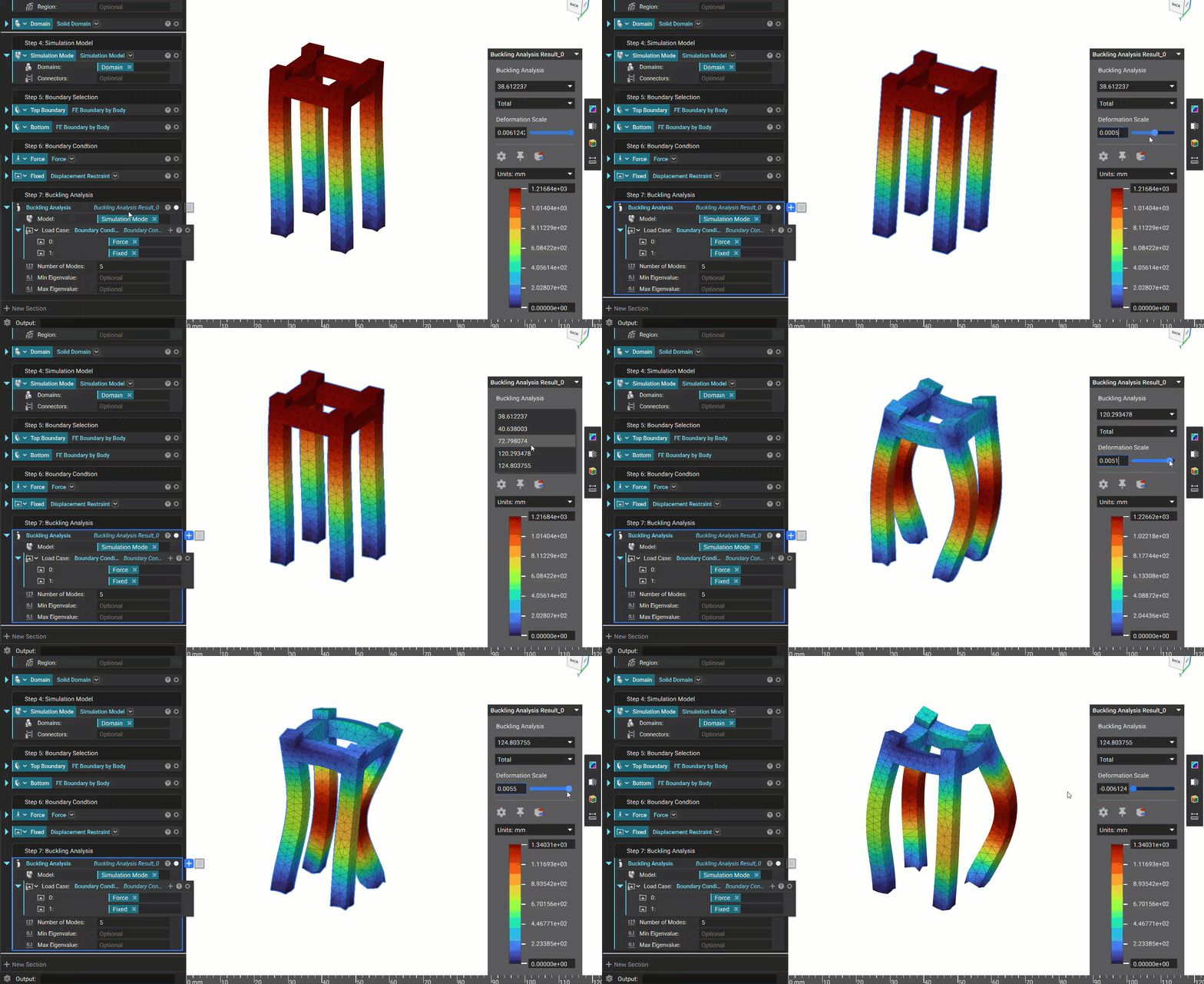
Once you run an analysis, a Heads Up Display (HUD) will appear, showing the results. The HUD allows you to toggle through Total displacement and Displacement across the X, Y, and Z axes.
2. Reading the Results
Once you run an analysis, a Heads Up Display (HUD) will appear, showing the results. The HUD allows you to toggle through Total displacement and Displacement across the X, Y, and Z axes.
- The result of the buckling simulation (‘buckling load factor” property in the block’s properties) is a list of factors by which the model’s load(s) must be multiplied to reach the critical buckling load for each mode.
- The results are ranked by the intensity of each mode, from high to low.
 And that’s it! You’ve successfully run a buckling analysis.
Are you still having issues? Contact the support team, and we’ll be happy to help!
And that’s it! You’ve successfully run a buckling analysis.
Are you still having issues? Contact the support team, and we’ll be happy to help!