

Objective:
Learn how to determine the heat flow on a specific part of your model.Applies to:
- Thermal analysis
- Simulation
- Heat Exchangers
Procedure:
- After running a Thermal Analysis use the results to create a Heat Flux Point Map.
- Define a region that intersects with the areas you want to determine the heat flux in. For example, a Box from Corners, thickening a CAD surface, or any other volume.
- Use the Filter Points by Volume block with the Heat Flux Point Map and Region as inputs.
- Extract the values from the Properties of the filter block and post-process as you need to (average, sum, etc.)
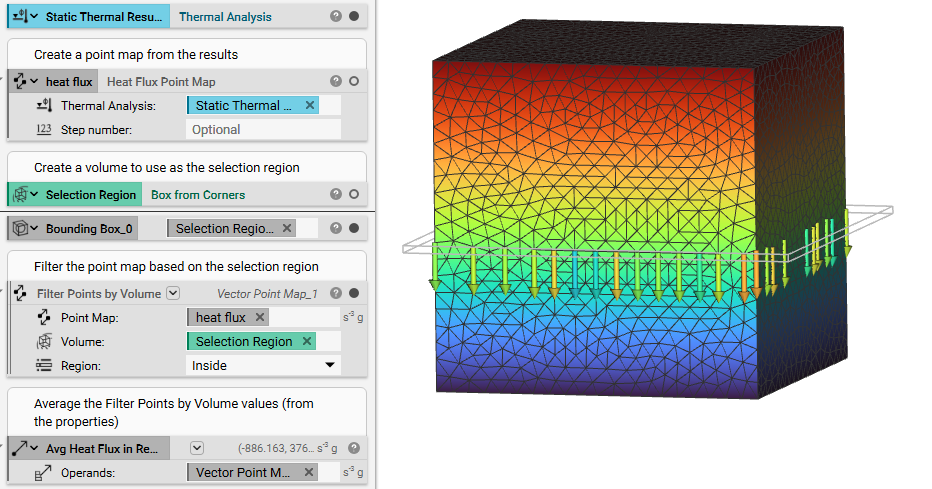 And that’s it! You’ve successfully determined the heat flux on a specific area.
Are you still having issues? Contact the support team, and we’ll be happy to help!
And that’s it! You’ve successfully determined the heat flux on a specific area.
Are you still having issues? Contact the support team, and we’ll be happy to help!