

Objective:
Learn how to use point massApplies To:
- Static Analysis
- Topology Optimization
Procedure:
This article uses Simulation/Optimization and both of them in nTop have two requirements: FE Mesh and Boundary Conditions (BCs). Follow the instructions in the links below to prepare your model for simulation.FE MeshBoundary Conditions (BCs)
- Point: FE Point to create a domain from.
- Attribute: Point Attribute to define the remote mass parameters.
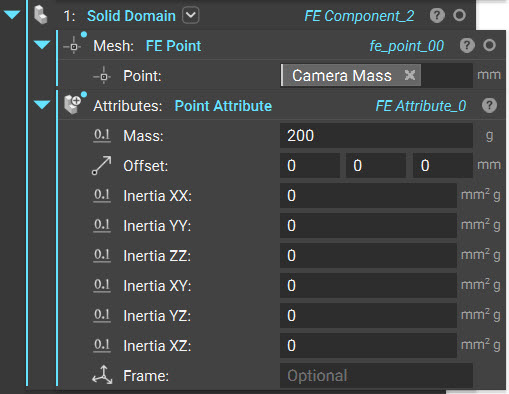 The block has the following inputs :
- Mass: This assigns a mass to the remote point
- Offset: The offset is used to specify the center of rotation for the inertia calculations. By default, the center of rotation is at the point defined in the FE Component block. This location will be moved from the point by the offset distance specified in this input. This input follows the Frame definition in the block, which is the global coordinate system by default.
- Inertia ij: This defines the six components of the mass moments of inertia tensor
- Frame: The frame is used to define the offset directions as well as the axes used to calculate the mass moment of inertia components
Example
Modal Analysis and Optimization of a Camera Bracket Camera Bracket Example.ntop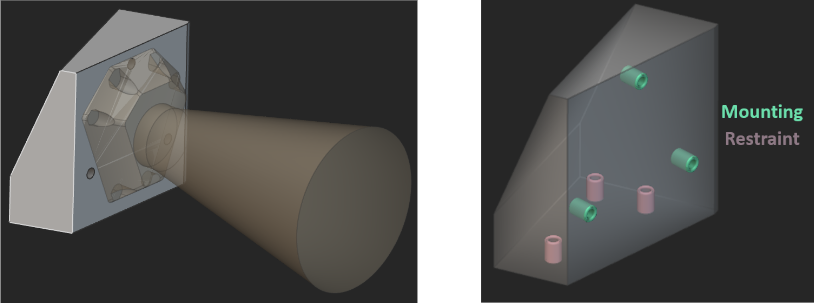 Here is a bracket (gray) that is used to connect a camera (yellow) to a mount (not pictured in the image). The requirement for this bracket is to have a first natural frequency that is greater than 350 Hz. To estimate the first natural frequency and to optimize the bracket to obey this requirement, it is essential to include the mass of the camera in the analysis. This can be defined as a remote point mass attached to the mounting locations with flexible (RBE3) connectors.
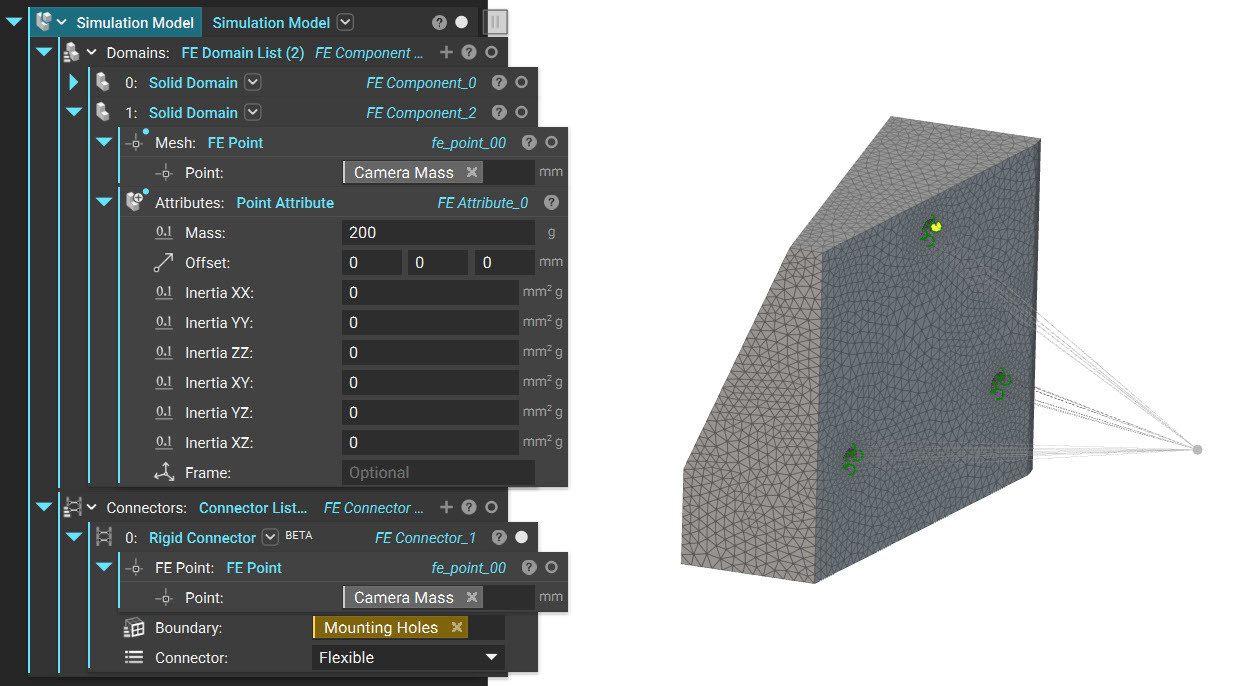 The remote point mass can be defined and attached to the mounting locations in the following way :
- Add a second Solid Domain to the Simulation Model.
- In the Point input, specify the x, y, and z location of the camera’s center of mass. In the attached example, this point is specified as a variable that contains the camera’s center of mass property.
- To the Attributes input, add a Point Attribute and input the mass properties of the camera. In the attached example, a mass of 200 g was specified in this block.
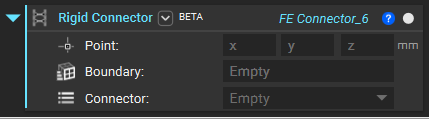
- In the Connectors input of the Simulation Model, add the Rigid Connector block.
- Enter the coordinates of the point representing the camera’s center of mass. Here, the center of mass variable was used to specify this input, just like the Solid Domain block.
- Define the Boundary that the remote mass is connected to.
- Finally, specify the connector type. In this example, the Flexible (RBE3) connector was used.
| Design 1 | Design 2 | Design 3 | |
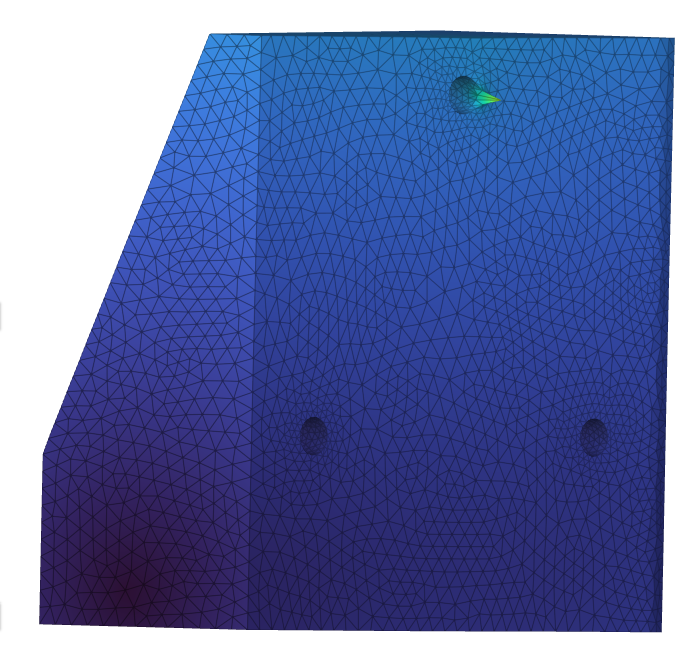 | 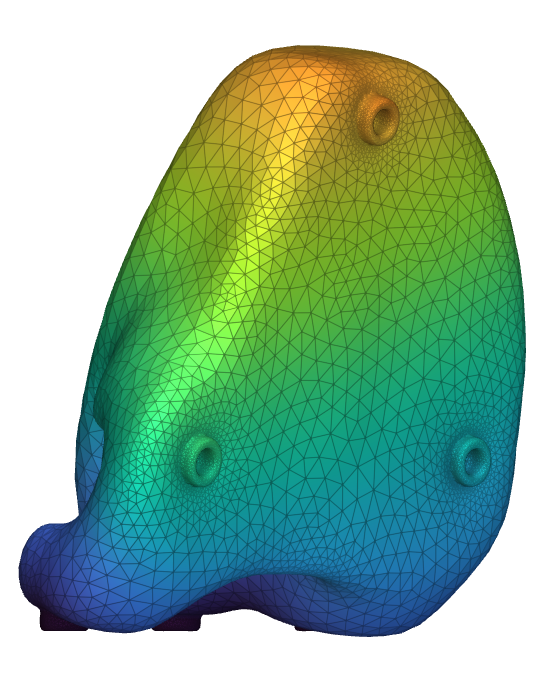 | 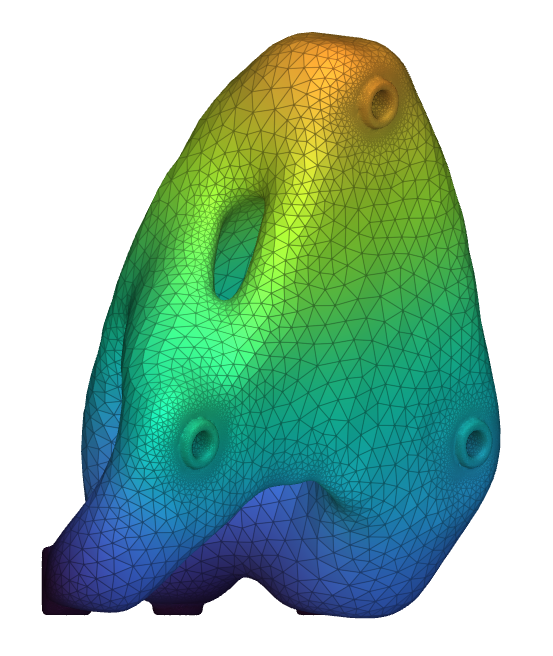 | |
| Mass | 480 g | 248 g | 178 g |
| First Natural Frequency | 922 Hz | 636 Hz | 635 Hz |